
Edit Shipment Items
Add or remove items on a shipment before it is posted to fulfillment.
Editing shipment items allows you to add or remove products on a shipment before it is posted to fulfillment. This is useful for adjusting what gets shipped before the fulfillment provider processes the shipment.
Key Takeaways
- Items can only be edited before the shipment is posted to fulfillment
- Same prerequisites as Post to Fulfillment — the shipment must be in a postable state
- This action does not trigger any customer notifications or webhook events
Prerequisites
The Edit Items action is available when all of the following conditions are met:
| Condition | Details |
|---|---|
| Fulfillment connection assigned | The shipment must have a fulfillment connection set |
| Shipment is not posted | The shipment has not already been posted |
| Shipment has a scheduled date | A scheduled date must exist on the shipment |
| Shipment is not cancelled | The shipment has not been cancelled |
| Shipment is not skipped | The shipment has not been skipped |
| Tracking not fetched | No tracking number has been fetched yet |
| Transaction is complete | The associated transaction must be completed |
How to Edit Items
Step 1: Navigate to the Shipment
Find the shipment you want to edit. The most common methods are:
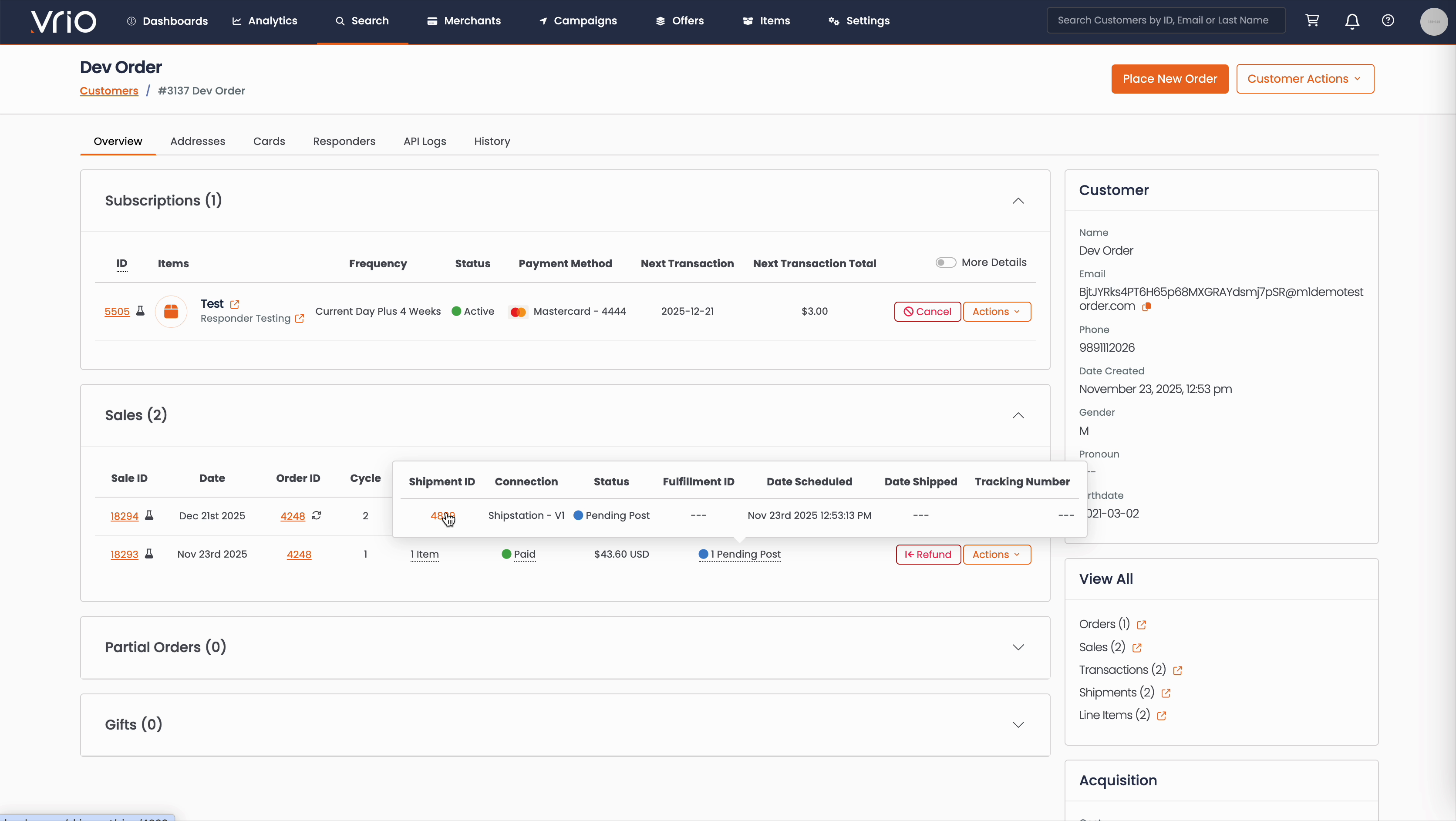
From the Customer Page:
- Navigate to Search → Customers tab and find the customer record
- On the customer detail page, scroll to the Sales section
- Hover over the Shipment Status to expand and show shipment details
- Click on the Shipment ID
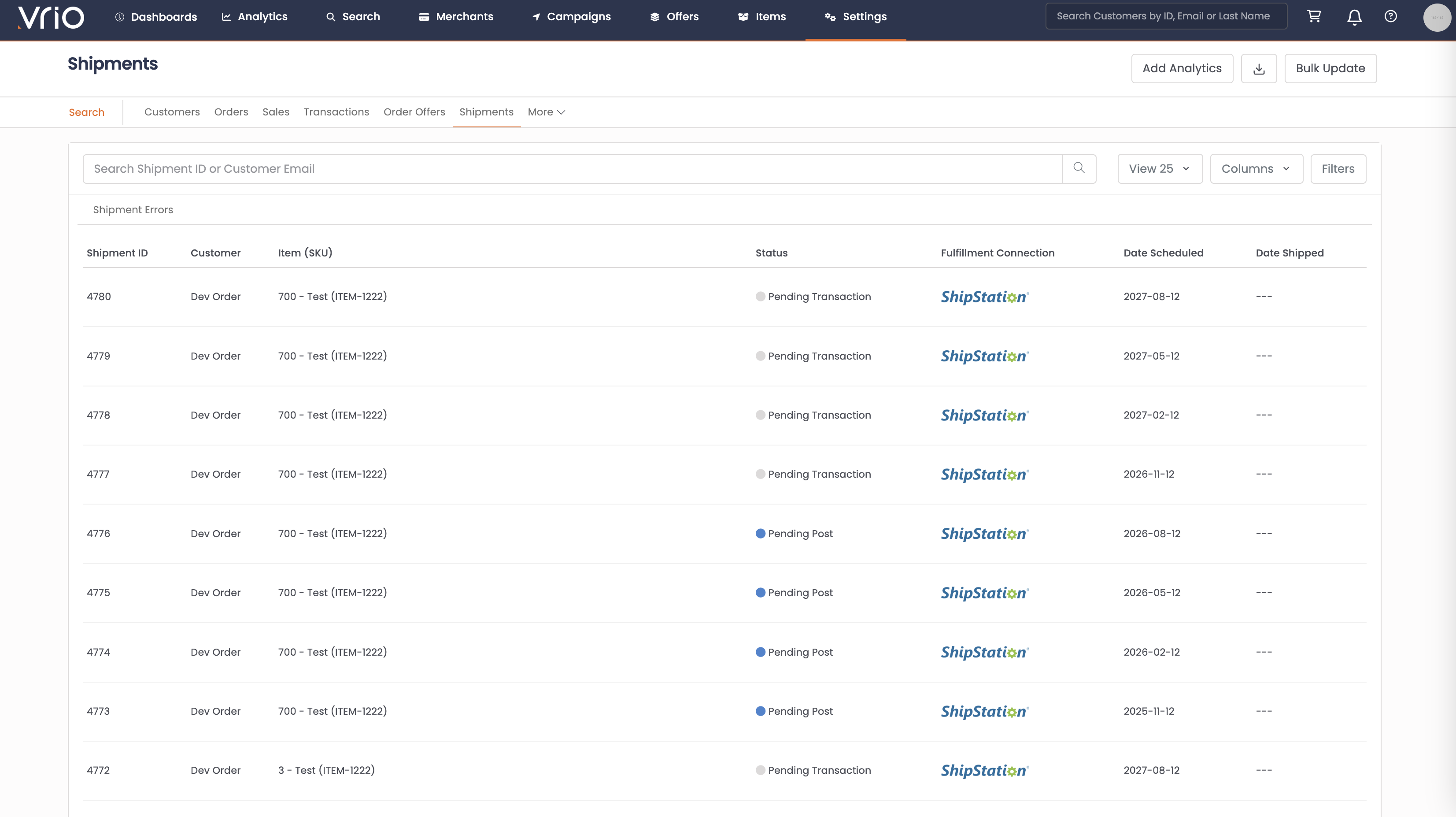
From the Shipments List:
- Navigate to Search → Shipments tab
- Use filters or browse to find the shipment
- Click on the Shipment to open the shipment detail page
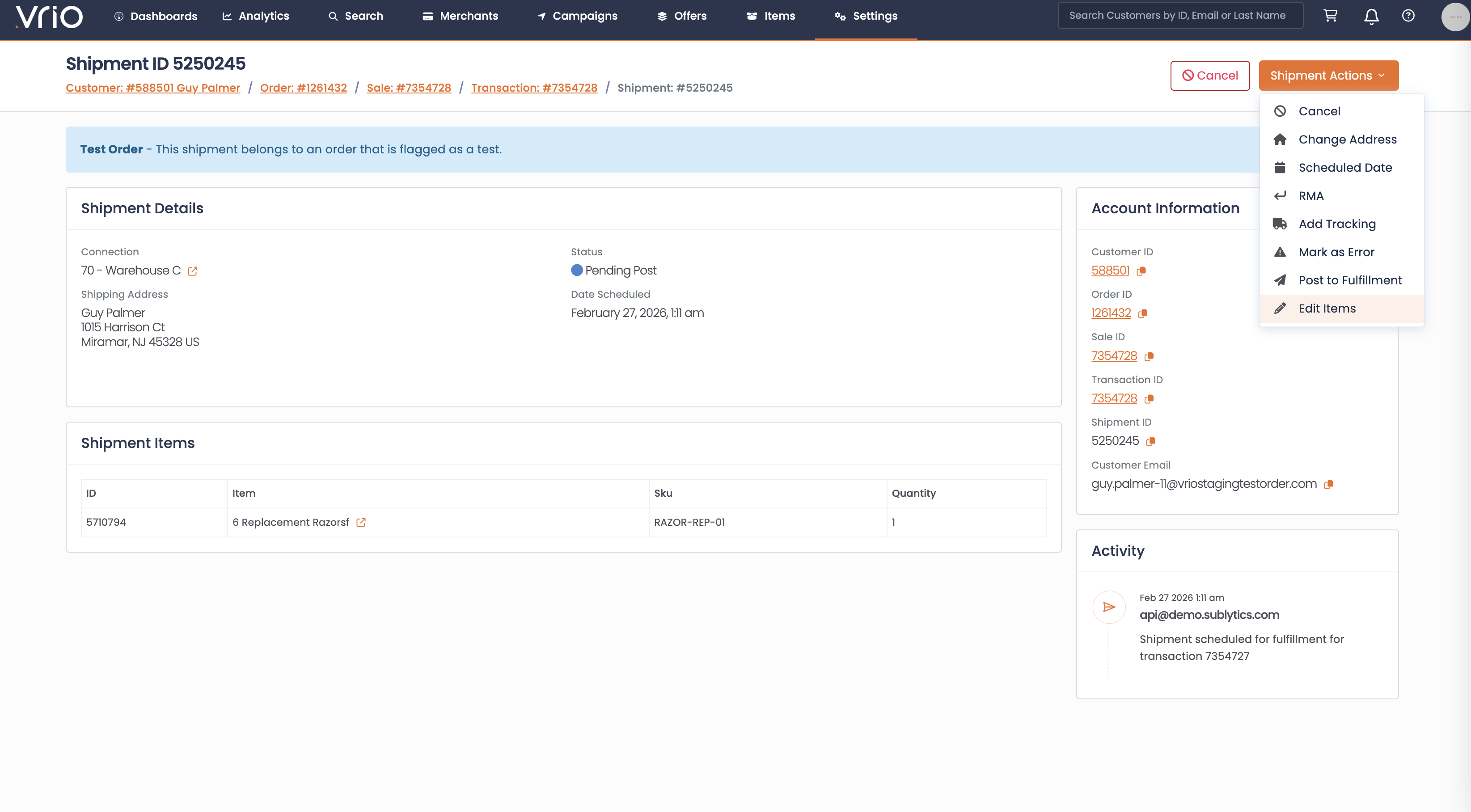
Step 2: Open the Edit Items Page
On the shipment detail page, click Edit Items from the Shipment Actions. This opens a separate page showing all items currently on the shipment.
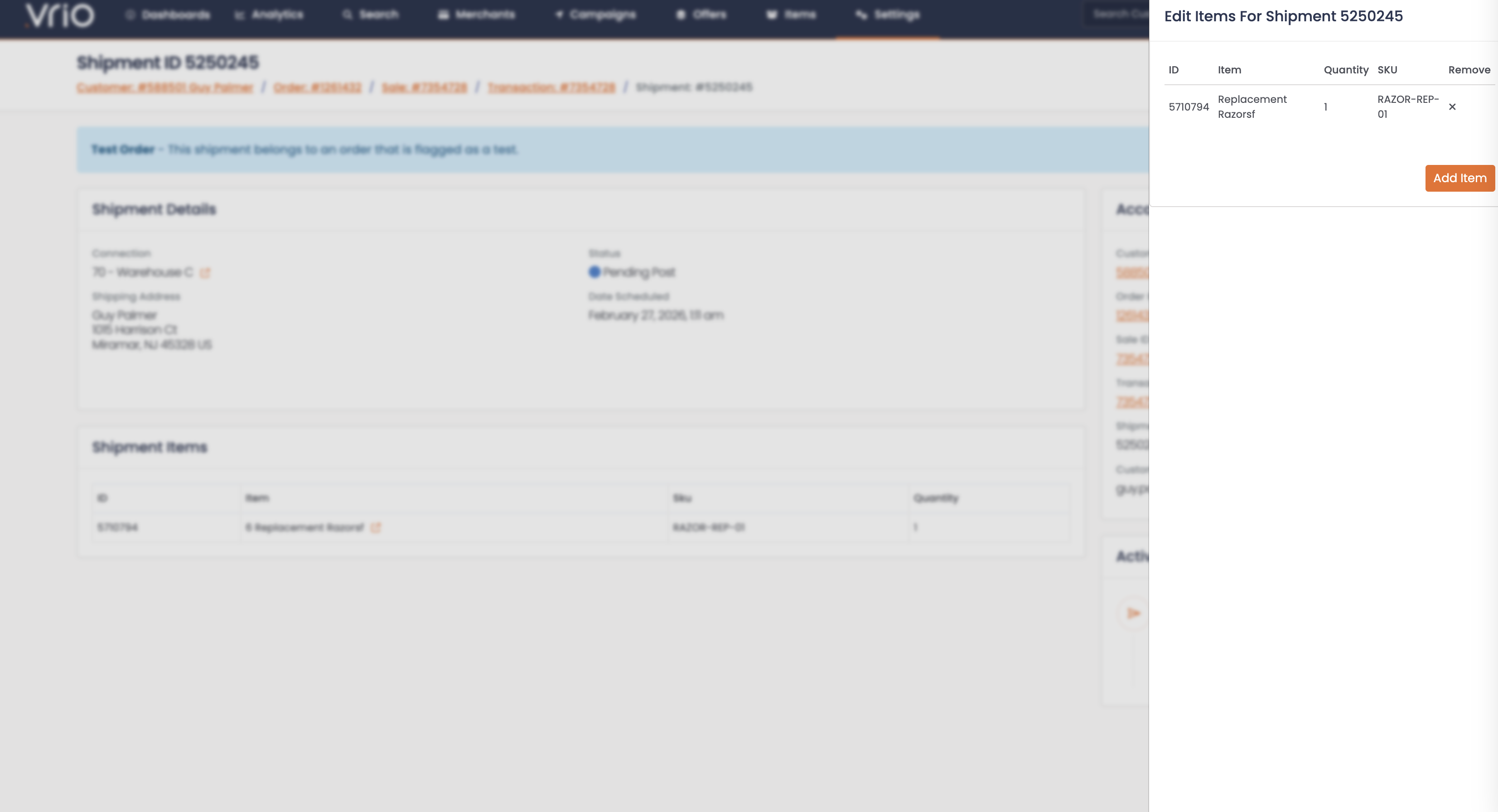
Step 3: Add or Remove Items
From the edit items page, you can:
- Remove items — Delete items you don't want included in this shipment
- Add items — Add new items to the shipment
- Changes are saved individually as you add or remove each item
What Happens After Editing
When items are modified:
- Shipment items updated — The shipment's item list is updated with the changes
- Notes logged — Changes are recorded in the shipment notes
Other Ways to Edit Items
- API — POST /shipments/{id}/items to add items to a shipment programmatically
- API — DELETE /shipments/{id}/items/{item_id}/delete to remove items from a shipment programmatically
FAQ
Q: Can I edit items on a shipment that has already been posted?
A: No. Items can only be edited before the shipment is posted to fulfillment. For shipped items, consider a reship instead.
Q: Will the customer be notified?
A: No. Editing items does not trigger any responders or webhook events.
Updated 8 months ago