
Direct Pay URL
Generate checkout links to send customers directly to checkout with pre-populated items - no coding required.
The Vrio Hosted Checkout provides a fully managed, PCI-compliant payment page that you can use without any coding. Simply generate a link and share it with your customers - when they click it, the item will be pre-loaded in their cart and they'll be directed straight to checkout.
You can send customers directly to the Vrio Hosted Checkout Page. Use the URL for destination buttons, email links, or social media posts - sending customers to an optimized payment collection form with items already in their cart.
What is a Direct Pay URL
Direct Pay URLs allow you to create unique checkout links for any combination of item and offer within your campaign. Use Vrio destination URLs to pre-populate the checkout with the items you want the customer to purchase. This destination URL links directly from the marketing source, removing the steps between the customer and purchase.
Every item added to a campaign will have a Direct Pay URL automatically generated for use in:
- Email marketing campaigns
- Social media posts
- Customer service links
- Affiliate marketing
- SMS campaigns
- Any digital channel
Generating Direct Pay URLs
How to Generate a Checkout Link
-
Navigate to Campaigns and select your campaign
-
Click on the Items tab
-
Find the item/offer combination you want to sell
-
Click the shopping cart icon (🛒) next to the offer
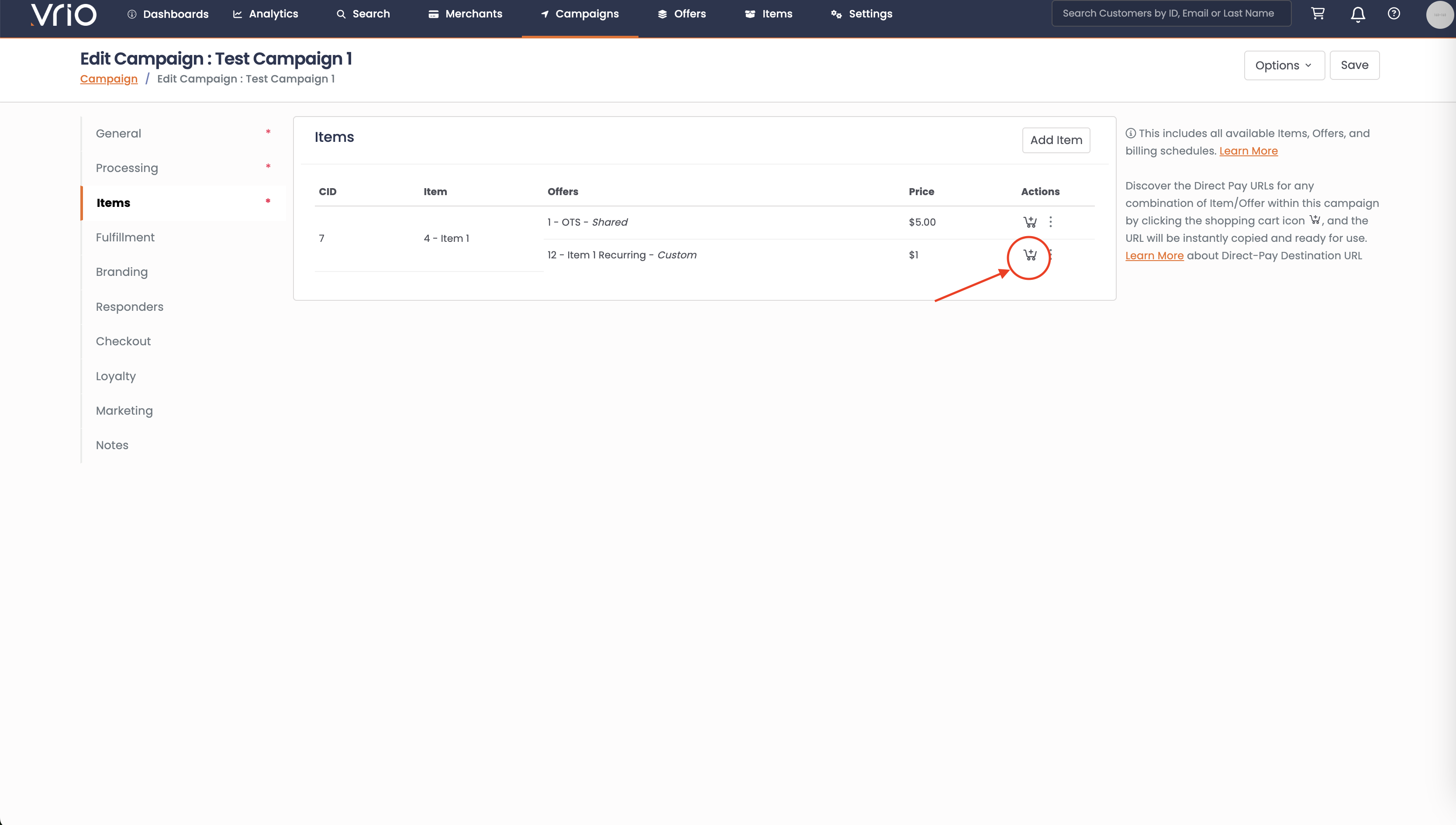
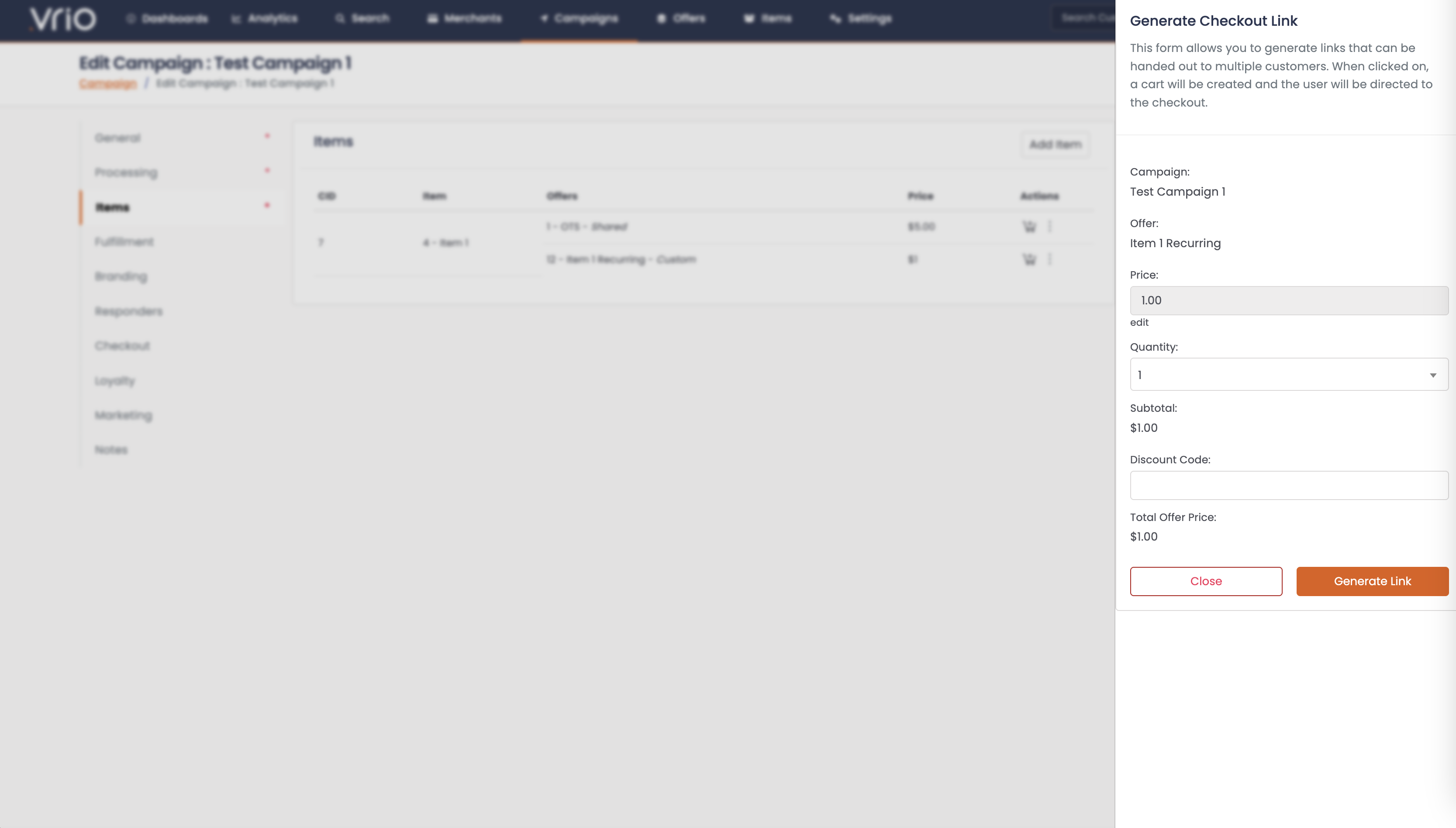
A "Generate Checkout Link" modal will appear showing:
- Campaign name
- Offer selected
- Item selected
- Price (editable)
- Quantity (adjustable)
- Discount code field
- Subtotal and total
-
Adjust the price or quantity if needed
-
Click Generate Link
-
The URL is automatically copied to your clipboard - ready to share!
What Happens When Customers Click the Link
When a customer clicks your Direct Pay URL:
- A cart is automatically created with the selected item and offer
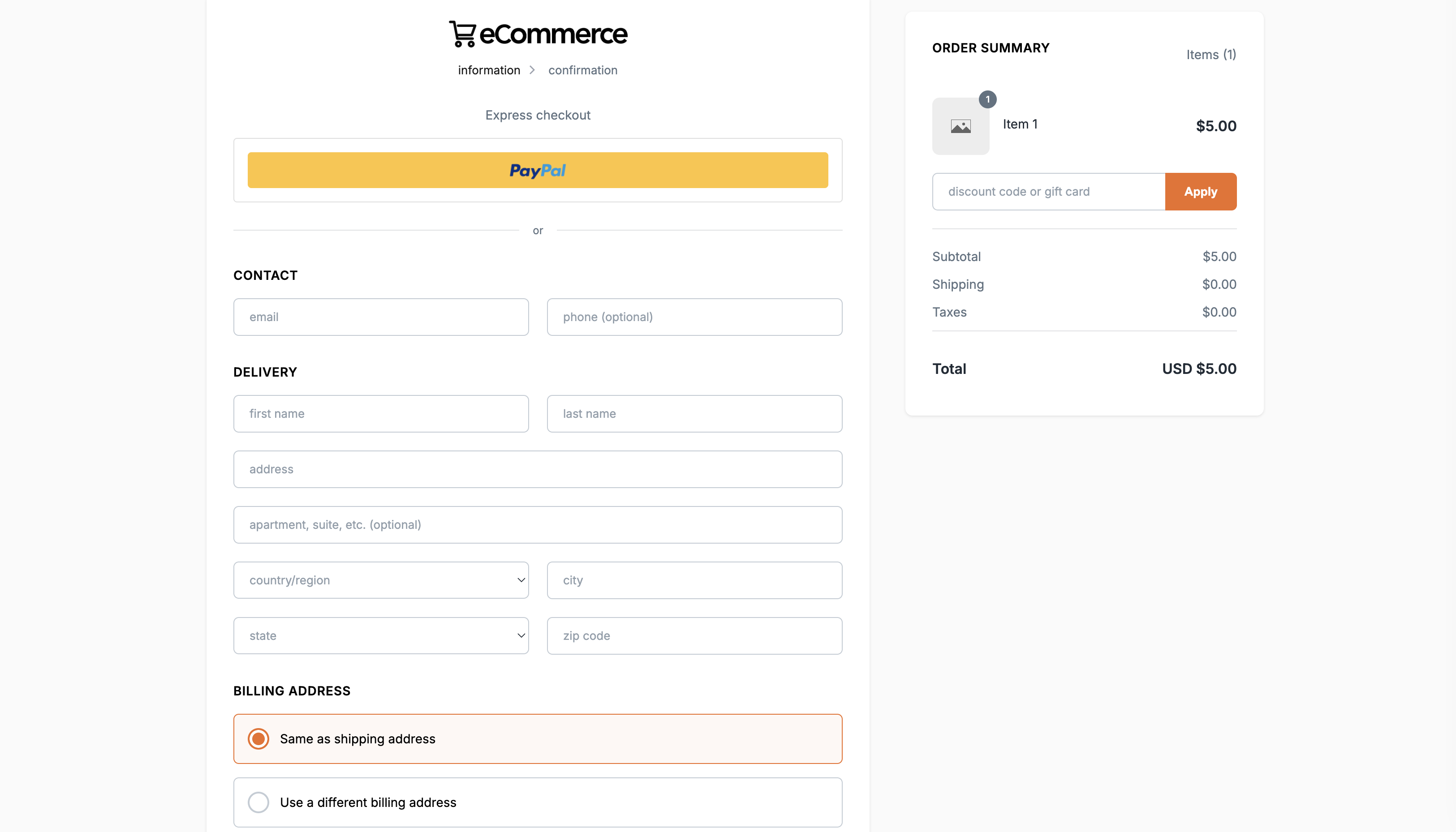
- They're directed to the Vrio Hosted Checkout page
- The item appears pre-loaded in the order summary
- They complete their contact, delivery, and payment information
- They submit their order
Important: Share the Generated Link, Not the Checkout URL
The link copied to your clipboard is the Direct Pay URL that should be shared with customers. When clicked, it generates a unique cart in Vrio for that customer. Do not paste the link into your browser and share the resulting checkout URL - each cart should be unique per customer.
The hosted checkout page includes:
-
Express checkout options (PayPal, etc.)
-
Contact information fields
-
Delivery address fields
-
Billing address options
-
Secure payment processing
Benefits of Direct Pay URLs
PCI Compliance Made Easy
The checkout page is hosted in Vrio's PCI Level 1 environment, removing compliance concerns from your infrastructure.
No Development Required
Generate links directly from the Vrio admin - no API integration needed.
Professional Checkout Experience
Customers get a fully branded, mobile-responsive checkout experience.
Pre-loaded Carts
Items are automatically added to the cart, reducing friction in the buying process.
Flexible Use Cases
Use Direct Pay URLs anywhere you can share a link - email, social media, SMS, or embed as buttons on your website.
Advanced Options
For more control over the checkout experience:
Updated 12 months ago