
Change Merchant
Route scheduled transactions to a different payment processor or merchant account.
Change the merchant assignment for multiple transactions at once using the bulk action feature. This allows you to route transactions to a different payment processor or merchant account.
Important
- Change Merchant is only available for Credit Card payment methods
- CVV is not stored and cannot be passed to the new merchant, potentially causing declines if CVV verification is required
- Need to update more than 200 transactions? Use the Import Data Tool for CSV-based updates
To Bulk Change Merchant
-
Navigate to Search from the top navigation
-
Click on the Transactions tab
-
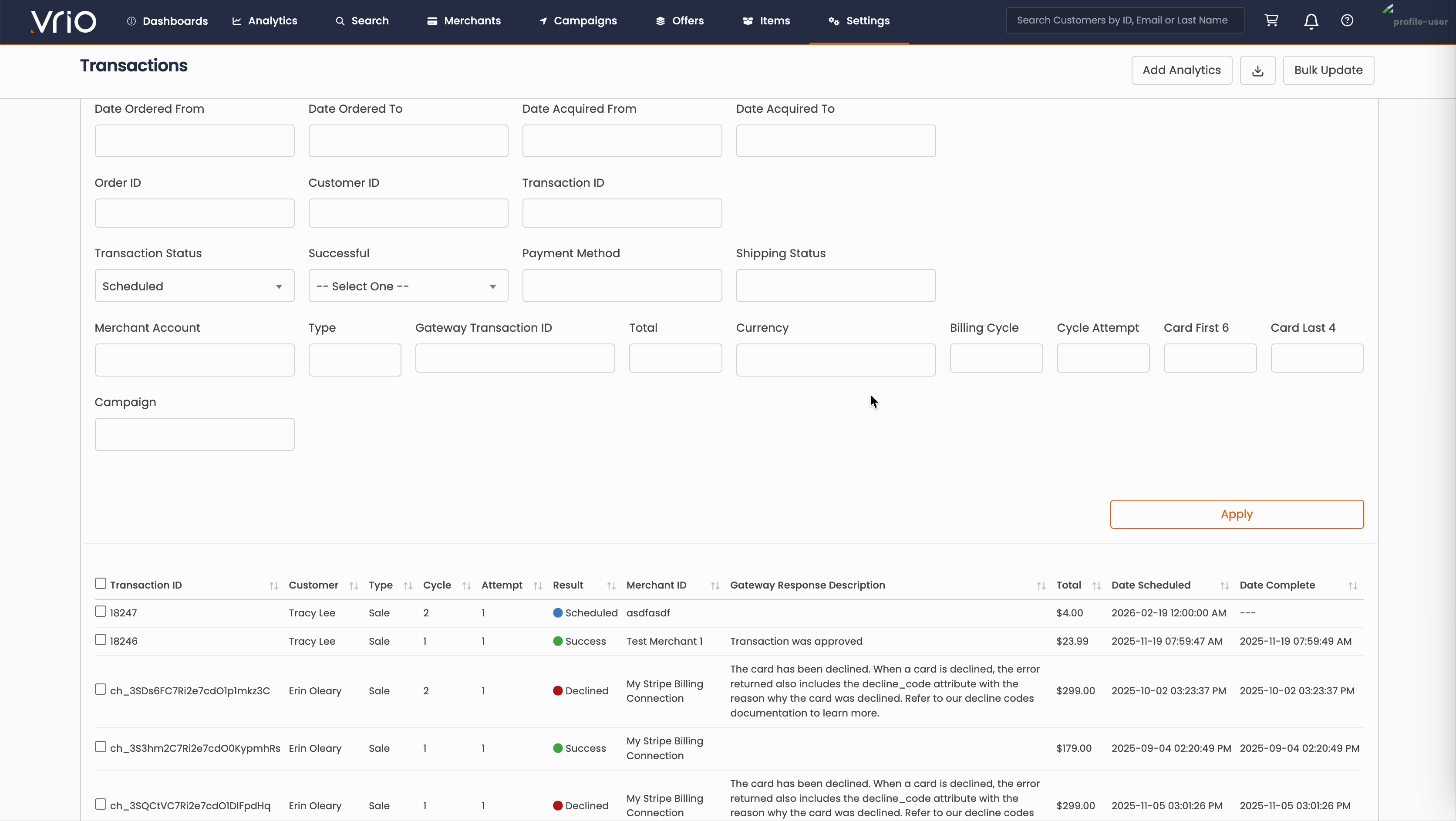
Click Filters to open the query builder
-
Set Transaction Status = Scheduled and any additional filters needed to find the transactions you want to update
-
Click Apply to filter the list
-
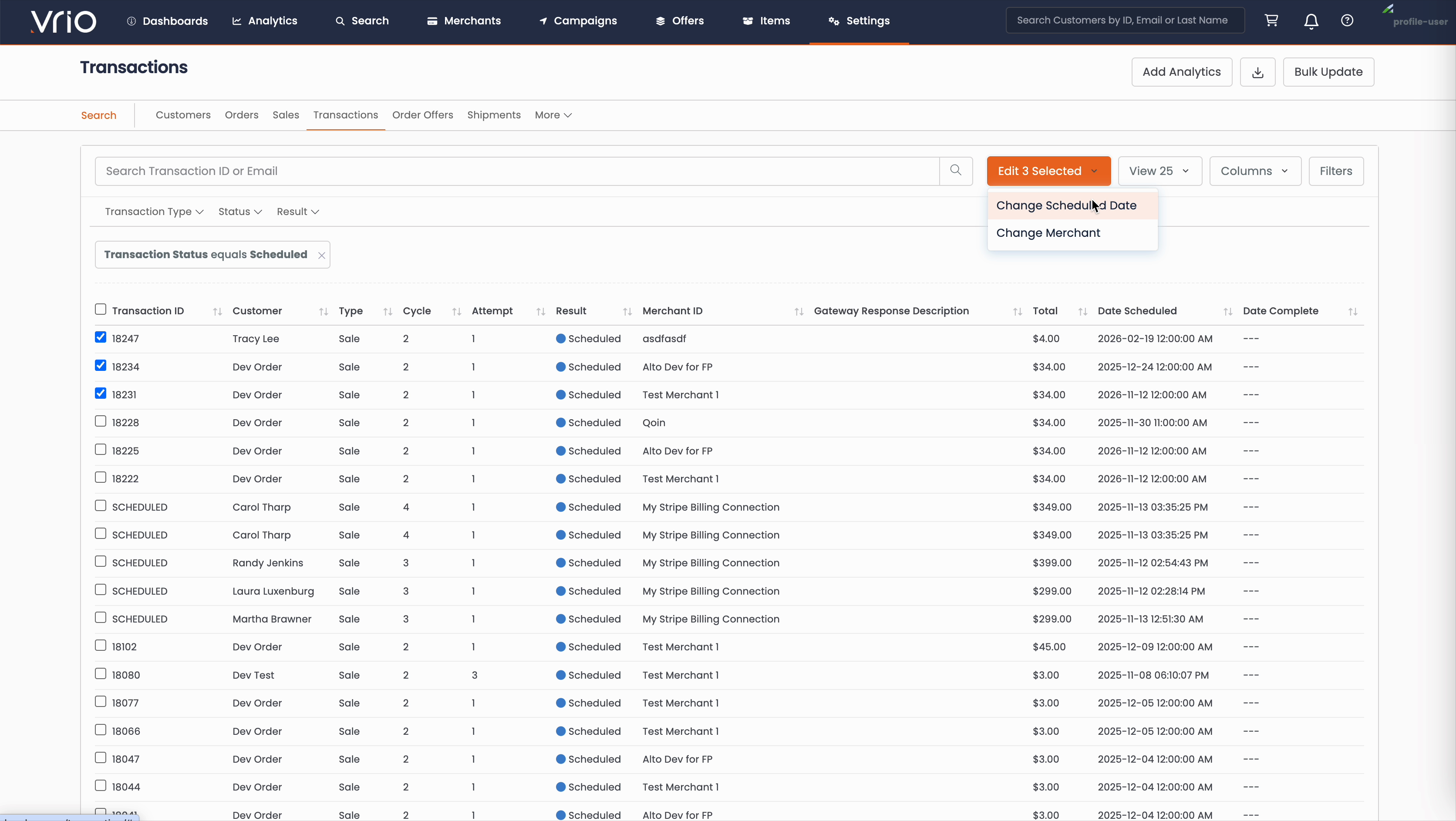
Select the checkboxes next to the transactions you want to modify
-
Click the Edit X Selected dropdown button
-
Select Change Merchant
-
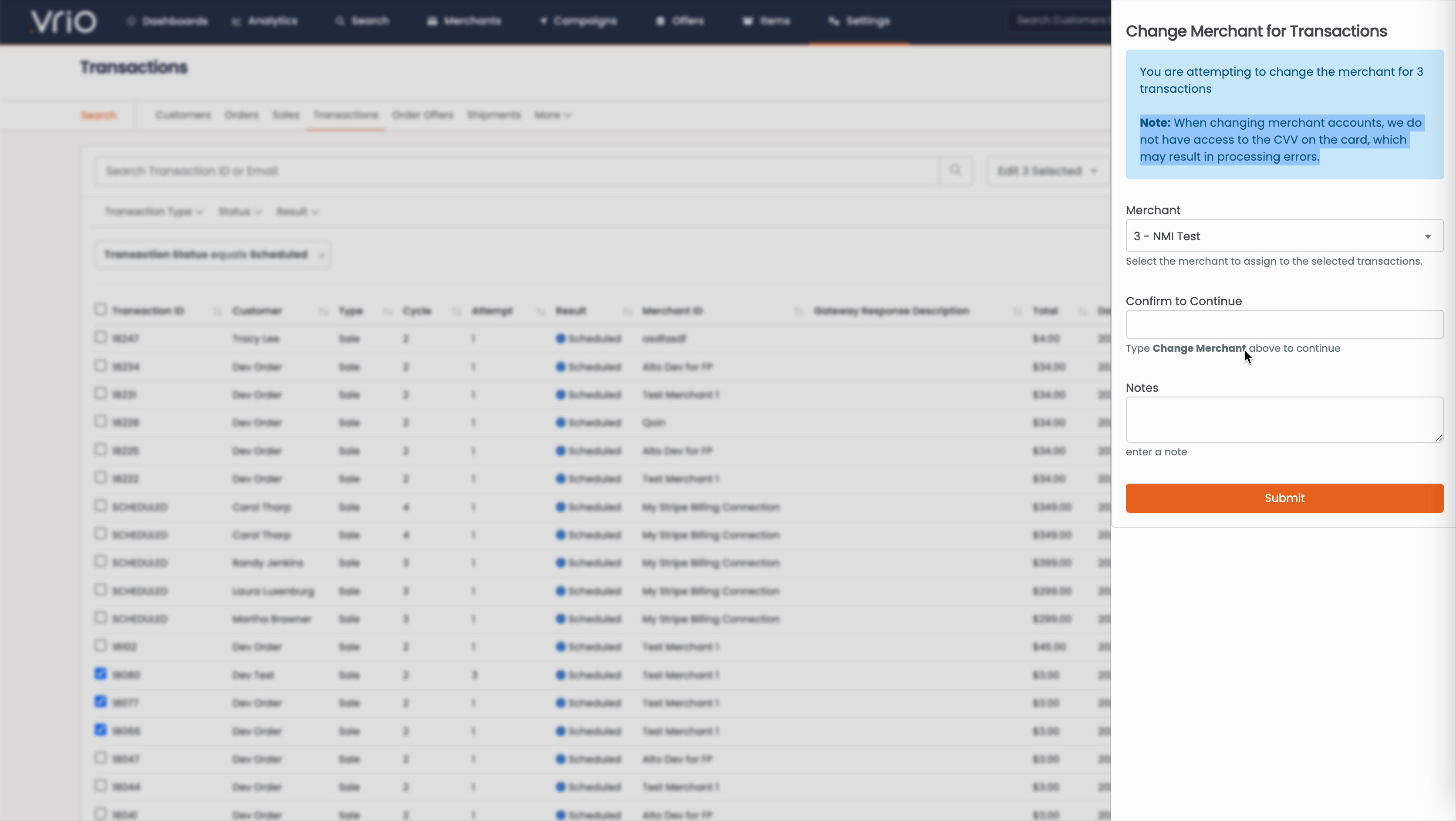
In the modal that appears:
- Select a Merchant from the dropdown list
- Type "Change Merchant" in the confirmation field
- Optionally add Notes for your records
-
Click Submit
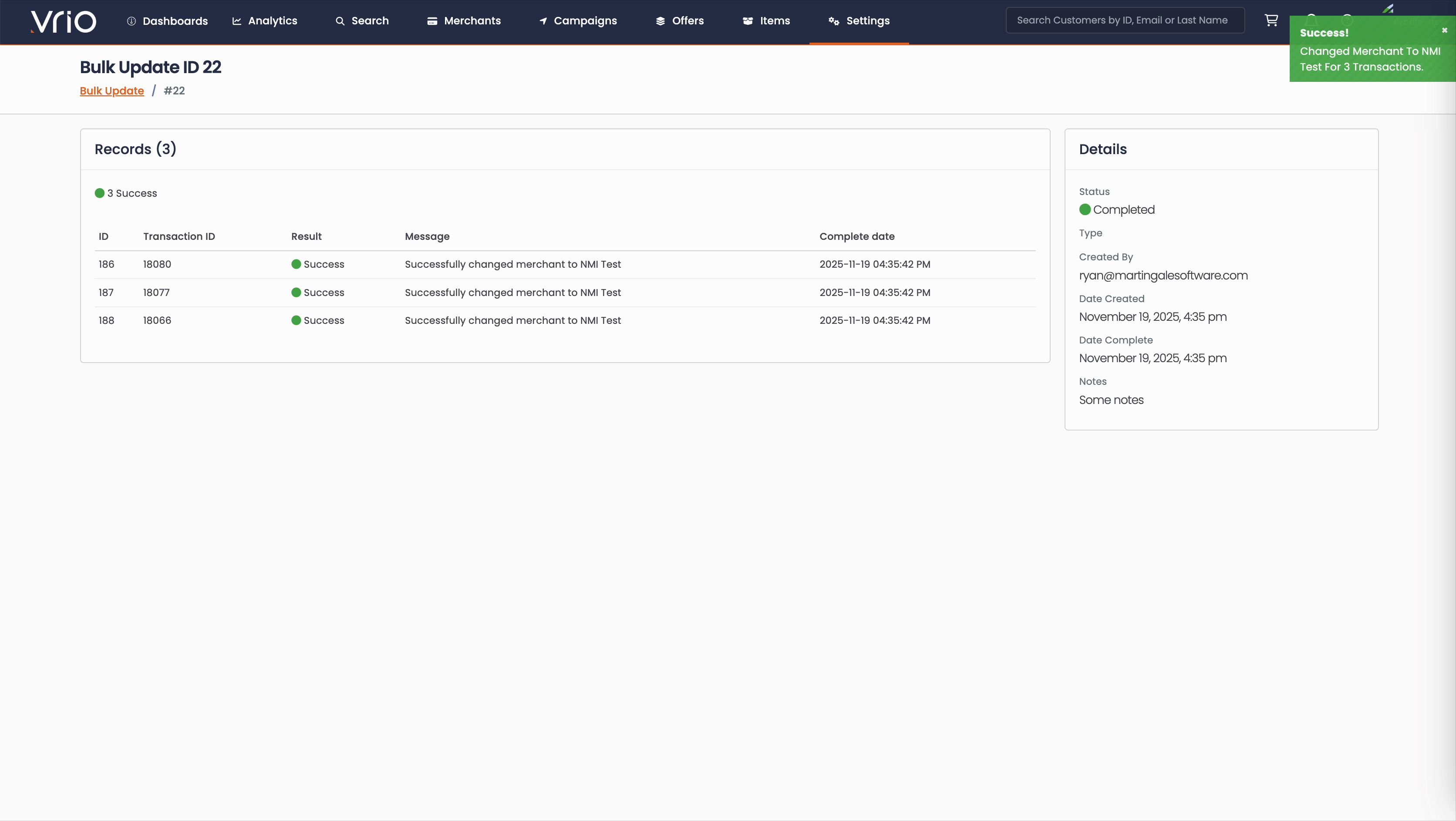
You will be taken to a Bulk Update results page showing the outcome for each transaction:
- Success - Merchant was successfully changed
- Failed - Merchant could not be changed (possibly due to validation errors or merchant configuration)
Use Cases
Common reasons to bulk change merchant:
- Routing transactions to a different payment processor
- Moving transactions after a merchant configuration change
- Consolidating transactions to a specific merchant
FAQ
Q: Does changing the merchant affect already-processed transactions?
A: No, only transactions with a Status of Scheduled can be modified using this bulk action.
Q: Will changing the merchant affect the payment method on file?
A: No, the payment method remains the same. Only the merchant account that will process the transaction is changed.
Q: What permissions are needed to change merchants?
A: You need edit access to transactions and access to both the source and target merchants.
Updated 8 months ago