
Searching for a Customer
Learn how to search for customers in Vrio using quick search or detailed filters, including export options for data analysis.
Quick Search
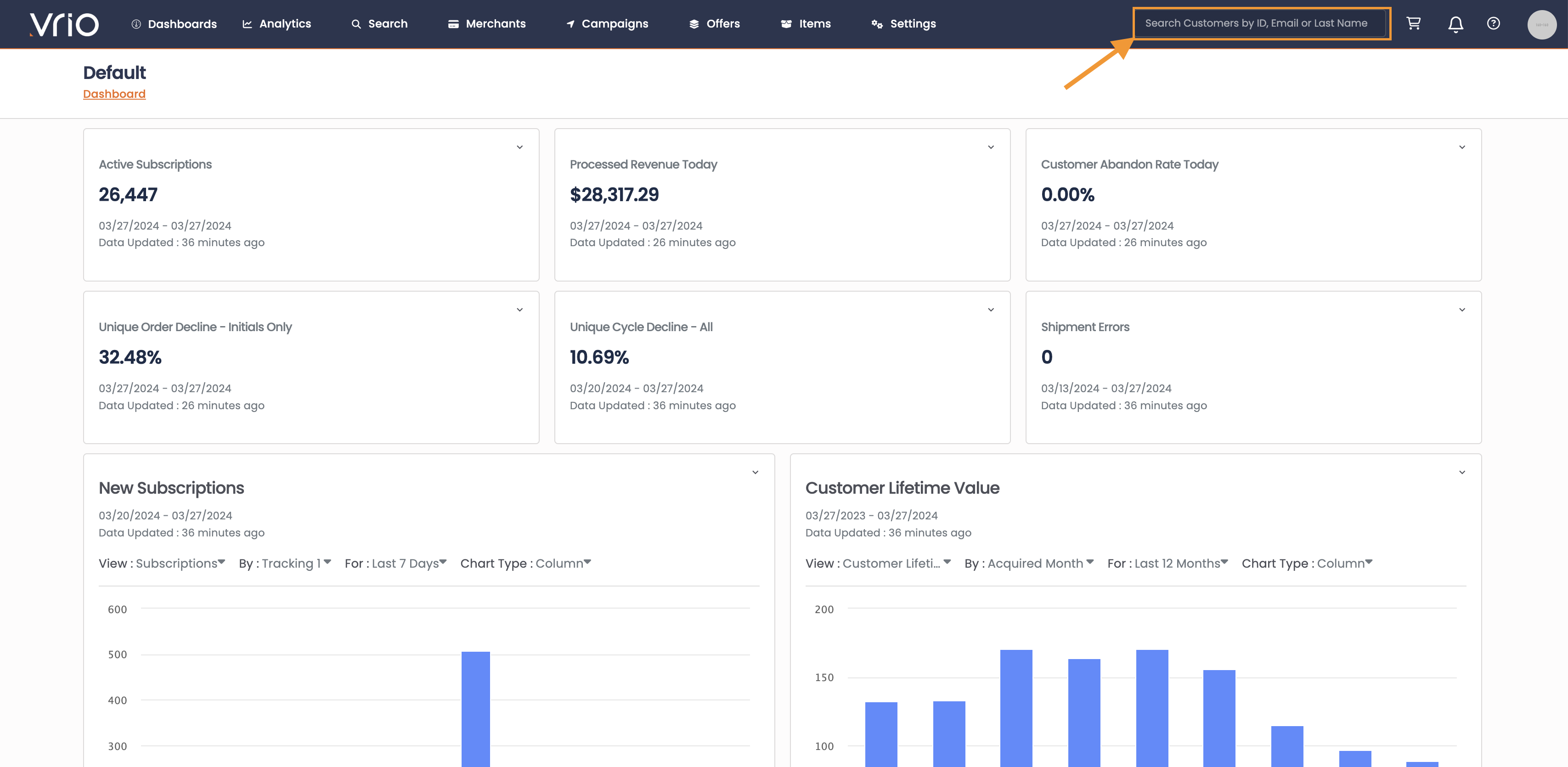
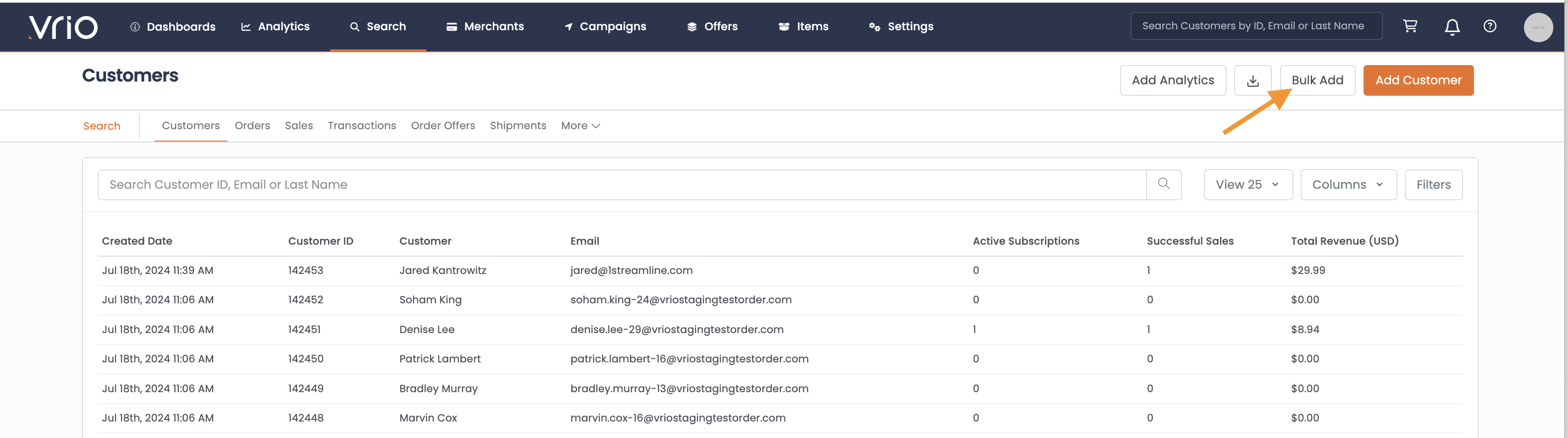
For a quick customer search you can use the bar on the upper right had corner and search by Customer Email, Customer ID or Customer Last Name
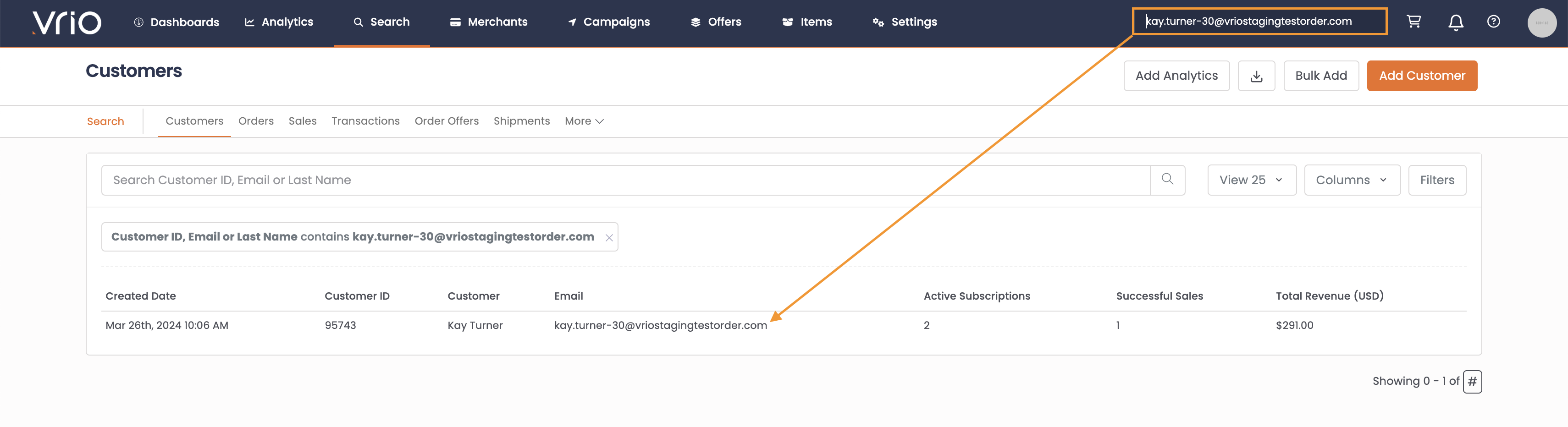
Once you use the Quick Search, you will be direct to a list of all applicable Customers that match your search
Click on the row to go into the Customer Page
Detailed Search
-
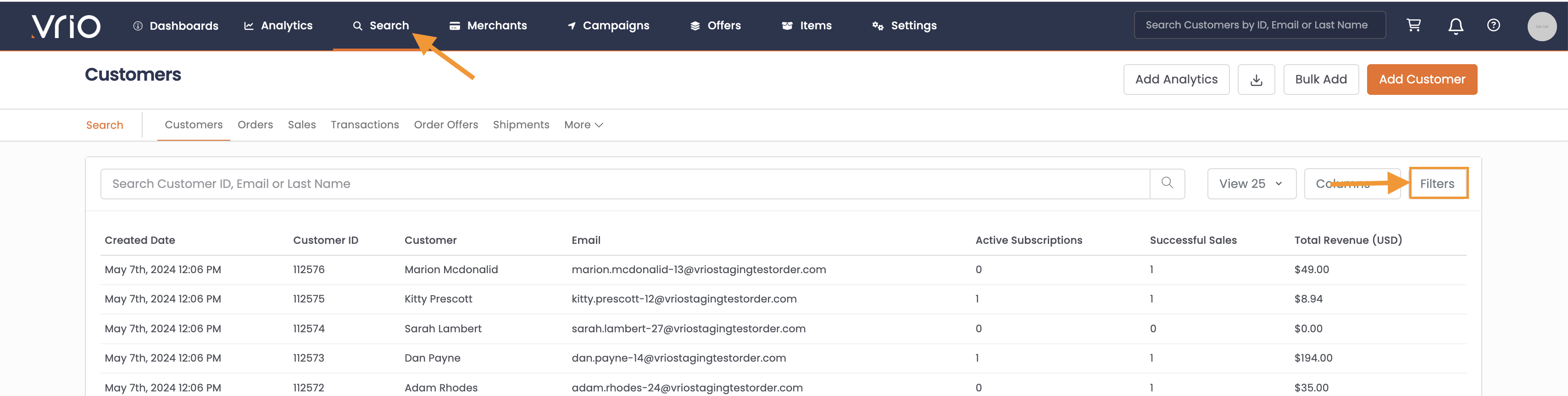
Navigate to the Search tab on the top navigation
-
Click on Filters
-
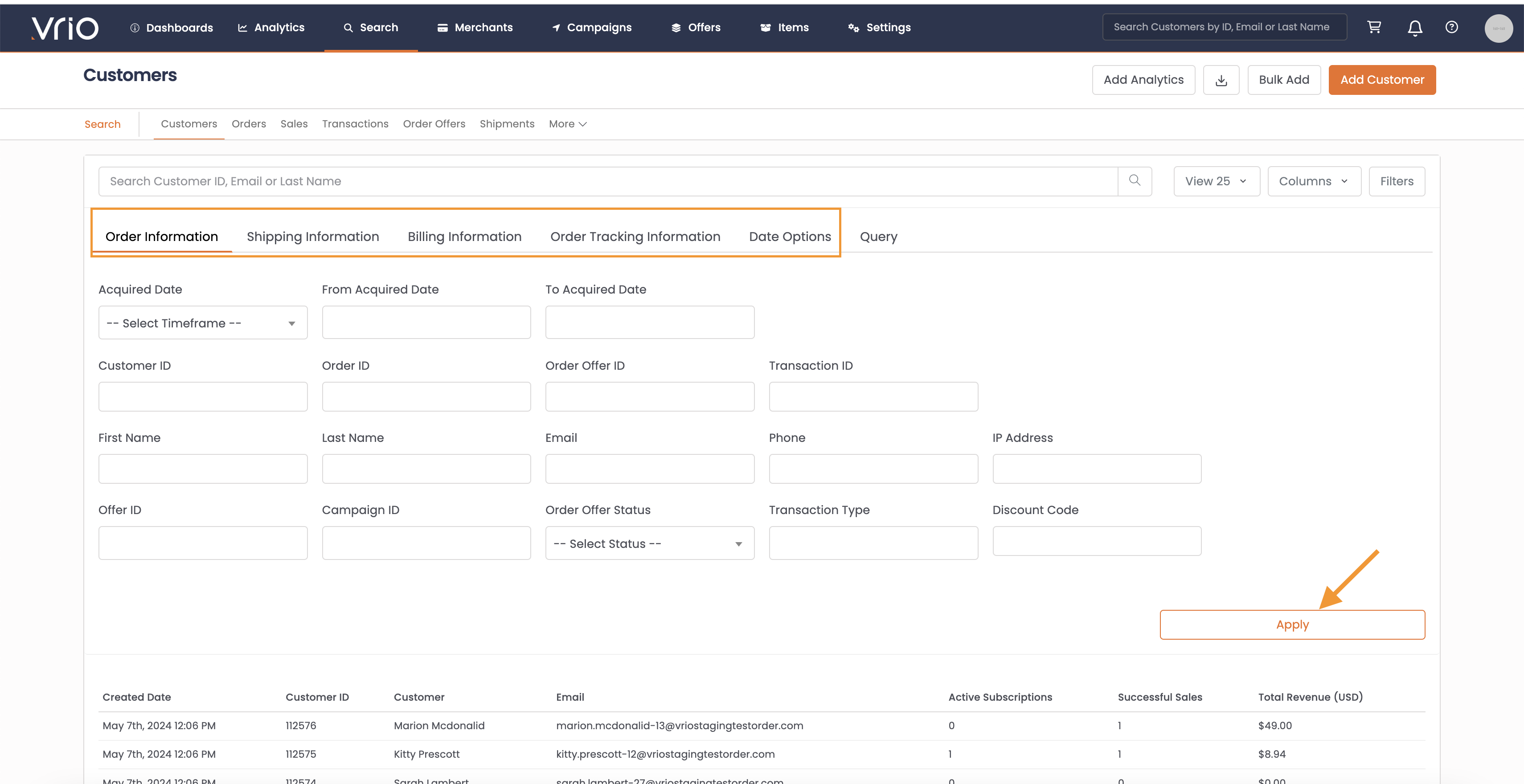
Limit your search by a number of available parameters
-
Hit Apply
Export
All searches can be exported to CSV or Google Drive by selecting the download option
Updated 12 months ago
Did this page help you?