
Fetch Tracking Number
Pull the tracking number from the fulfillment connection for a posted shipment.
Fetching a tracking number manually pulls the tracking information from the fulfillment connection for a shipment that has been posted but hasn't received tracking yet. Most fulfillment connections provide tracking automatically, but this action lets you trigger the fetch on demand.
Key Takeaways
- Only available on shipments that have been posted to fulfillment and don't yet have tracking
- The fulfillment connection must support individual tracking fetches
- This is a direct action with no form — it executes immediately on click
- This action does not trigger any customer notifications or webhook events
Prerequisites
The Fetch Tracking Number action is available when all of the following conditions are met:
| Condition | Details |
|---|---|
| Shipment has been posted | The shipment must have been posted to fulfillment (date_post is set) |
| Has a fulfillment ID | A fulfillment ID must be assigned (not empty or -1) |
| No tracking number | The shipment must not already have a tracking number |
| Shipment is not cancelled | The shipment has not been cancelled |
| Shipment is not skipped | The shipment has not been skipped |
How to Fetch Tracking
Step 1: Navigate to the Shipment
Find the shipment you want to fetch tracking for. The most common methods are:
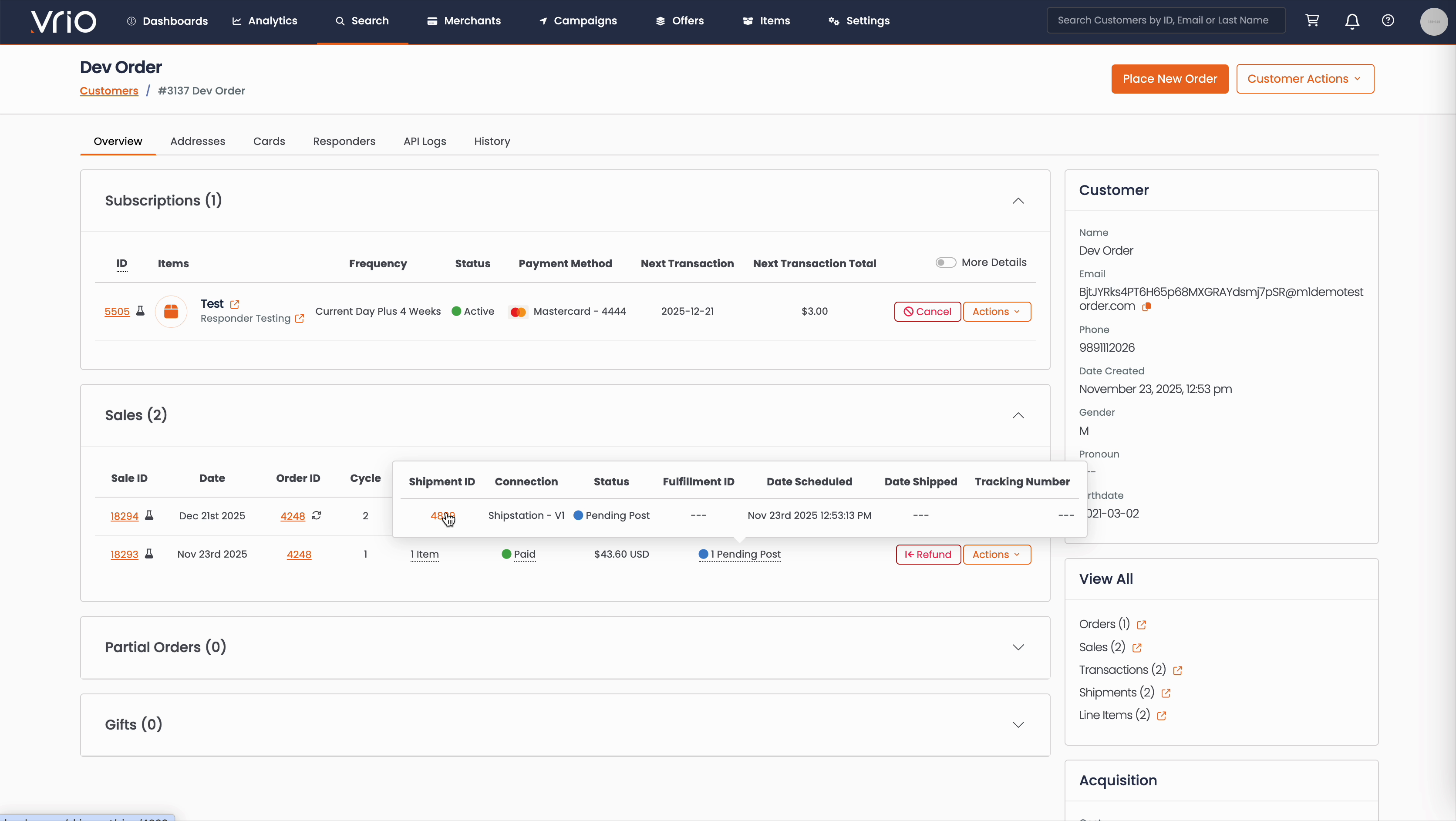
From the Customer Page:
- Navigate to Search → Customers tab and find the customer record
- On the customer detail page, scroll to the Sales section
- Hover over the Shipment Status to expand and show shipment details
- Click on the Shipment ID
From the Shipments List:
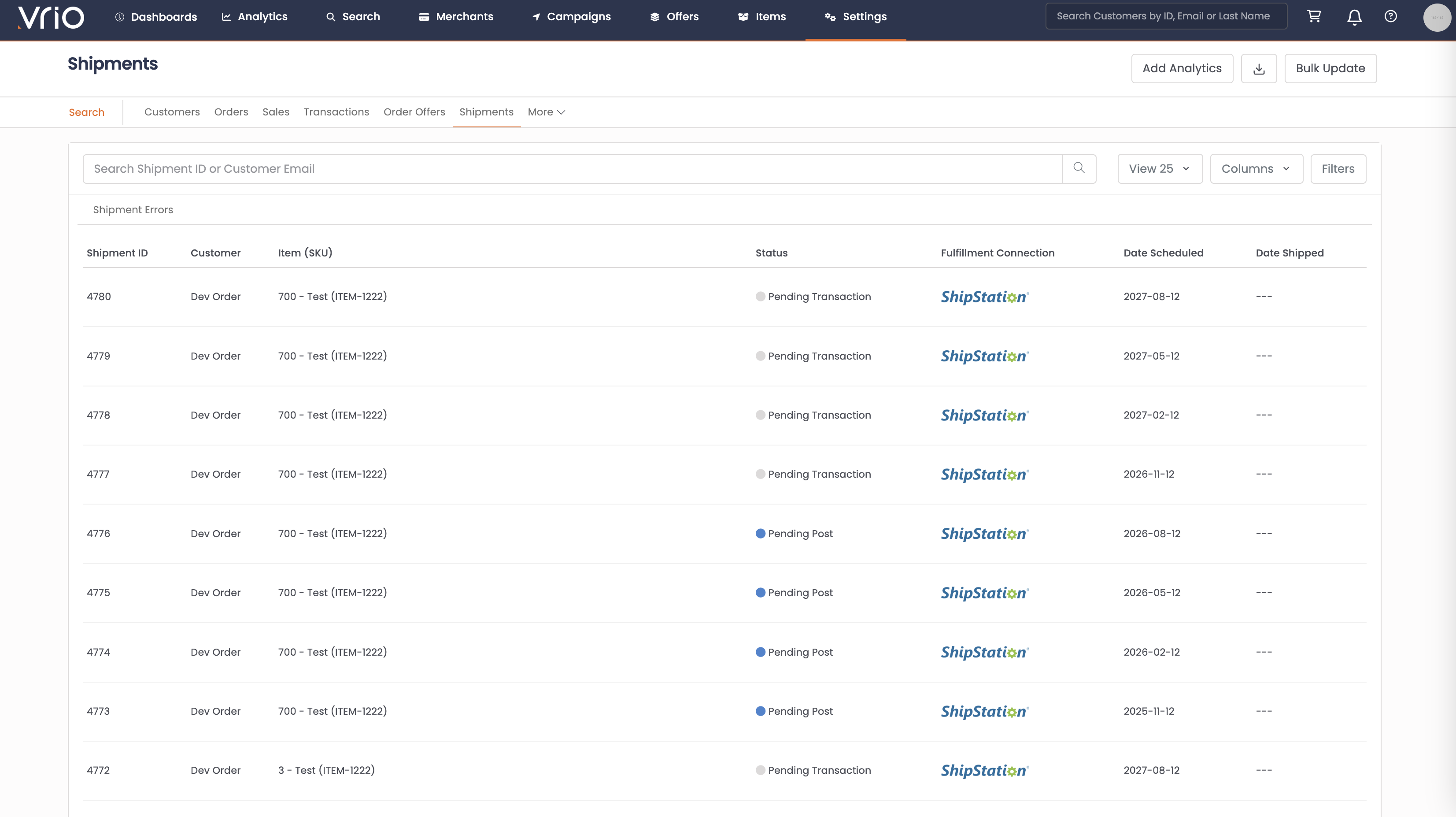
- Navigate to Search → Shipments tab
- Use filters or browse to find the shipment
- Click on the Shipment to open the shipment detail page
Step 2: Fetch Tracking
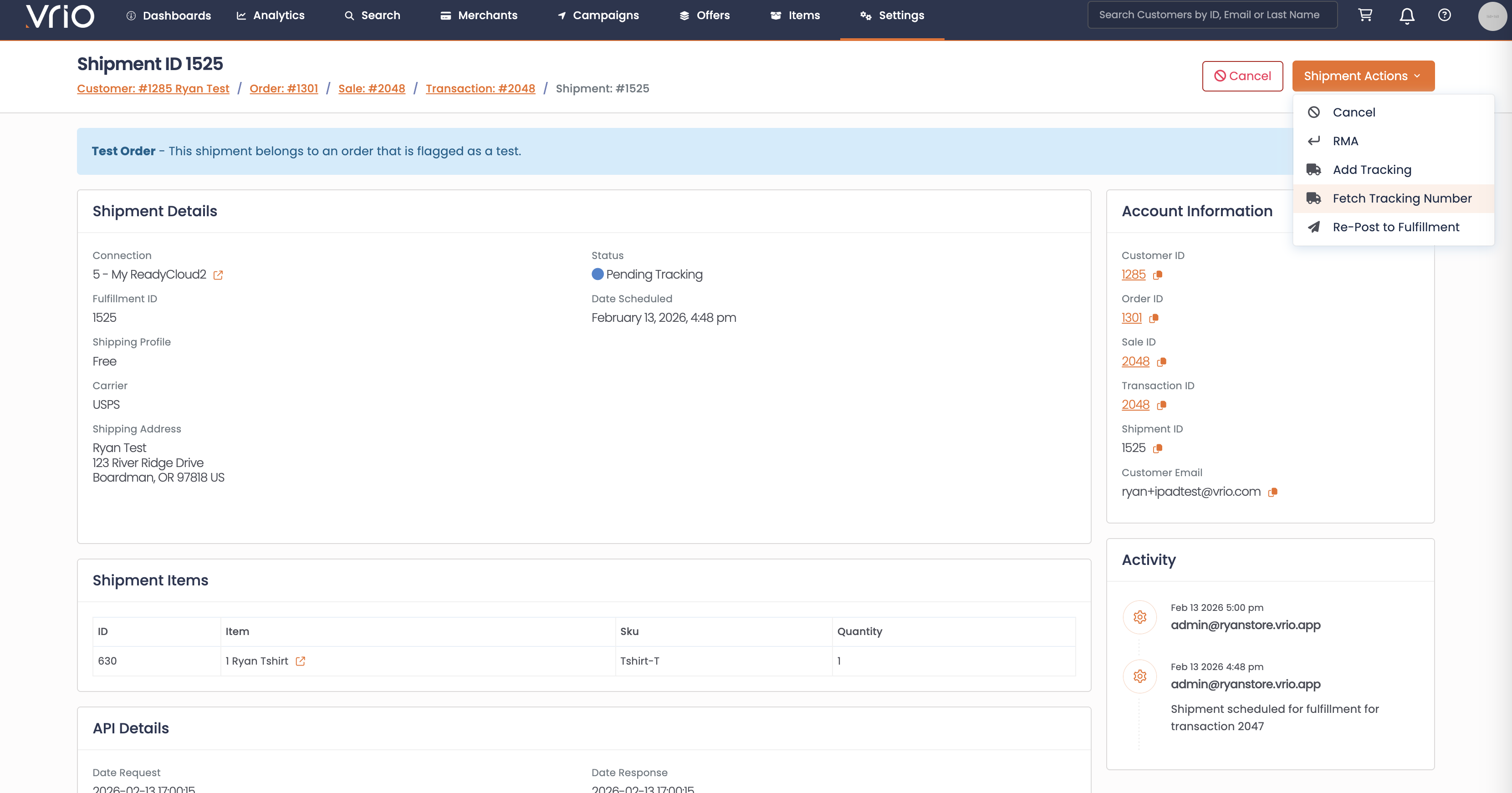
On the shipment detail page, click Fetch Tracking Number from the Shipment Actions. The action executes immediately — no form is required.
What Happens After Fetching
When tracking is fetched:
- Connection queried — Vrio calls the fulfillment connection's tracking retrieval method using the shipment's fulfillment ID
- Tracking applied — If the connection returns a tracking number, it is applied to the shipment and the status updates to Shipped
Not all connections support thisIf the fulfillment connection does not support individual tracking fetches, you will see an error message. In that case, tracking will be retrieved through the connection's normal automated process.
FAQ
Q: Will the customer receive a notification when tracking is fetched?
A: No. Fetching tracking does not trigger any responders or webhook events. However, once tracking is applied, the normal Add/Edit Tracking notification flow applies.
Updated 8 months ago