
Update Shipments
Bulk update shipment records using CSV file import. Add tracking numbers, update dates, and modify shipment details.
Update multiple shipment records at once by uploading a CSV file. This is commonly used for adding tracking numbers, updating shipment dates, or modifying shipment status.
Key Takeaways
- Updates existing shipment records only
- The
Internal IDfield is required to identify records- Only works on incomplete shipments
- Ideal for bulk adding tracking numbers from fulfillment systems
- Download the template to ensure correct column headers
Template
Required Fields
| Field | Description |
|---|---|
Internal ID | The ID of the shipment to update |
Include additional columns only for the fields you want to change.
ImportantShipment import only works on incomplete shipments. Completed shipments cannot be modified via import.
Editable Fields
| CSV Header | Description | Format |
|---|---|---|
| Internal ID | Required - Shipment ID | Integer |
| Tracking Number | Carrier tracking number. Tip: Excel may convert long tracking numbers to scientific notation — format the column as Text before pasting values. | Text |
| Date Scheduled | Scheduled ship date | YYYY-MM-DD HH:MM:SS or ---- for empty |
| Date Posted | Date posted to fulfillment | YYYY-MM-DD HH:MM:SS or ---- for empty |
| Date Shipped | Actual ship date | YYYY-MM-DD HH:MM:SS or ---- for empty |
| Date Deliver | Delivery date | YYYY-MM-DD HH:MM:SS or ---- for empty |
| Date Return | Return date | YYYY-MM-DD HH:MM:SS or ---- for empty |
To Update Shipments
-
Navigate to Search > Shipments
-
Click the Bulk Update button

-
Download the template and fill in your data
-
Upload your CSV file
-
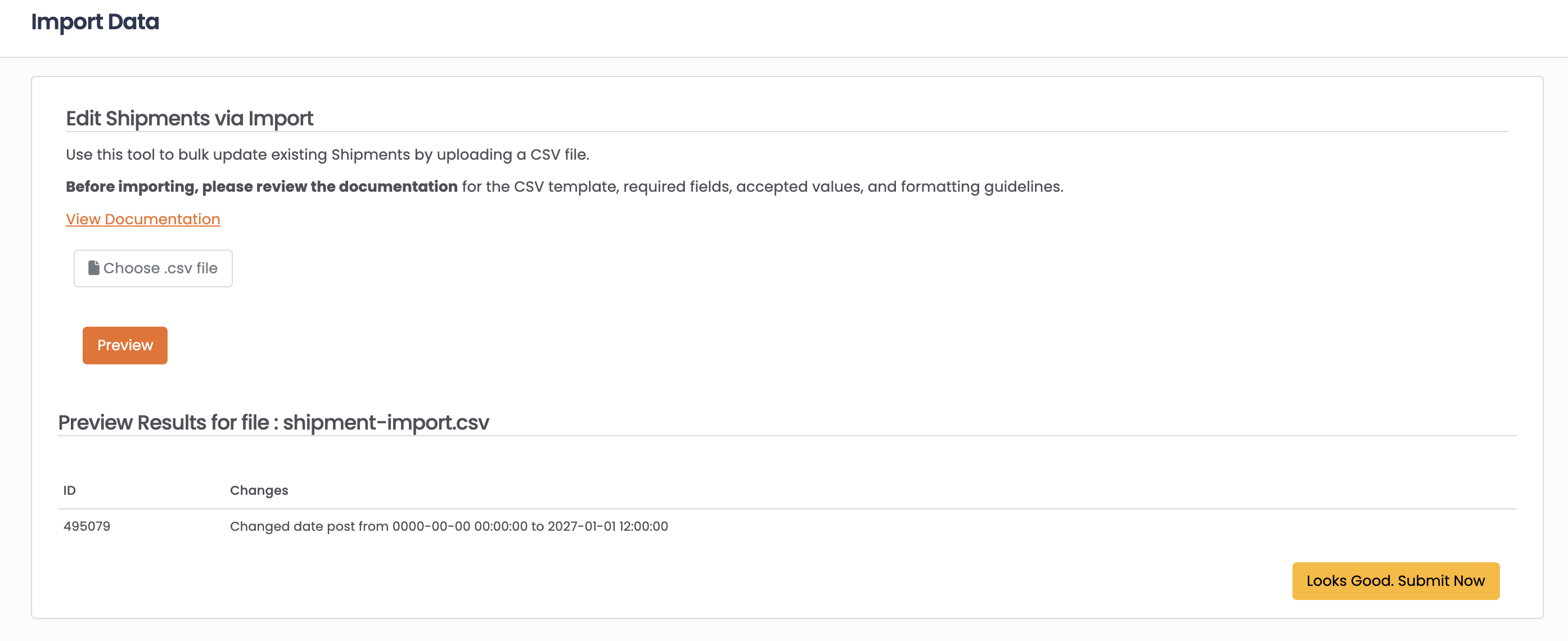
Click Preview to review the changes
-
Click Looks Good Submit Now to apply updates
Common Use Case: Adding Tracking Numbers
To bulk add tracking numbers from your fulfillment system:
- Export shipments needing tracking from Vrio
- Match with tracking data from your fulfillment provider
- Create a CSV with
Internal IDandTracking Numbercolumns - Import to update all shipments at once
TipWhen you add a tracking number via import, the shipment will be marked as shipped if it wasn't already. If a
Date Shippedis provided, that date will be used; otherwise, the current date/time will be used.
FAQ
Q: How do I find shipment IDs?
A: Shipment IDs (Internal ID) are displayed in the Shipments search results and on individual shipment records.
Q: Will updating tracking trigger customer notifications?
A: If you have shipment notification responders configured on the campaign, they may be triggered when tracking information is added.
Q: Can I update shipments that have already been delivered?
A: No, only incomplete shipments can be updated via import.
Q: What date format should I use?
A: Use YYYY-MM-DD HH:MM:SS format (e.g., 2024-01-15 14:30:00). Use ---- to clear a date field.
Updated 7 months ago