
Reprocess Sales
Retry multiple declined sales at once to reattempt failed payments.
Reprocess multiple declined sales at once using the bulk action feature. This allows you to retry up to 200 failed transactions at once.
Key Takeaways
- Only sales with Status = Failed can be reprocessed
- Payment method must be Credit Card, Apple Pay, or Google Pay
- Gift Cards cannot be reprocessed
To Bulk Reprocess Sales
-
Navigate to Search from the top navigation
-
Click on the Sales tab
-
Click Filters to open the query builder
-
Set Status = Failed and any additional filters (date range, decline reason, etc.)
-
Click Apply to filter the list
-
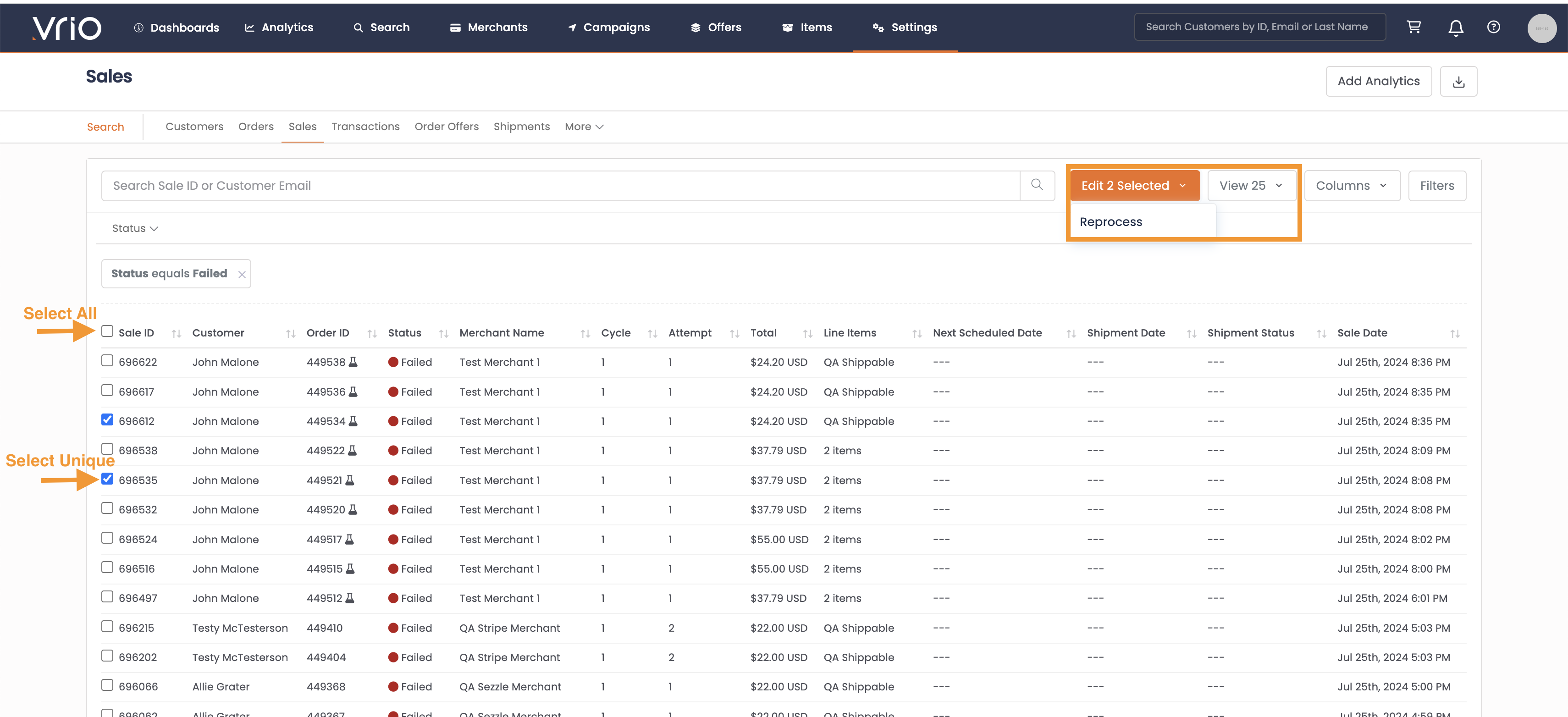
Select the checkboxes next to the sales you want to reprocess, or use the top checkbox to select all
-
Click the Edit X Selected dropdown button
-
Select Reprocess
-
Type "Reprocess Now" to confirm
Unable to ReprocessIf any selected sales cannot be reprocessed, the confirmation modal will show how many are ineligible.
- Click Submit
Results
Once submitted, you'll see a results page showing the outcome for each sale:
- Success - Charge was successful
- Failed - Charge was unsuccessful (gateway decline or validation error)
- Skipped - Sale status changed before processing (e.g., already reprocessed manually or customer retried)
When to Reprocess
Consider bulk reprocessing when:
- A gateway issue has been resolved
- Customers have updated their payment information
- Temporary bank holds have been lifted
- After a failed batch due to technical issues
ImportantReprocessing will charge customers again. Each attempt typically incurs a processing fee. Ensure the original decline reason has been addressed before reprocessing to avoid repeated declines.
FAQ
Q: Will the customer be notified of the reprocess attempt?
A: Standard transaction responders will be sent based on the outcome (approval or decline) if configured.
Q: What happens if the reprocess also declines?
A: The transaction remains in declined status with the new decline reason recorded. You can attempt to reprocess again after addressing the issue.
Q: How do I reprocess a single transaction?
A: See Reprocessing Declines for individual reprocessing options from the customer page, sales page, or transaction page.
Updated 8 months ago