
Reschedule Transactions
Change the scheduled date for multiple pending transactions at once.
Reschedule multiple pending transactions at once using the bulk action feature. This is useful when you need to change transaction dates for multiple customers simultaneously.
Key Takeaways
- Only transactions in Scheduled status can be rescheduled
- The new date applies to all selected transactions
- Any pending shipments associated with the rescheduled transactions will also be rescheduled
- This does not affect transactions that have already processed
- Need to update more than 200 transactions? Use the Import Data Tool for CSV-based updates
To Bulk Reschedule Transactions
-
Navigate to Search from the top navigation
-
Click on the Transactions tab
-
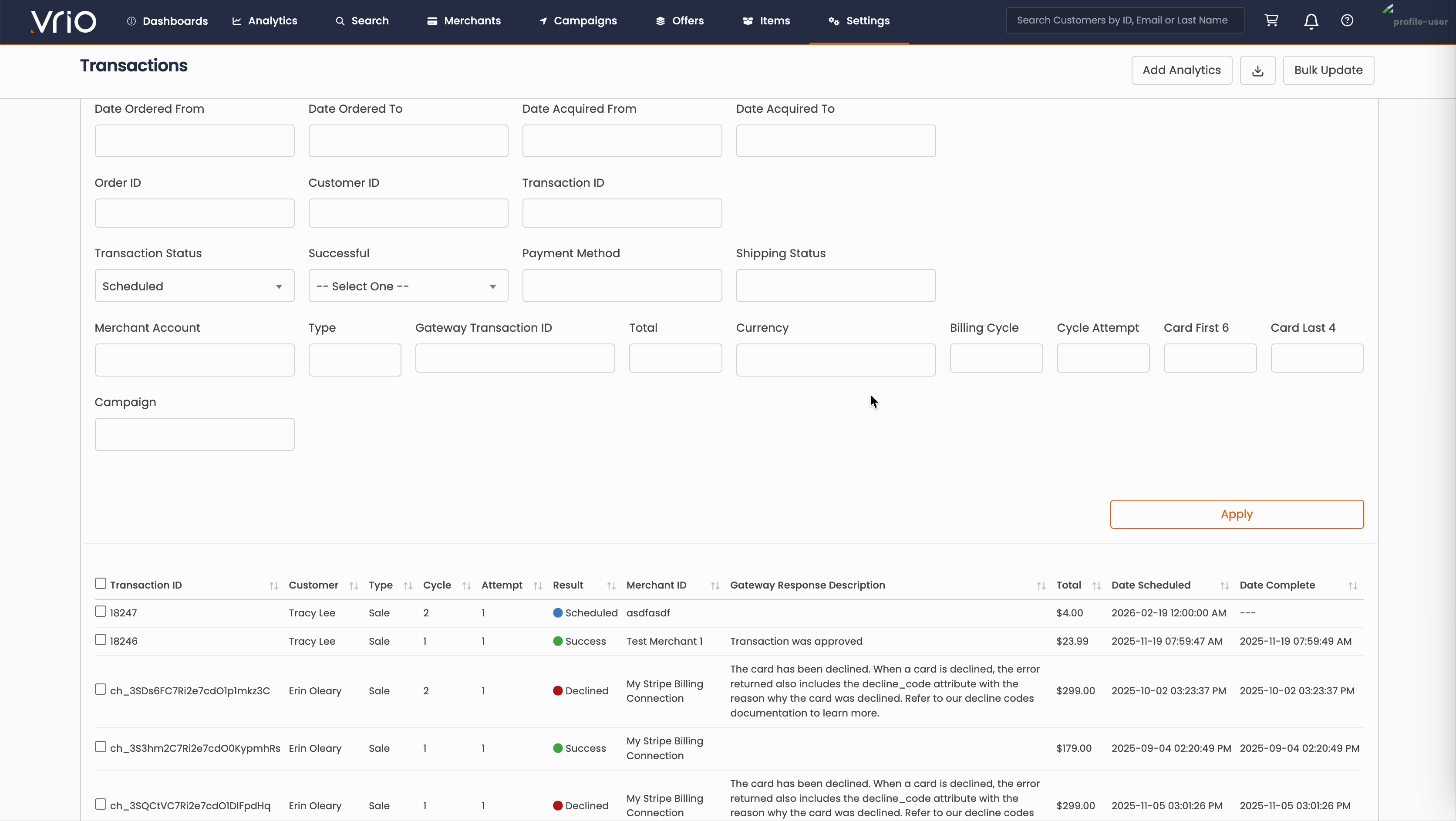
Click Filters to open the query builder
-
Set the Status filter to Scheduled and any additional filters (date range, merchant, etc.)
-
Click Apply to filter the list
-
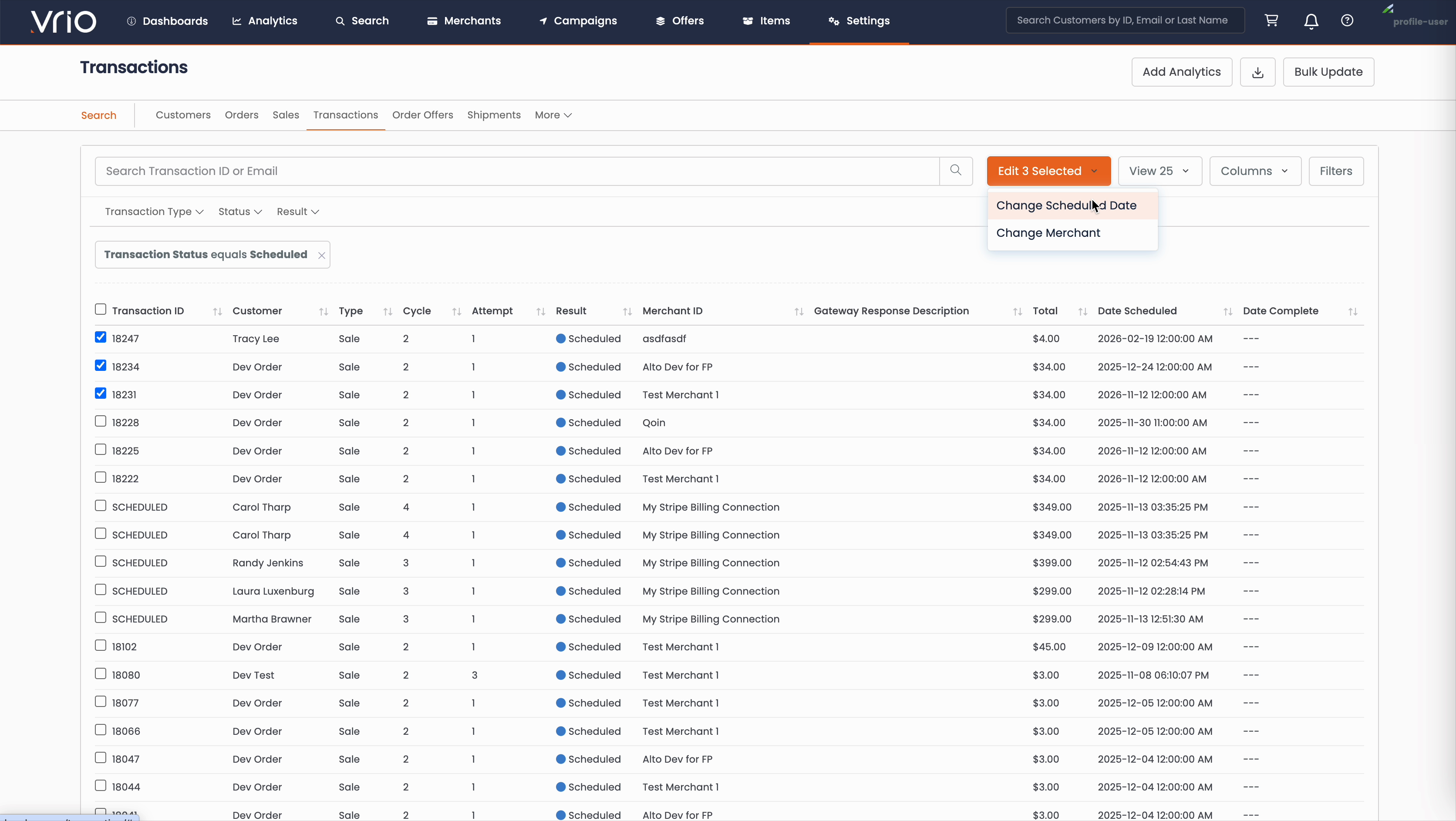
Select the checkboxes next to the transactions you want to reschedule
-
Click the Edit X Selected dropdown button
-
Select Change Scheduled Date
-
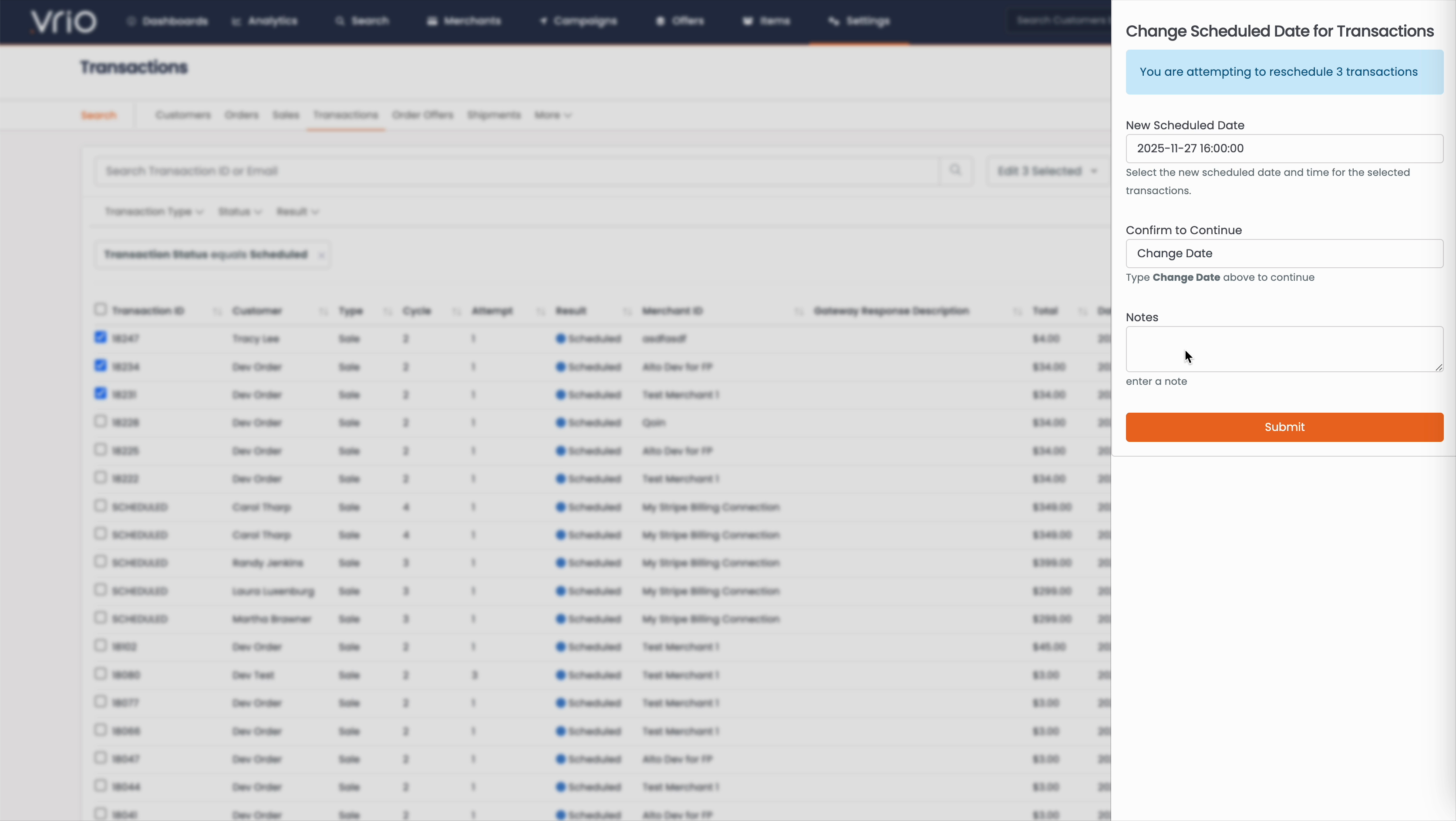
In the modal that appears:
- Select a New Scheduled Date using the calendar picker
- Set the Time for the transaction to process
- Type "Change Date" in the confirmation field
- Optionally add Notes for your records
-
Click Submit
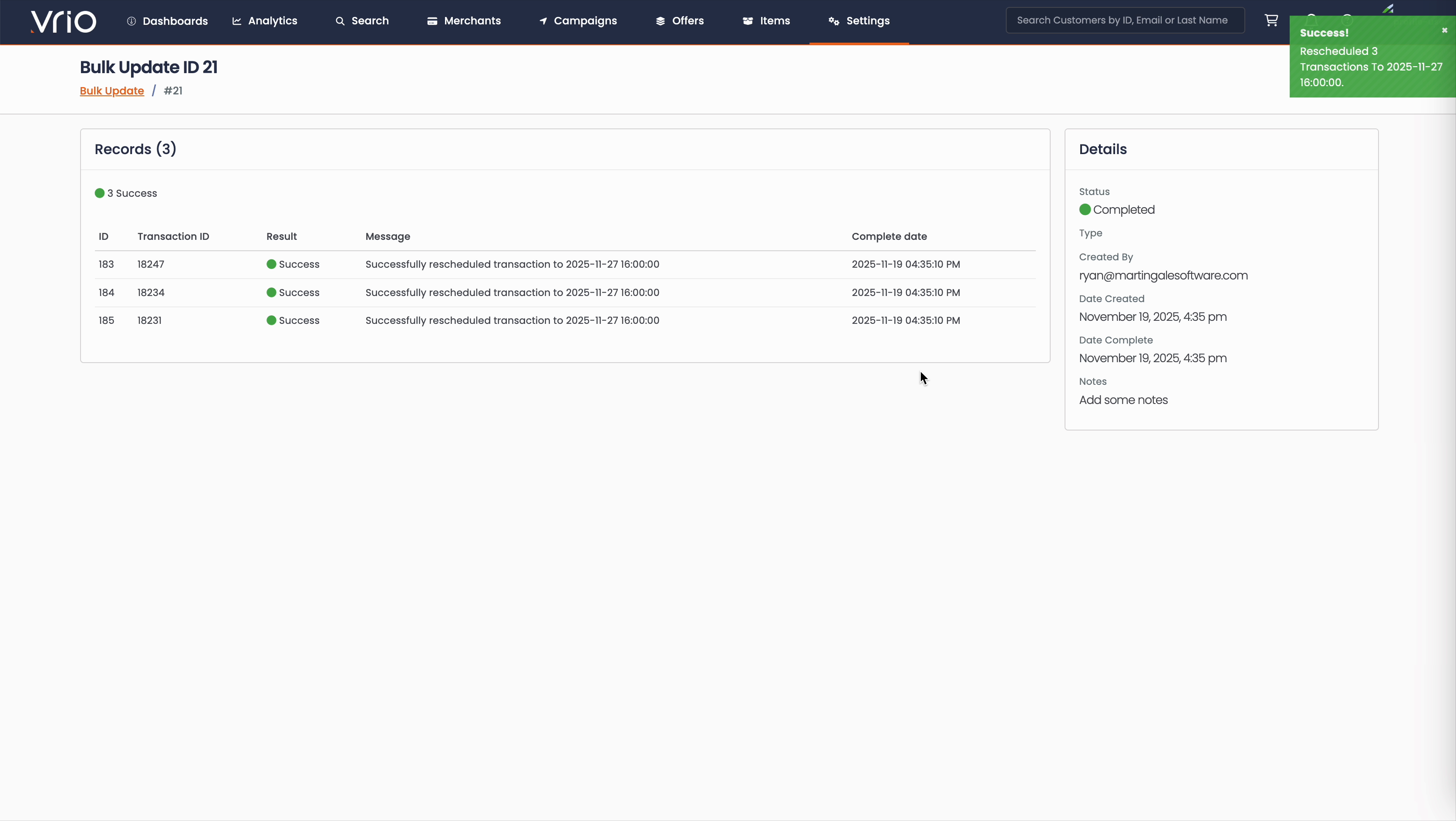
You will be taken to a Bulk Update results page showing the outcome for each transaction:
- Success - Transaction was successfully rescheduled
- Failed - Transaction could not be rescheduled
Use Cases
Common reasons to bulk reschedule transactions:
- Holiday periods when you don't want to process charges
- System maintenance windows
- Aligning billing dates across customers
- Delaying charges due to inventory issues
FAQ
Q: Can I reschedule transactions that have already processed?
A: No, only transactions in "Scheduled" status can be rescheduled. Transactions that have already been attempted cannot be moved to a different date.
Q: Will customers be notified of the date change?
A: By default, no notification is sent for date changes. If you need to notify customers, this would need to be done separately.
Q: Can I reschedule to a date in the past?
A: No, the new scheduled date must be in the future.
Updated 6 months ago