
Update Offers
Bulk update offer settings, pricing, and configurations using CSV file import.
Update multiple offer records at once by uploading a CSV file. This is useful for bulk updating offer settings, responders, upsell configurations, or status flags across multiple offers.
Key Takeaways
- Updates existing offer records only
- The
Offer IDfield is required to identify records- Only include columns for fields you want to update
- Download the template to ensure correct column headers
Template
Required Fields
| Field | Description |
|---|---|
Offer ID | The ID of the offer to update |
Include additional columns only for the fields you want to change.
Editable Fields
| CSV Header | Description |
|---|---|
| Offer ID | Required - ID of the offer to update |
| Name | Internal offer name |
| Title | Customer-facing offer title |
| Code | Offer code |
| Primary Category | Primary offer category ID |
| Secondary Category | Secondary offer category ID |
| Offer Description | Offer description (HTML allowed) |
| Global | 1 = global offer, 0 = campaign-specific |
| Dunning Schedule | Dunning schedule ID |
| Welcome Responder | Welcome/initial charge responder ID |
| Refund Responder | Refund notification responder ID |
| Void Responder | Void notification responder ID |
| Cancel Responder | Cancellation responder ID |
| Reactivate Responder | Reactivation responder ID |
| Shipped Responder | Shipped notification responder ID |
| RMA Responder | RMA responder ID |
| Return Responder | Return responder ID |
| Decline Responder | Decline notification responder ID |
| Upsell | 1 = this is an upsell offer |
| Same Item Parent Price | 1 = use parent price for same item |
| In Cart Upsell Profile | In-cart upsell profile ID |
| In Cart Additional Upsell Offers | Additional in-cart upsell offer IDs (comma-separated) |
| Post Cart Upsell Profile | Post-cart upsell profile ID |
| Post Cart Additional Upsell Offers | Additional post-cart upsell offer IDs (comma-separated) |
| Recurring Upsell Profile | Recurring upsell profile ID |
| Recurring Additional Upsell Offers | Additional recurring upsell offer IDs (comma-separated) |
| Offer URL | Offer landing page URL |
| Terms | Terms and conditions (HTML allowed) |
| One Per Customer | 1 = limit one per customer |
| One Per Customer Period (in hours) | Hours for one-per-customer restriction |
| One Per Card | 1 = limit one per card |
| Active | 1 = active, 0 = inactive |
To Update Offers
-
Navigate to Offers
-
Click the Bulk Update button

-
Download the template and fill in your data
-
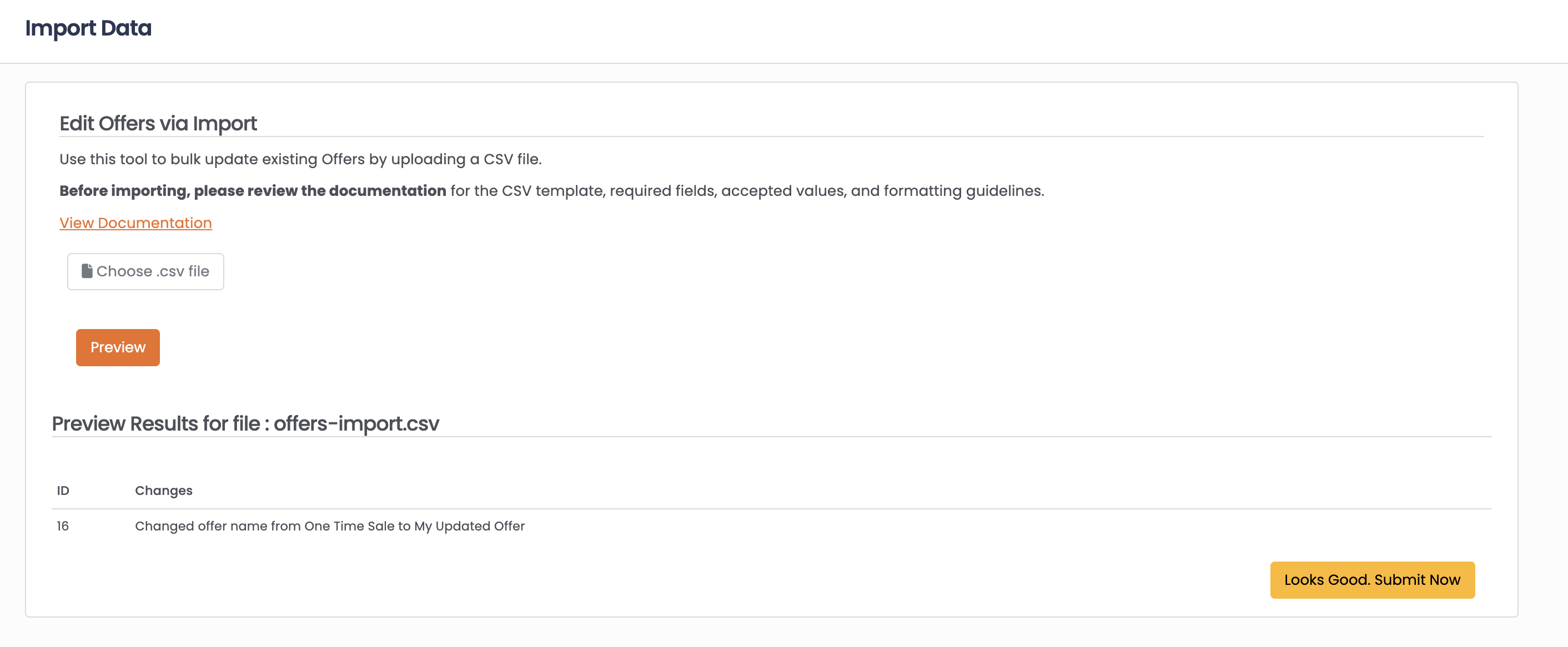
Upload your CSV file
-
Click Preview to review the changes
-
Click Looks Good Submit Now to apply updates
Common Use Cases
Bulk activate/deactivate offers:
Use Offer ID and Active columns to change status across multiple offers.
Update responders:
Change notification responders in bulk by including the responder ID columns.
Configure upsell profiles:
Update upsell configurations across offers using the upsell profile columns.
Set one-per-customer restrictions:
Use One Per Customer and One Per Customer Period (in hours) to limit offer purchases.
FAQ
Q: How do I find offer IDs?
A: Offer IDs are displayed in the Offers list and on individual offer records.
Q: Will changes affect existing subscriptions?
A: Changes to offer settings typically affect new orders. Existing subscriptions may retain their original settings depending on your configuration.
Q: Can I create new offers via import?
A: No, offer import only updates existing records. New offers must be created through the Offers interface.
Q: How do I assign multiple upsell offers?
A: Use comma-separated IDs in the upsell columns (e.g., 101,102,103).
Updated 8 months ago