
Change Shipment Address
Update the shipping address on a shipment before it is posted to fulfillment.
Changing the shipment address updates the shipping destination for a shipment that has not yet been posted to fulfillment.
Key Takeaways
- Address changes are only available before the shipment is posted to fulfillment
- The address must already exist on the customer record — select from available shipping addresses
- An address updated notification (responder) is sent to the customer, if configured on the campaign
Prerequisites
The Change Address action is available when all of the following conditions are met:
| Condition | Details |
|---|---|
| Shipment is not completed | The shipment has not yet been shipped |
| Shipment is not cancelled | The shipment has not been cancelled |
| Shipment is not posted | The shipment has not been posted to fulfillment |
| Shipment is not skipped | The shipment has not been skipped |
How to Change the Address
Step 1: Navigate to the Shipment
Find the shipment you want to update. The most common methods are:
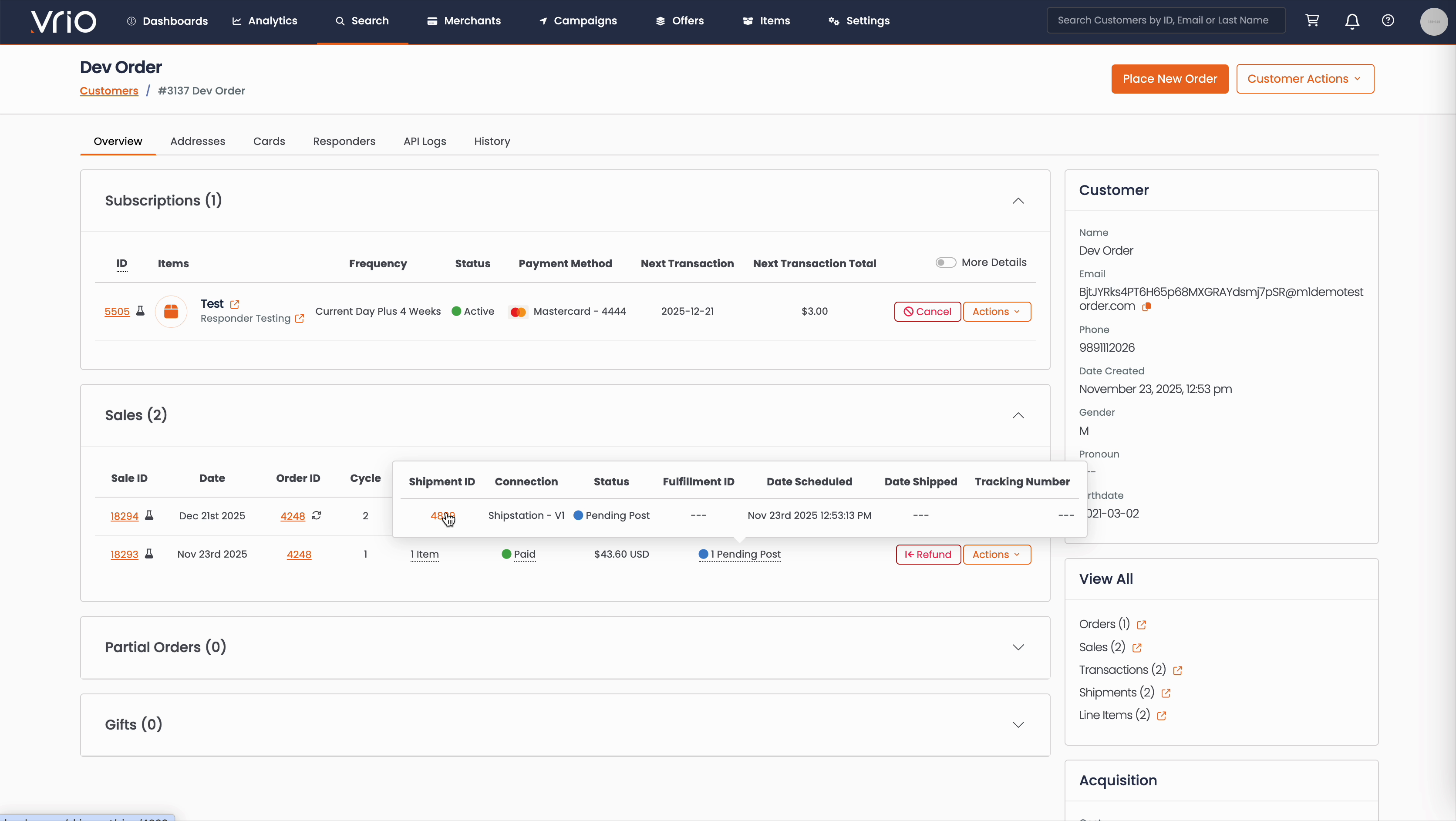
From the Customer Page:
- Navigate to Search → Customers tab and find the customer record
- On the customer detail page, scroll to the Sales section
- Hover over the Shipment Status to expand and show shipment details
- Click on the Shipment ID
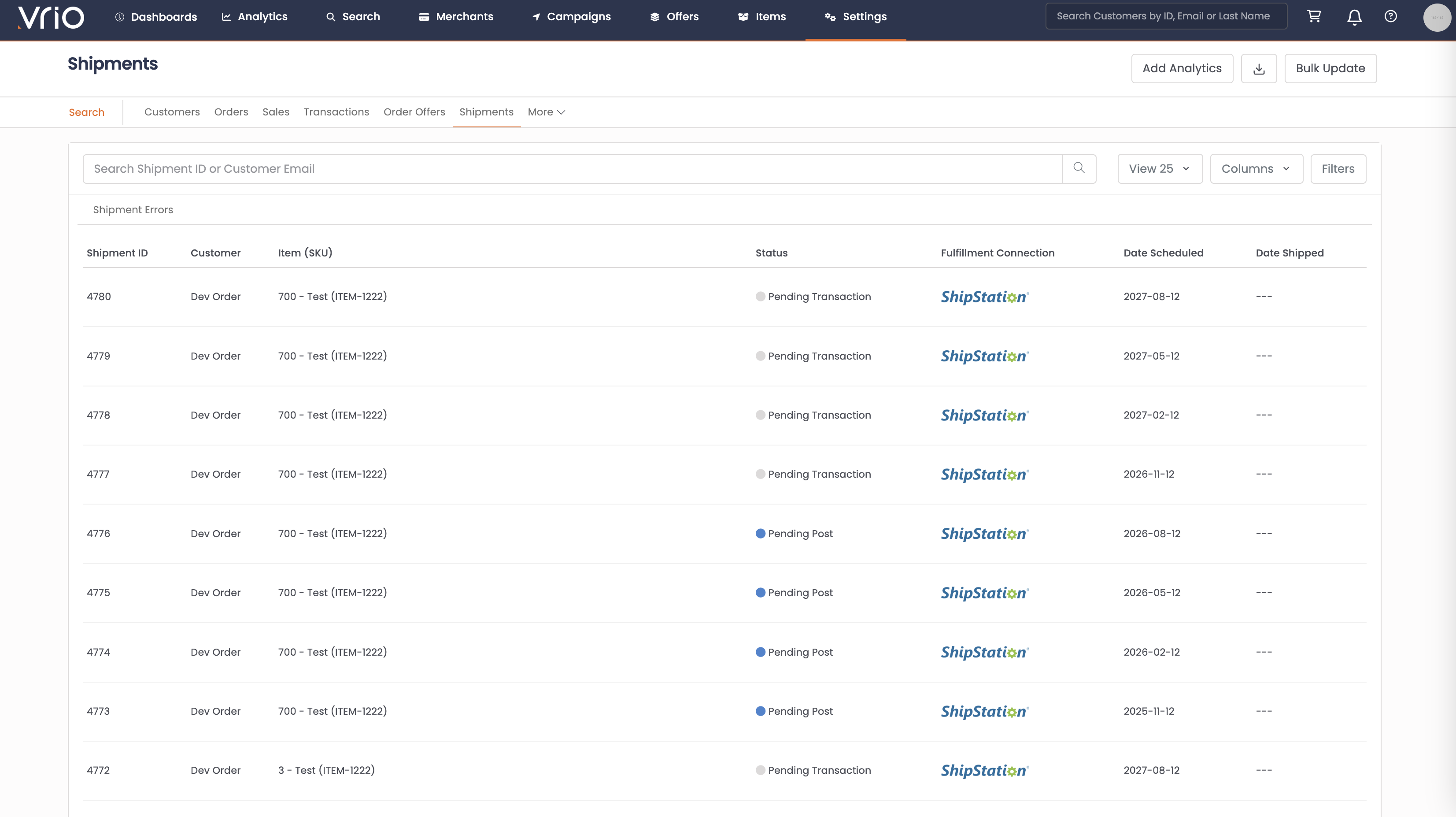
From the Shipments List:
- Navigate to Search → Shipments tab
- Use filters or browse to find the shipment
- Click on the Shipment to open the shipment detail page
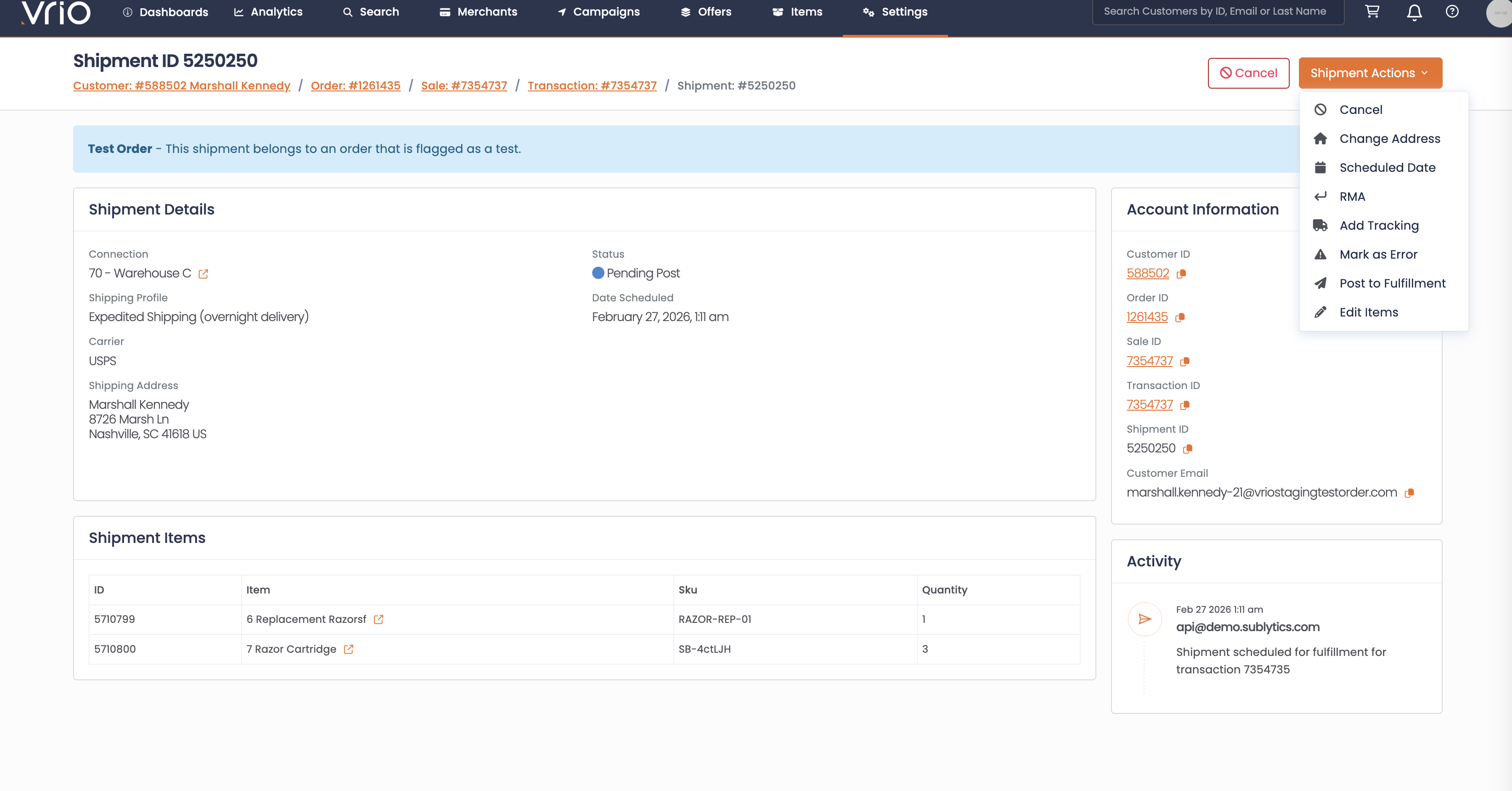
Step 2: Open the Change Address Form
On the shipment detail page, click Change Address from the Shipment Actions.
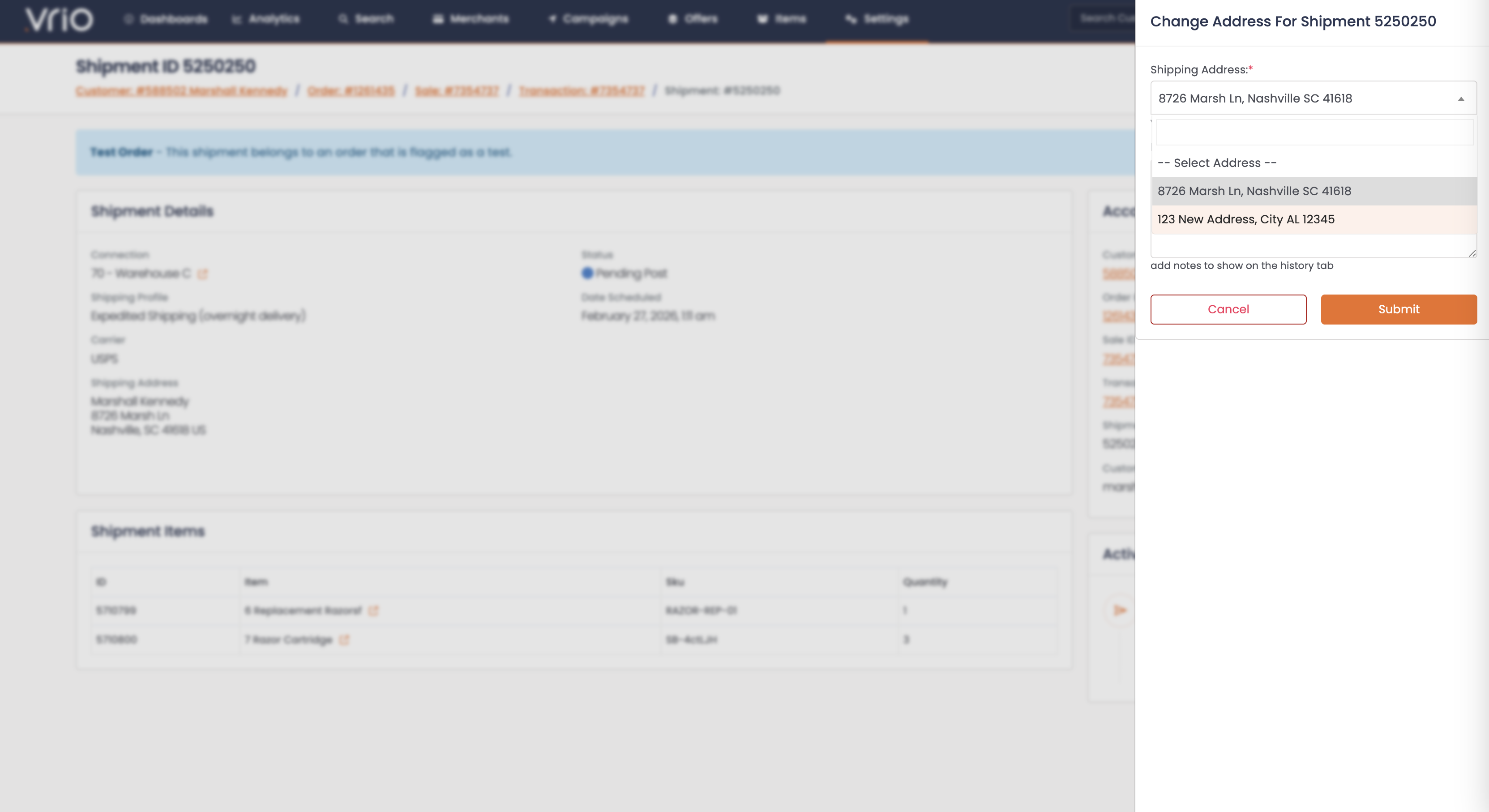
Step 3: Select the New Address
- Shipping Address (required) — Select an existing shipping address from the customer's saved addresses
- Click Submit
TipIf the customer needs a new address that doesn't exist yet, add it to the customer record first via Update Shipping Address, then come back to change the shipment address.
What Happens After Submitting
When the address is changed:
- Shipment updated — The shipment record is updated with the new shipping address. Old and new address values are logged in the shipment notes.
- Customer notification sent — An address updated responder is triggered, if configured on the campaign. The notification includes both old and new address details.
Other Ways to Change the Address
- API — PUT /shipments/{id}/address to update a shipment address programmatically
FAQ
Q: Can I change the address on a shipment that has already shipped?
A: No. The address can only be changed before the shipment has been posted to fulfillment. If the shipment has already shipped, you would need to work with the fulfillment provider directly.
Q: What if the customer needs a new address that isn't on their record?
A: First add the new address to the customer record using Update Shipping Address, then change the shipment address.
Q: Will the customer receive a notification?
A: Yes, if a shipment address updated responder is configured at the campaign level. The notification includes both the old and new address details.
Updated 8 months ago