
Reschedule a Shipment
Change the scheduled date for a pending shipment to a different date within the allowed range.
Rescheduling a shipment changes its scheduled date — the date Vrio sends the shipment to your fulfillment connection for processing. This is commonly used when a customer needs to delay or move up their next delivery within the allowed date range.
Key Takeaways
- The scheduled date is when the shipment is posted to your fulfillment connection — changing it changes when the shipment is sent for fulfillment
- Only applies to shipments in Pending Post or Pending Transaction status
- The new date must fall within the allowed range (after the previous shipment/transaction and before the next one)
- The new date must be in the future
- This action does not trigger any customer notifications or webhook events
Prerequisites
The Reschedule action is available when all of the following conditions are met:
| Condition | Details |
|---|---|
| Status is Pending Post or Pending Transaction | The shipment must not yet be posted or fetched |
| Shipment has a scheduled date | A scheduled date must already exist on the shipment |
| Shipment is not posted | The shipment has not been posted to fulfillment |
| Shipment is not fetched | Tracking has not been fetched |
How to Reschedule a Shipment
Step 1: Navigate to the Shipment
Find the shipment you want to reschedule. The most common methods are:
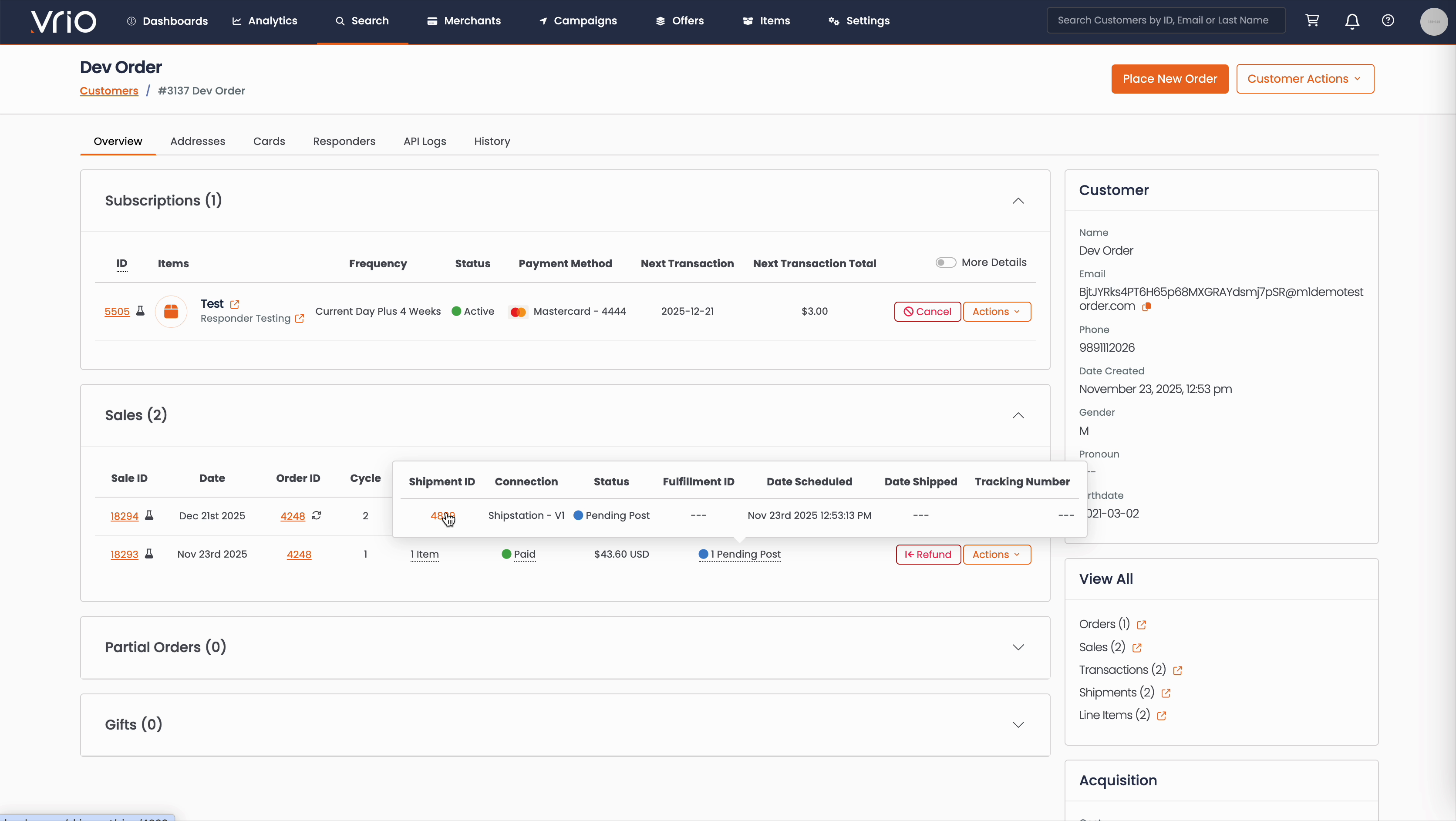
From the Customer Page:
- Navigate to Search → Customers tab and find the customer record
- On the customer detail page, scroll to the Sales section
- Hover over the Shipment Status to expand and show shipment details
- Click on the Shipment ID
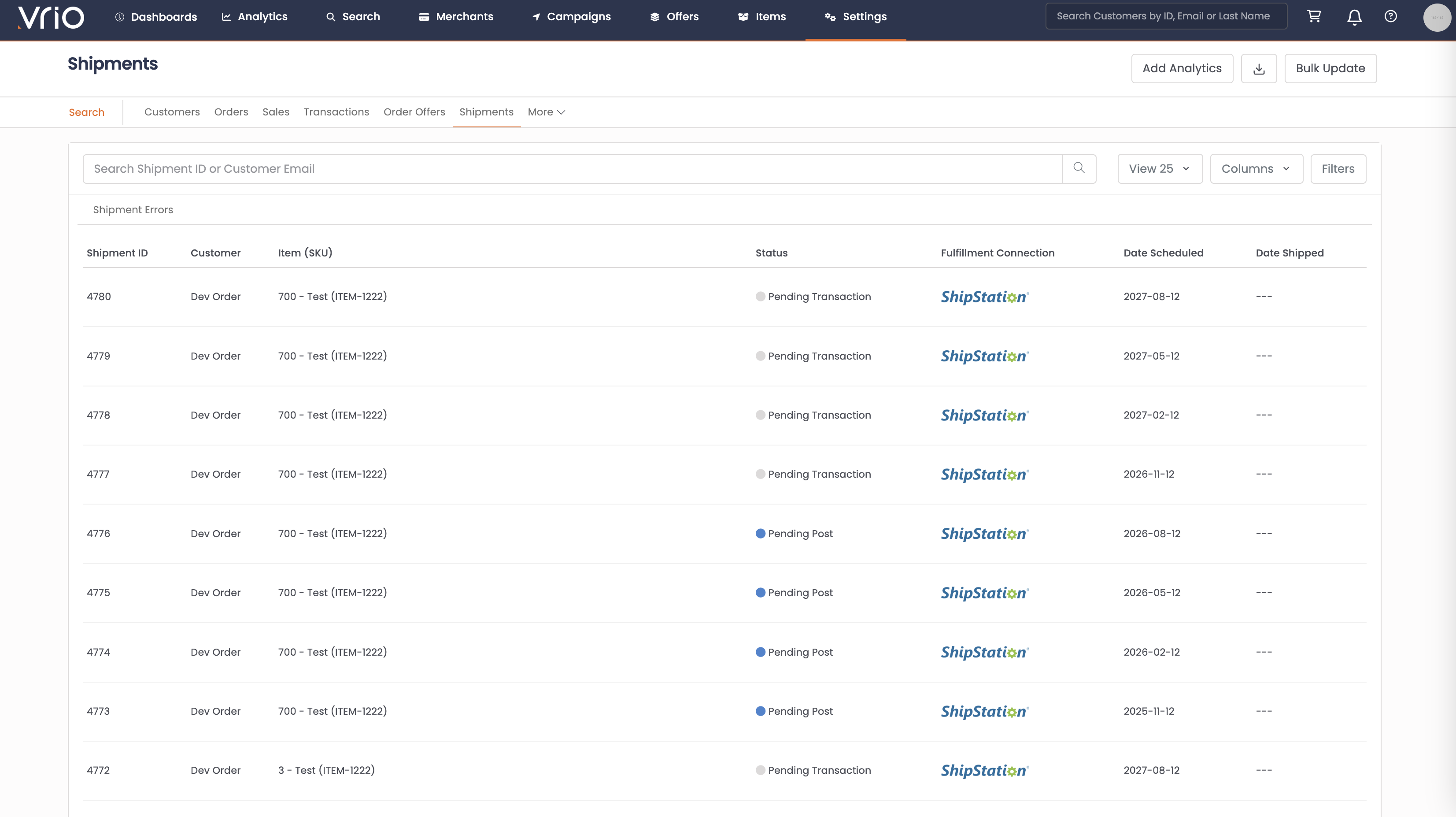
From the Shipments List:
- Navigate to Search → Shipments tab
- Use filters or browse to find the shipment
- Click on the Shipment to open the shipment detail page
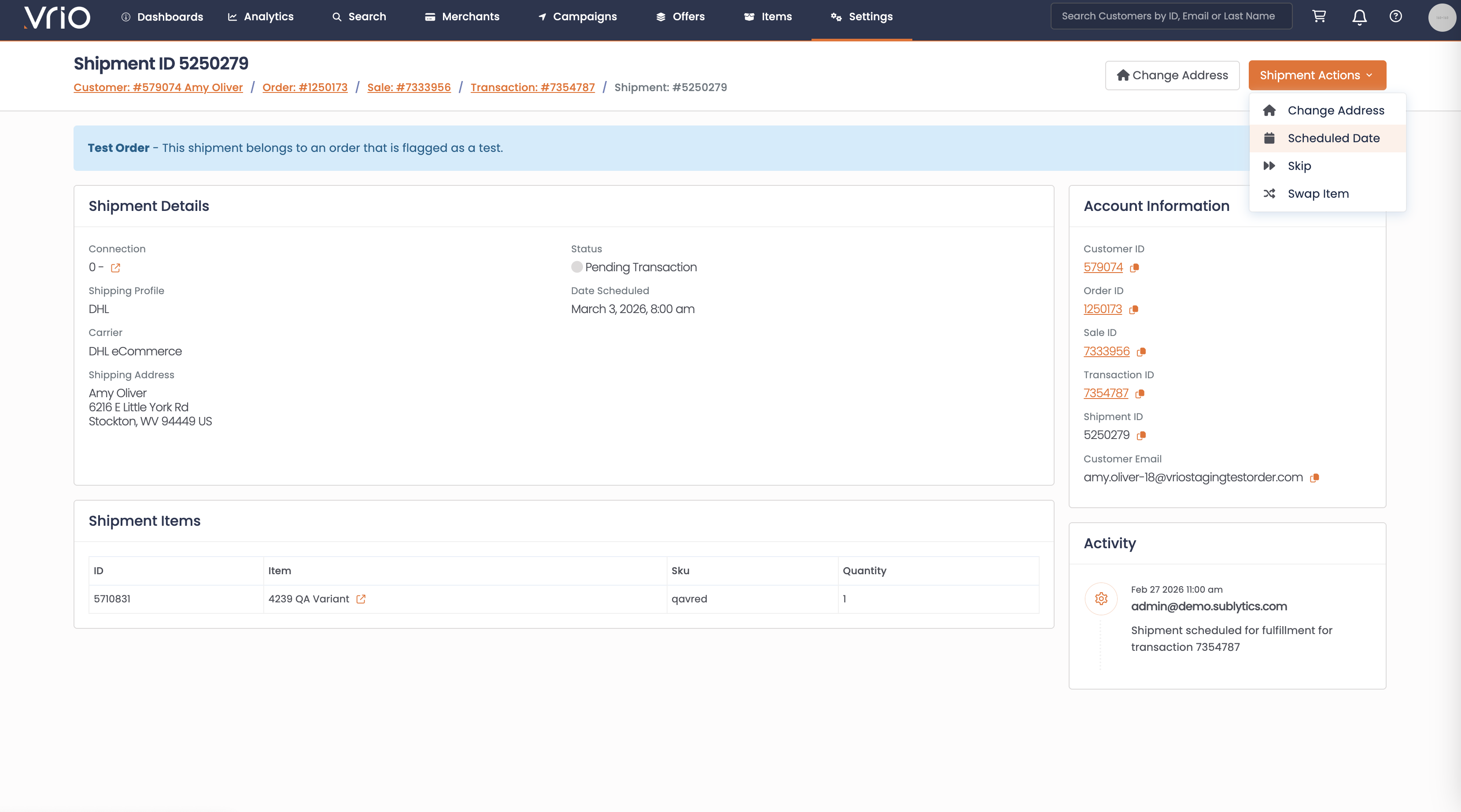
Step 2: Open the Reschedule Form
On the shipment detail page, click Scheduled Date from the Shipment Actions.
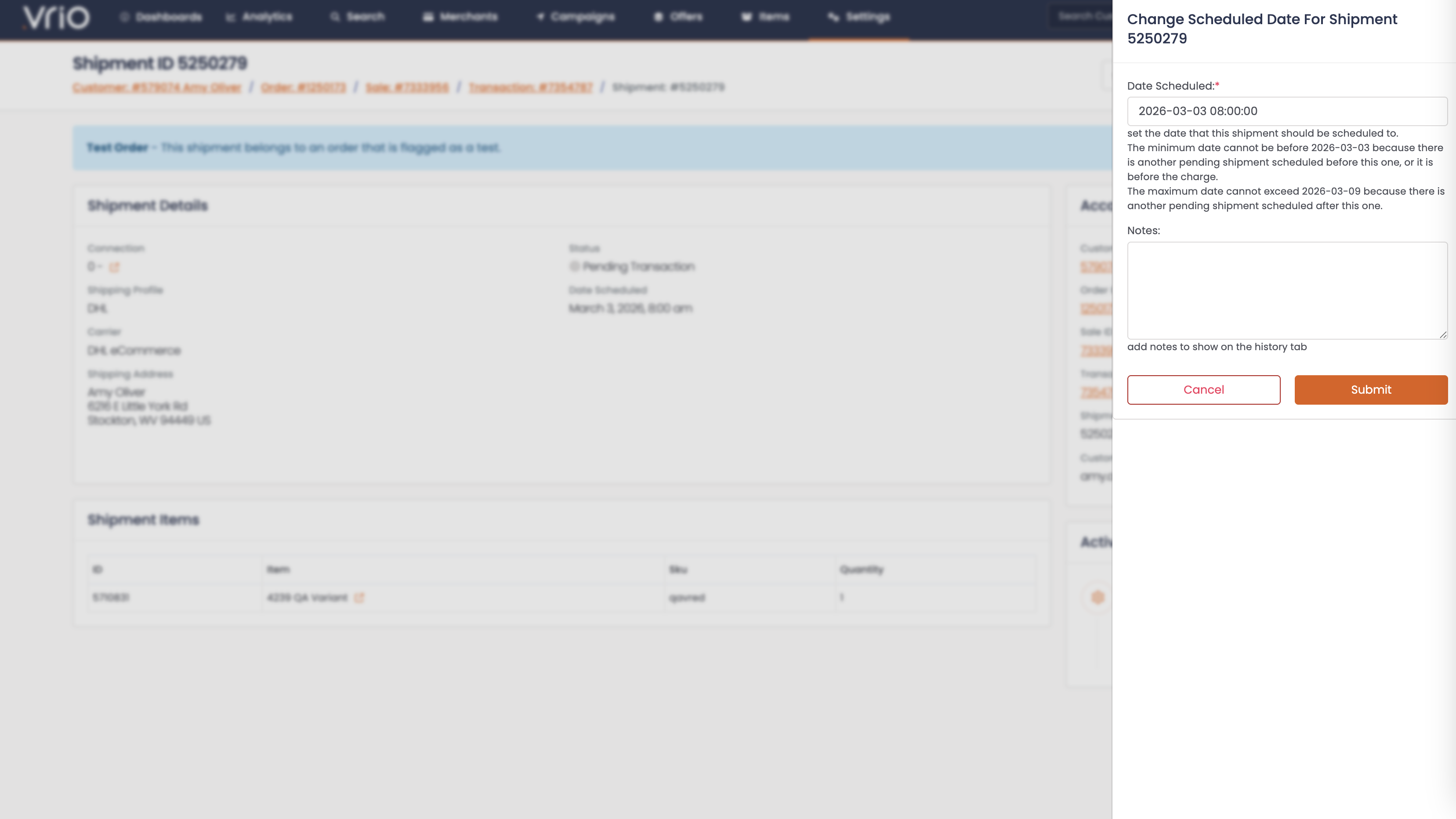
Step 3: Select a New Date
- Scheduled Date (required) — Choose a new date for the shipment. The date must be:
- In the future (after today)
- After the previous shipment's scheduled date (or the transaction date if it's the first shipment)
- Before the next shipment or next transaction's scheduled date
- Click Submit
What Happens After Submitting
When a shipment is rescheduled:
- Scheduled date updated — The shipment's scheduled date is changed to the new value
- Original date preserved — If the original scheduled date differs, it is adjusted proportionally to maintain the same day offset
- Change logged — The date change is recorded in the shipment notes
Other Ways to Reschedule
- API — POST /shipments/{id}/schedule to reschedule a shipment programmatically
FAQ
Q: What is the earliest I can reschedule a shipment to?
A: The new date must be at least one day after the previous shipment's scheduled date (or the transaction completion/scheduled date if it's the first shipment).
Q: What is the latest I can reschedule a shipment to?
A: The new date must be at least one day before the next shipment or next transaction's scheduled date.
Q: Will rescheduling affect future shipments or transactions?
A: No. Only the scheduled date of the specific shipment is changed. Future shipments and transactions retain their existing dates.
Q: Will the customer be notified when a shipment is rescheduled?
A: No. Rescheduling does not trigger any responders or webhook events.
Updated 8 months ago