
Update Transactions
Bulk update transaction records using CSV file import.
Update multiple transaction records at once by uploading a CSV file. This is useful for bulk updating transaction fields like merchant assignments, amounts, or scheduled dates.
Key Takeaways
- Updates existing transaction records only
- The
Internal IDfield is required to identify records- Only works on incomplete transactions (not yet processed)
- Only include columns for fields you want to update
- Rescheduling transactions via import does not reschedule any pending shipments
- Changes are logged in the record's notes for audit purposes
Template
Required Fields
| Field | Description |
|---|---|
Internal ID | The ID of the transaction to update |
Include additional columns only for the fields you want to change.
ImportantTransaction import only works on incomplete transactions (transactions that have not yet been processed). Completed transactions cannot be modified via import.
Editable Fields
| CSV Header | Description | Format |
|---|---|---|
| Internal ID | Required - Transaction ID | Integer |
| Merchant ID | Merchant account to process on | Integer |
| Shipping | Shipping amount | Decimal (e.g., 5.99) |
| Sub Total | Subtotal amount | Decimal (e.g., 29.99) |
| Tax | Tax amount | Decimal (e.g., 2.50) |
| Fee | Fee amount | Decimal (e.g., 1.00) |
| Total | Total transaction amount | Decimal (e.g., 39.48) |
| Date Scheduled | Scheduled processing date | YYYY-MM-DD HH:MM:SS or ---- for empty |
To Update Transactions
-
Navigate to Search > Transactions
-
Click the Bulk Update button

-
Download the template and fill in your data
-
Upload your CSV file
-
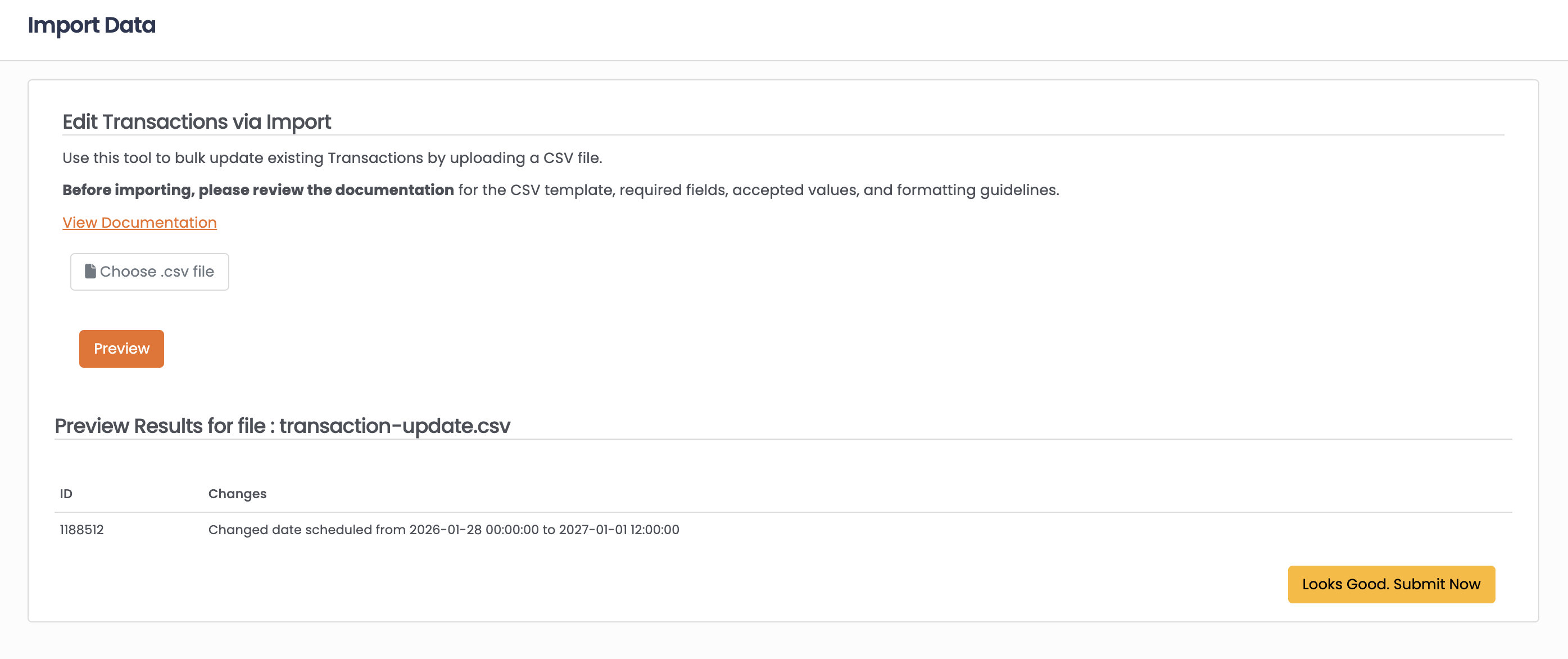
Click Preview to review the changes
-
Click Looks Good Submit Now to apply updates
Common Use Cases
Bulk change merchant assignments:
Use Internal ID and Merchant ID to reassign pending transactions to a different merchant account.
Reschedule transactions:
Update Date Scheduled to change when transactions will process.
Adjust transaction amounts:
Update Sub Total, Tax, Shipping, or Total for pending transactions.
FAQ
Q: How do I find transaction IDs?
A: Transaction IDs (Internal ID) are displayed in the Transactions search results and on individual transaction records.
Q: Can I update completed transactions?
A: No, only incomplete (pending) transactions can be updated via import. For completed transactions, use refunds or other appropriate actions.
Q: Are changes tracked?
A: Yes, all changes made via import are logged in the transaction's notes section for audit purposes.
Q: What date format should I use?
A: Use YYYY-MM-DD HH:MM:SS format (e.g., 2024-01-15 14:30:00). Use ---- to clear a date field.
Updated 6 months ago