
Post to Fulfillment
Manually send a pending shipment to the fulfillment connection for processing.
Posting to fulfillment manually sends a pending shipment to the assigned fulfillment connection. This is useful when you need to push a shipment immediately rather than waiting for the automated posting schedule.
Key Takeaways
- Posting changes the shipment status to Pending Tracking and records the post date
- The shipment's scheduled date is moved to now to trigger immediate posting
- A fulfillment responder is sent to the customer, if configured
- A
shipment_fulfilledwebhook event is fired to connected systems- Grouped shipments are also posted and receive the same webhook event
Prerequisites
The Post to Fulfillment action is available when all of the following conditions are met:
| Condition | Details |
|---|---|
| Fulfillment connection assigned | The shipment must have a fulfillment connection set |
| Shipment is not posted | The shipment has not already been posted (date_post is empty) |
| Shipment has a scheduled date | A scheduled date must exist on the shipment |
| Shipment is not cancelled | The shipment has not been cancelled |
| Shipment is not skipped | The shipment has not been skipped |
| Tracking not fetched | No tracking number has been fetched yet |
| Transaction is complete | The associated transaction must be completed |
How to Post to Fulfillment
Step 1: Navigate to the Shipment
Find the shipment you want to post. The most common methods are:
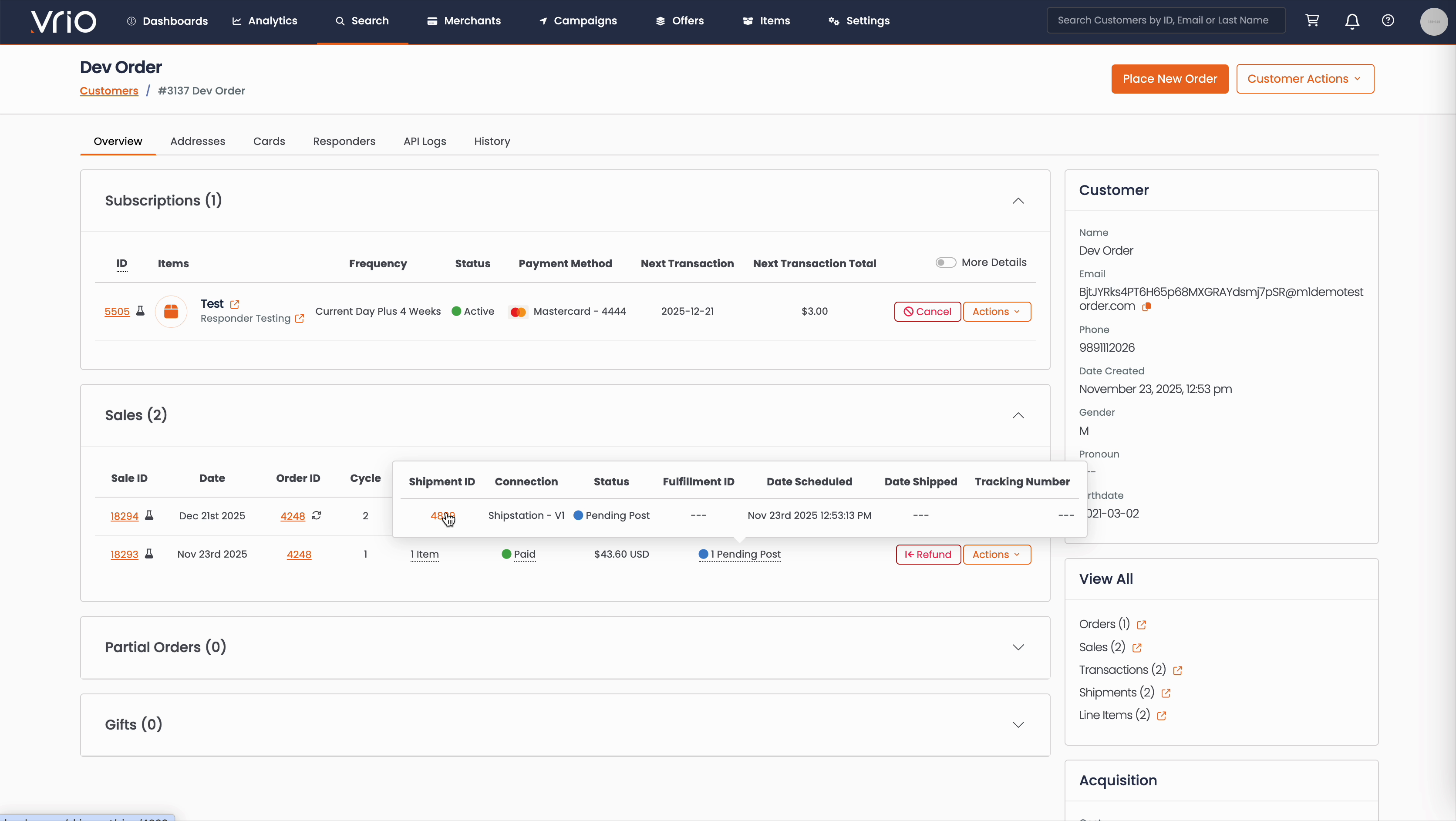
From the Customer Page:
- Navigate to Search → Customers tab and find the customer record
- On the customer detail page, scroll to the Sales section
- Hover over the Shipment Status to expand and show shipment details
- Click on the Shipment ID
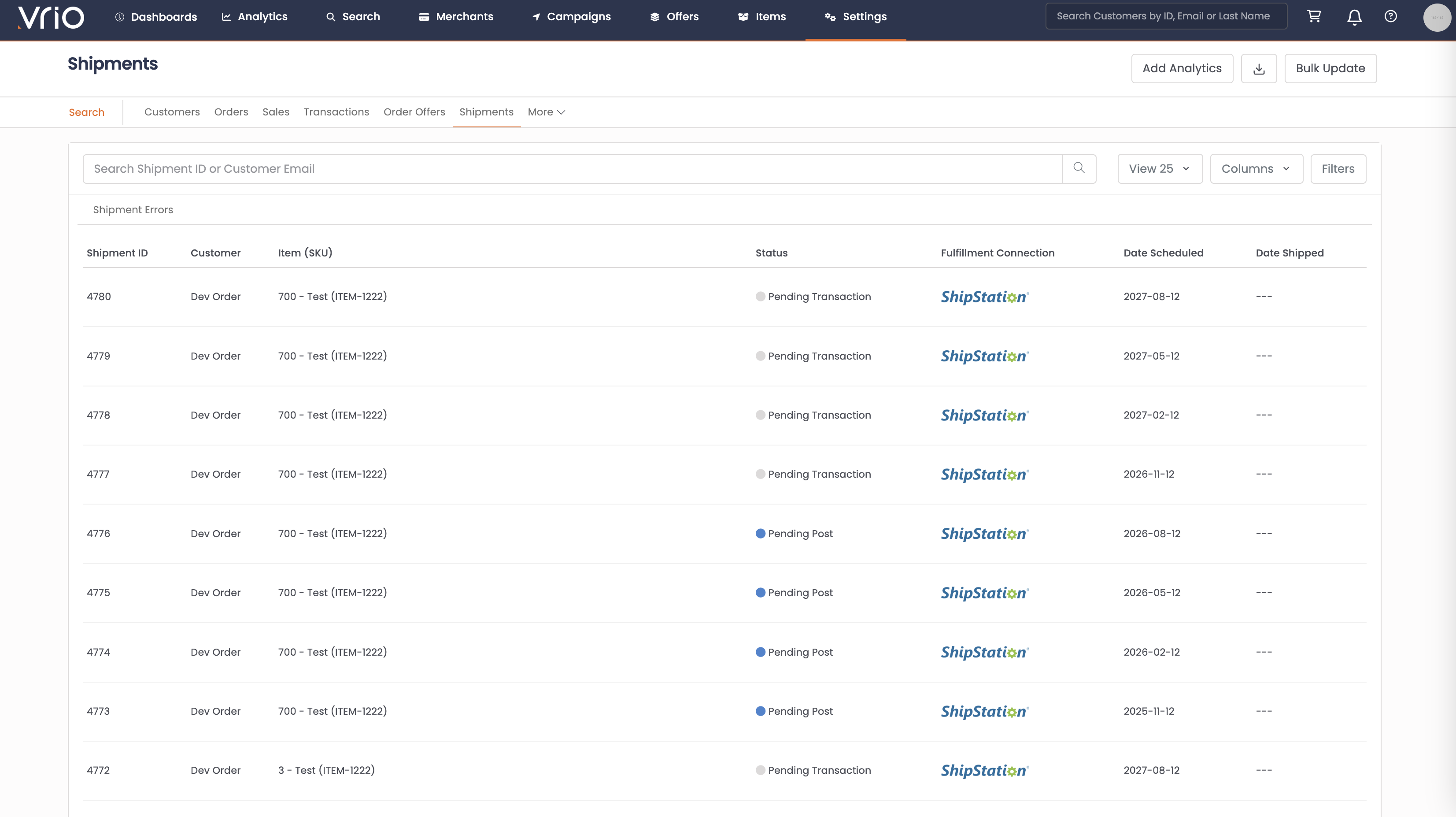
From the Shipments List:
- Navigate to Search → Shipments tab
- Use filters or browse to find the shipment
- Click on the Shipment to open the shipment detail page
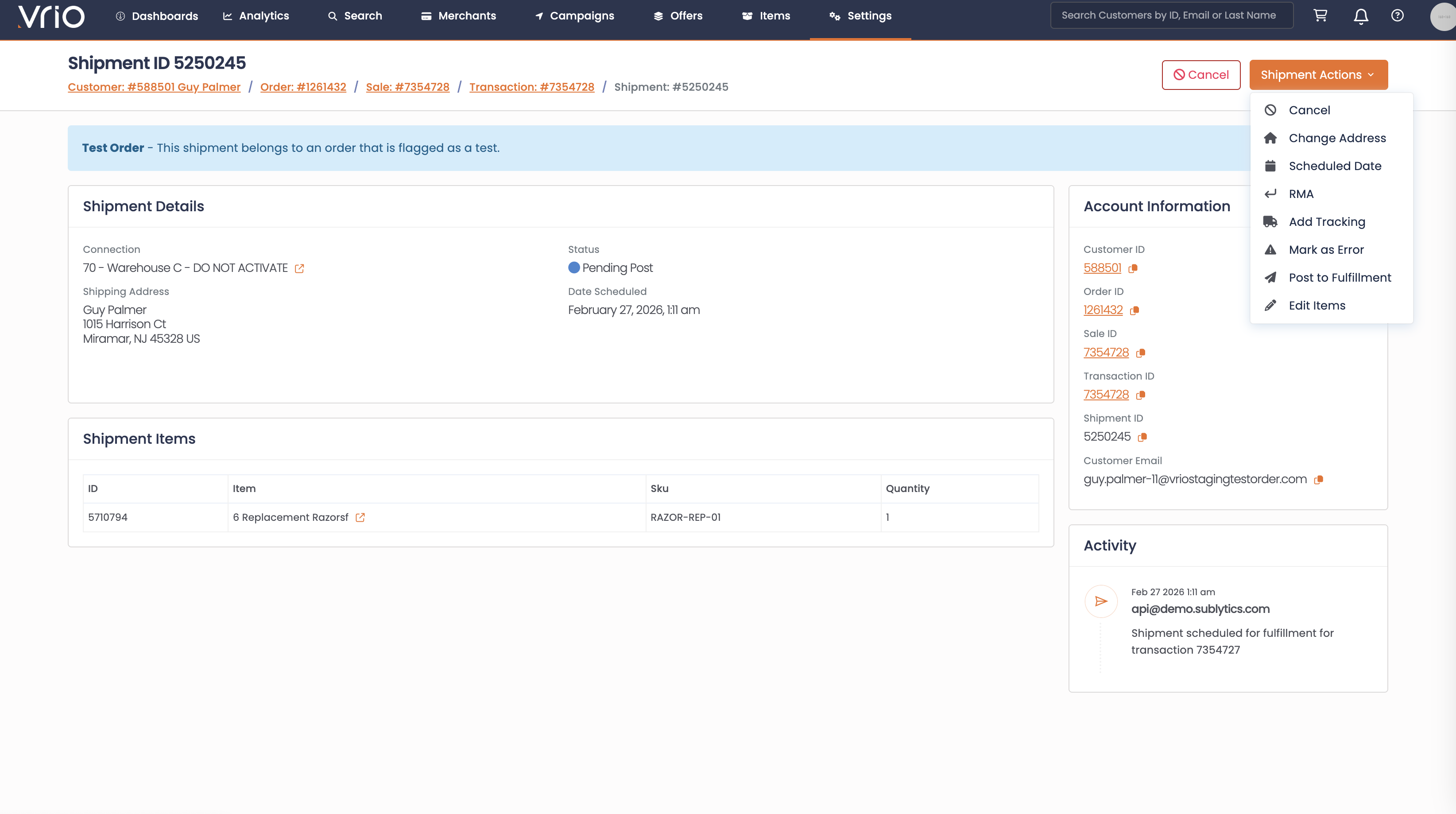
Step 2: Post the Shipment
On the shipment detail page, click Post to Fulfillment from the Shipment Actions and confirm.
What Happens After Submitting
When a shipment is posted to fulfillment:
- Scheduled date moved to now — The shipment's scheduled date is updated to trigger immediate posting
- Sent to fulfillment — The shipment is sent to the assigned fulfillment connection. On success, the status updates to Pending Tracking and the post date is recorded.
- Customer notification sent — A fulfillment responder is triggered for each item on the shipment, if configured
- Webhook event fires — A
shipment_fulfilledevent is sent to any connected systems - Grouped shipments posted — If this shipment is part of a group, grouped shipments also receive the
shipment_fulfilledevent
Other Ways to Post
- API — POST /shipments/{id}/post to post a shipment to fulfillment programmatically
FAQ
Q: Why don't I see the Post to Fulfillment option?
A: The shipment must have a fulfillment connection assigned, a completed transaction, and not already be posted. Check that the associated transaction was successful.
Q: What if the post fails?
A: If the fulfillment connection returns an error, the shipment moves to the error queue. Review the error details in the shipment notes and consider using Re-Post to Fulfillment after resolving the issue.
Updated 8 months ago