
PAAY
Connect Vrio with PAAY to authenticate cards before payment, including subscription renewals through 3RI.
PAAY is a 3D Secure provider. Vrio calls PAAY immediately before each transaction goes to your payment gateway, and passes the authentication result along with the charge.
The two flows
PAAY gives you two ways to authenticate, and you enable them independently.
Initial transactions (Direct API)
For the first transaction on an order. Vrio calls PAAY server to server, using the card and order details it already has — nothing is added to your checkout and no script runs in your customer's browser.
You can also authenticate initial transactions yourself with PAAY's JavaScript SDK in your checkout, and pass the values to Vrio on the order instead. See Third Party 3DS Providers. Renewals are handled by this connection either way.
Renewals (3RI)
3RI stands for 3DS Requestor Initiated — authentication where the cardholder isn't present, which is exactly what a renewal is.
It works by referencing an earlier authentication of the same card. PAAY hands you a Directory Server Transaction ID on that first successful authentication, Vrio stores it, and every renewal points back at it.
A renewal can only be authenticated if that card has already been successfully authenticated once. If it hasn't, Vrio skips authentication for that renewal and processes the charge normally. See When renewals aren't authenticated.
Getting Started
What You'll Need
Which credentials you need depends on which flows you're turning on. PAAY issues these separately:
- 3RI API Key and Secret — for authenticating renewals
- 3DS API Key — for authenticating initial transactions
Setup
-
Add the Connection
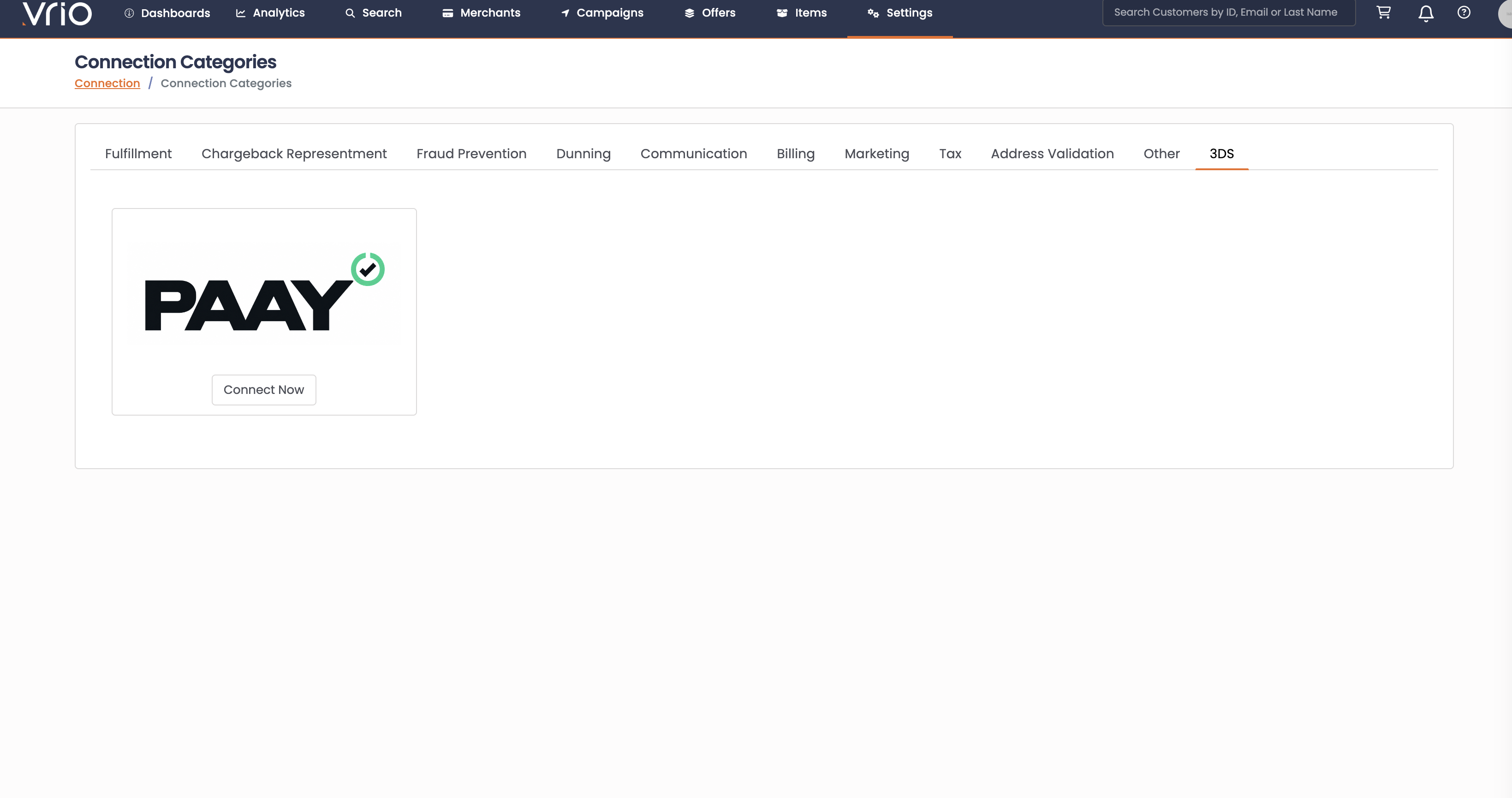
- Go to Settings > Connections > Add New Connection
- Find PAAY under the 3DS tab
- Click Connect Now
-
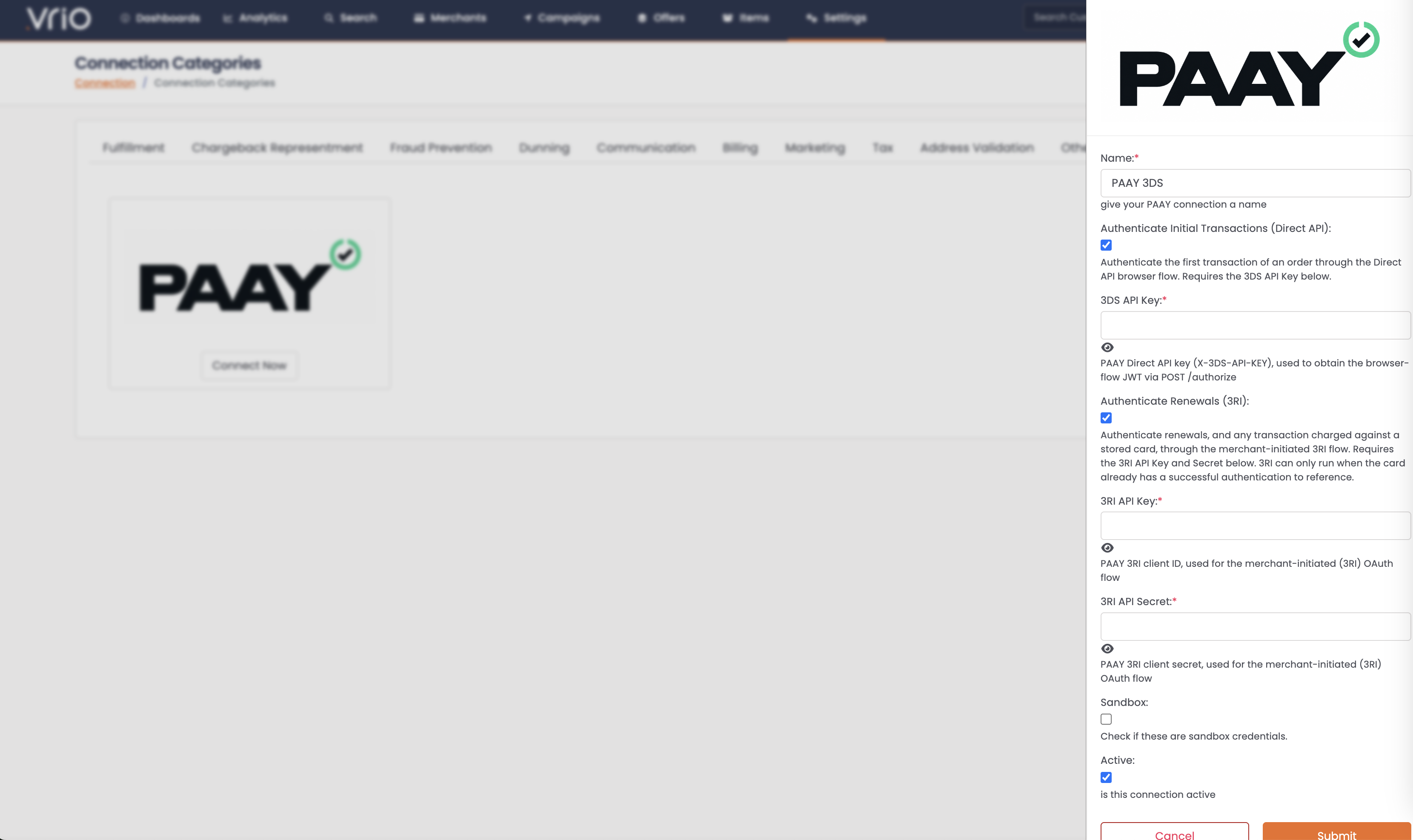
Choose what to authenticate
- Authenticate Initial Transactions (Direct API) — the first transaction on an order. Reveals the 3DS API Key field.
- Authenticate Renewals (3RI) — renewals, and any charge against a stored card. Reveals the 3RI API Key and Secret fields.
You can enable one or both. Only the credentials for what you've enabled are required.
-
Enter your credentials
- Name: something descriptive, like "PAAY Production"
- Statuses to Store: leave on the default unless you have a reason not to
- Sandbox: check if this is a sandbox account
- Active: ✓
-
Test the connection
-
Add it to a campaign
-
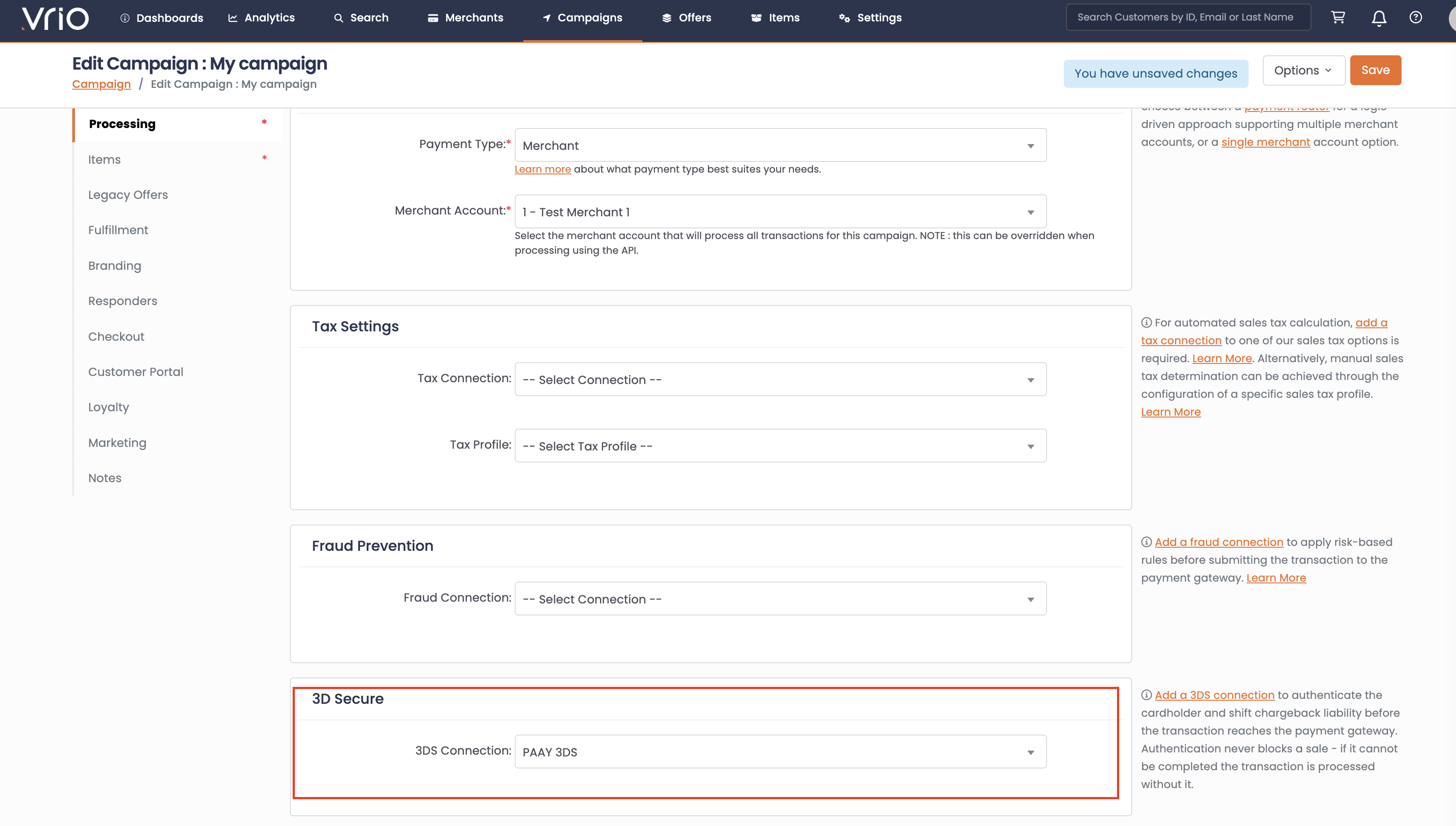
Campaigns > your campaign > Processing tab
-
Pick your connection in the 3D Secure card
-
Save
-
Where to See Results
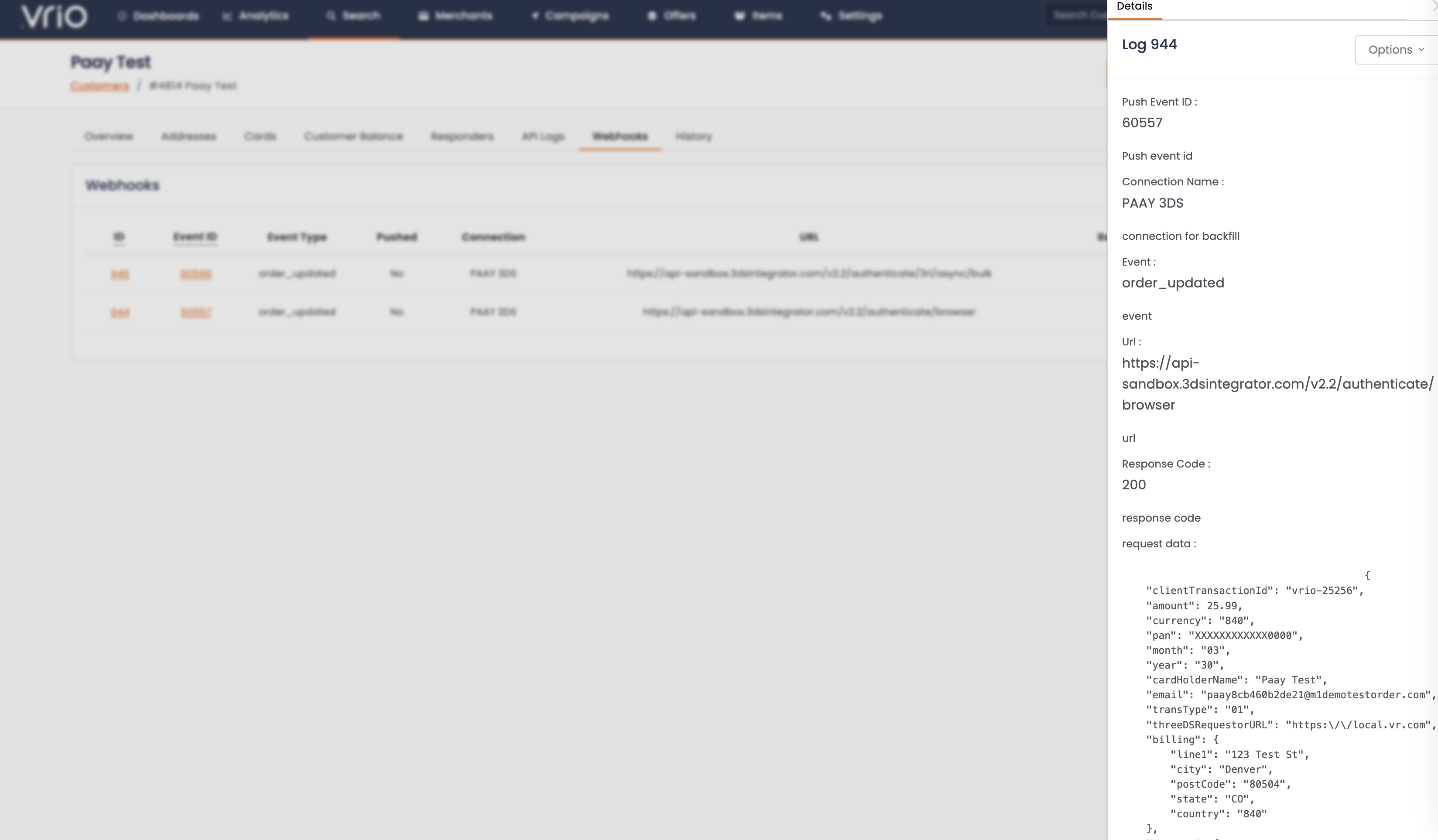
Every authentication attempt is recorded against the order.
The order notes tell you what happened at a glance:
-
PAAY 3DS authentication succeeded -
PAAY 3DS authentication completed, not authenticated (status N) -
PAAY 3DS authentication failed (…reason…)
The full request and response are attached to the order-updated event, so you can see exactly what was sent and what came back.
Understanding the statuses
PAAY returns a status for every authentication.
You choose which of them are stored on the order and sent to the gateway with the Statuses to Store setting on the connection.
By default that is Y, A and I; the other options are Y and A, Y only, or every status.
See Statuses to Store.
| Status | Meaning | Stored by default |
|---|---|---|
| Y | Authenticated | Yes |
| A | Attempted — the issuer couldn't authenticate but acknowledged the attempt | Yes |
| N | Not authenticated | No |
| U | Unavailable — a technical problem somewhere in the chain | No |
| I | Information only — the result of a data-only authentication | Yes |
| R | Rejected by the issuer | No |
A status that isn't stored is still recorded in the order notes and the connection log, and the transaction still goes to the gateway, just without 3DS data.
Configuration Options Explained
Authenticate Initial Transactions (Direct API)
Authenticates the first transaction on an order, using the card the customer just entered. Requires the 3DS API Key.
Authenticate Renewals (3RI)
Authenticates renewals and any charge made against a stored card. Requires the 3RI API Key and Secret.
Note that a first charge made against an already-stored card is a 3RI authentication too, because there's no freshly entered card to work with. So if you take orders against saved cards, that's covered by this checkbox rather than the one above.
Statuses to Store
Which authentication results are saved to the order and passed on to the gateway.
| Option | Stores |
|---|---|
| Y, A and I (default) | authenticated, attempted, and data only |
| Y and A | authenticated and attempted |
| Y only | fully authenticated |
| Every status | also stores N, U and R |
PAAY recommends passing Y, A and I to the gateway, which is why that is the default.
An N, U or R comes back without a cryptogram, so there is nothing to forward.
Whichever option you choose, every result is recorded in the connection log and the order notes; a status that isn't stored is simply not attached to the order.
Choose Every status if you want every result attached to the order for reporting. Those results are then sent to the gateway too.
Good to know
Authentication never blocks a sale
If PAAY times out, errors, returns something unusable, or the issuer asks for something Vrio can't provide, the transaction still goes to the gateway — just without 3DS data. The reason is logged on the order.
The same is true of a result you have chosen not to store: the charge goes ahead, it simply carries no authentication.
What happens on a decline retry
If a transaction is authenticated and then declines, and your router retries on another merchant account, Vrio reuses the same authentication rather than asking PAAY again. Per PAAY, an authentication is valid for 90 days, is single-use, and a decline doesn't count as a use — so the retry is entitled to it.
The same is true for dunning. A retry three days later reuses the original authentication.
The retry has to land on a merchant account whose gateway accepts 3DS data for the authentication to be used. 3DS Priority Routing on the router makes that happen automatically.
What happens if the customer changes their card
If a customer submits a different card on the same order — a decline followed by a second attempt with another card, say — Vrio authenticates the new card rather than reusing the first card's result. An authentication belongs to the card it was made for.
When renewals aren't authenticated
3RI has to reference an earlier authentication of that card, and PAAY is specific about which ones count.
For recurring billing, the earlier transaction must have come back Y, a full cardholder authentication.
PAAY's documentation states that referencing a transaction with any other status, including A and I, causes the 3RI authentication to fail.
An A or I on a first transaction is still stored and sent to the gateway with that charge, depending on your Statuses to Store setting. It just can't be used to authenticate the renewals that follow.
Where there's no earlier Y, Vrio skips authentication and processes the renewal normally. That covers:
- Subscriptions that already existed when you switched PAAY on — their first transaction happened before the connection did
- Customers who updated their card mid-subscription — the new card has no authentication history
- First transactions that came back anything other than
Y, or that failed for any reason
So switching PAAY on covers new orders from that point forward. It doesn't authenticate renewals on existing subscriptions.
Timing
Authenticating an initial transaction adds a few seconds to checkout, most of it spent waiting for the issuer to answer. PAAY quotes 1–8 seconds depending on the issuer.
Renewals are quicker and happen on your billing schedule, so no customer is waiting on them.
Updated about 2 hours ago