
Re-Post to Fulfillment
Clear previous fulfillment data and re-send a shipment to the fulfillment connection.
Re-posting to fulfillment clears the previous fulfillment data (post date and fulfillment ID) and re-sends the shipment to the fulfillment connection. Use this when the original post encountered an issue and needs to be retried.
Key Takeaways
- Re-posting clears the previous post date and fulfillment ID, then runs the standard post flow
- Because it runs the same post flow, it will re-send the fulfillment responder email and fire the
shipment_fulfilledwebhook event- Ensure the previous fulfillment entry has been deleted or cancelled at the provider before re-posting
WarningIf the same shipment is re-posted and results in an error, the shipment moves to the error queue. It is recommended to confirm the previous fulfillment entry has been resolved before re-posting.
Prerequisites
The Re-Post to Fulfillment action is available when:
| Condition | Details |
|---|---|
| Shipment has been posted | The shipment must have been previously posted to fulfillment (date_post is set) |
How to Re-Post to Fulfillment
Step 1: Navigate to the Shipment
Find the shipment you want to re-post. The most common methods are:
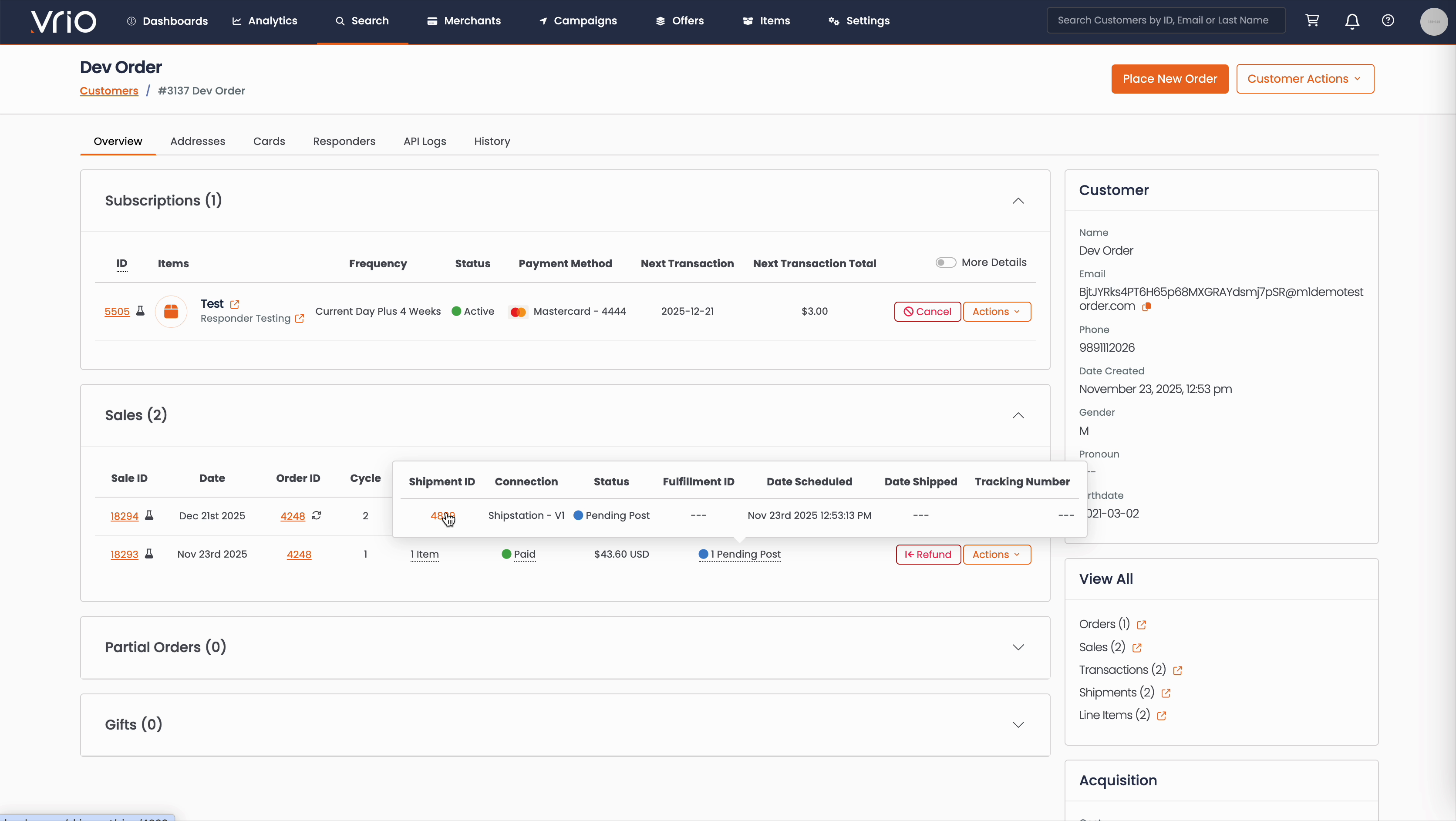
From the Customer Page:
- Navigate to Search → Customers tab and find the customer record
- On the customer detail page, scroll to the Sales section
- Hover over the Shipment Status to expand and show shipment details
- Click on the Shipment ID
From the Shipments List:
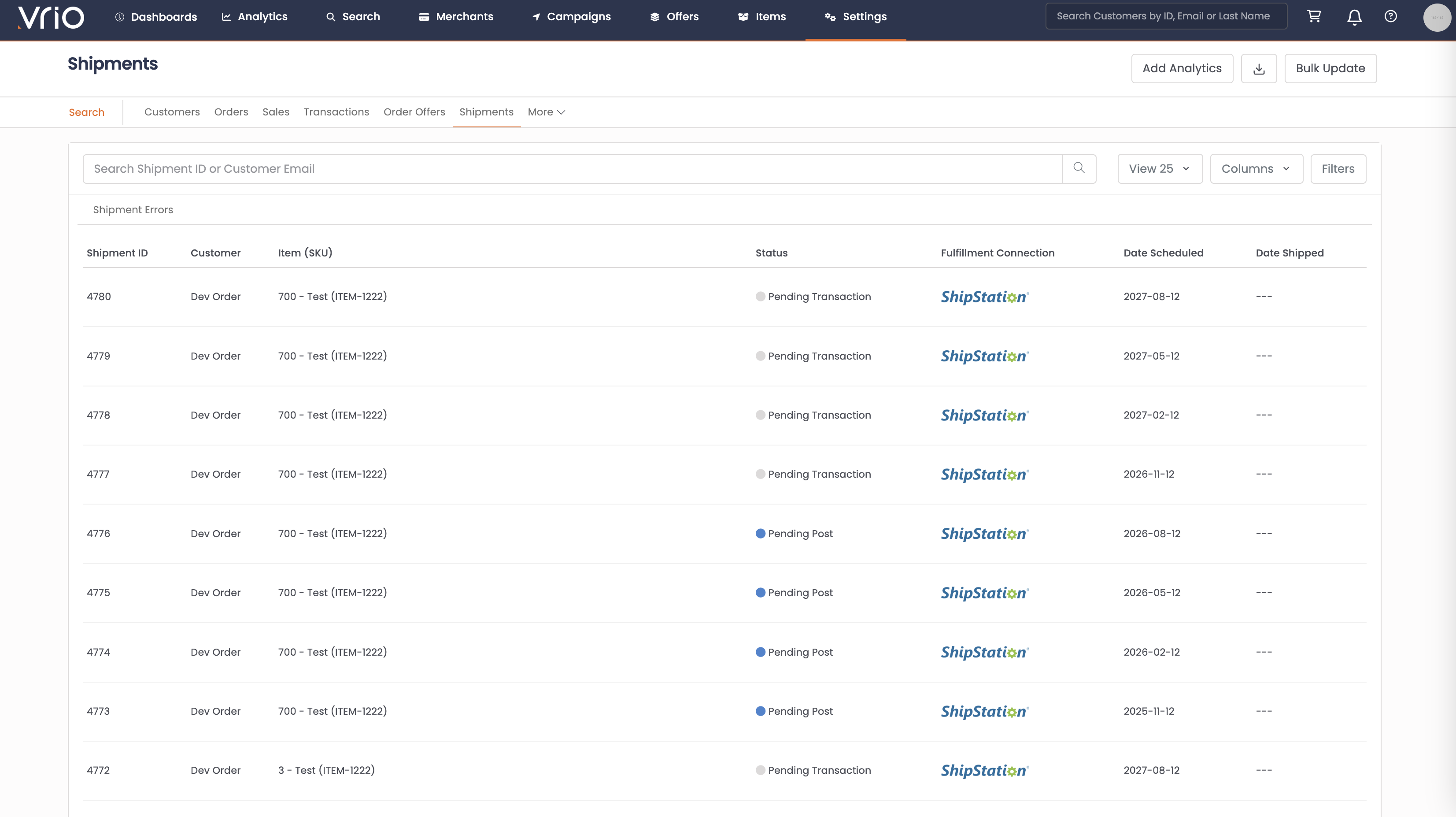
- Navigate to Search → Shipments tab
- Use filters or browse to find the shipment
- Click on the Shipment to open the shipment detail page
Step 2: Re-Post the Shipment
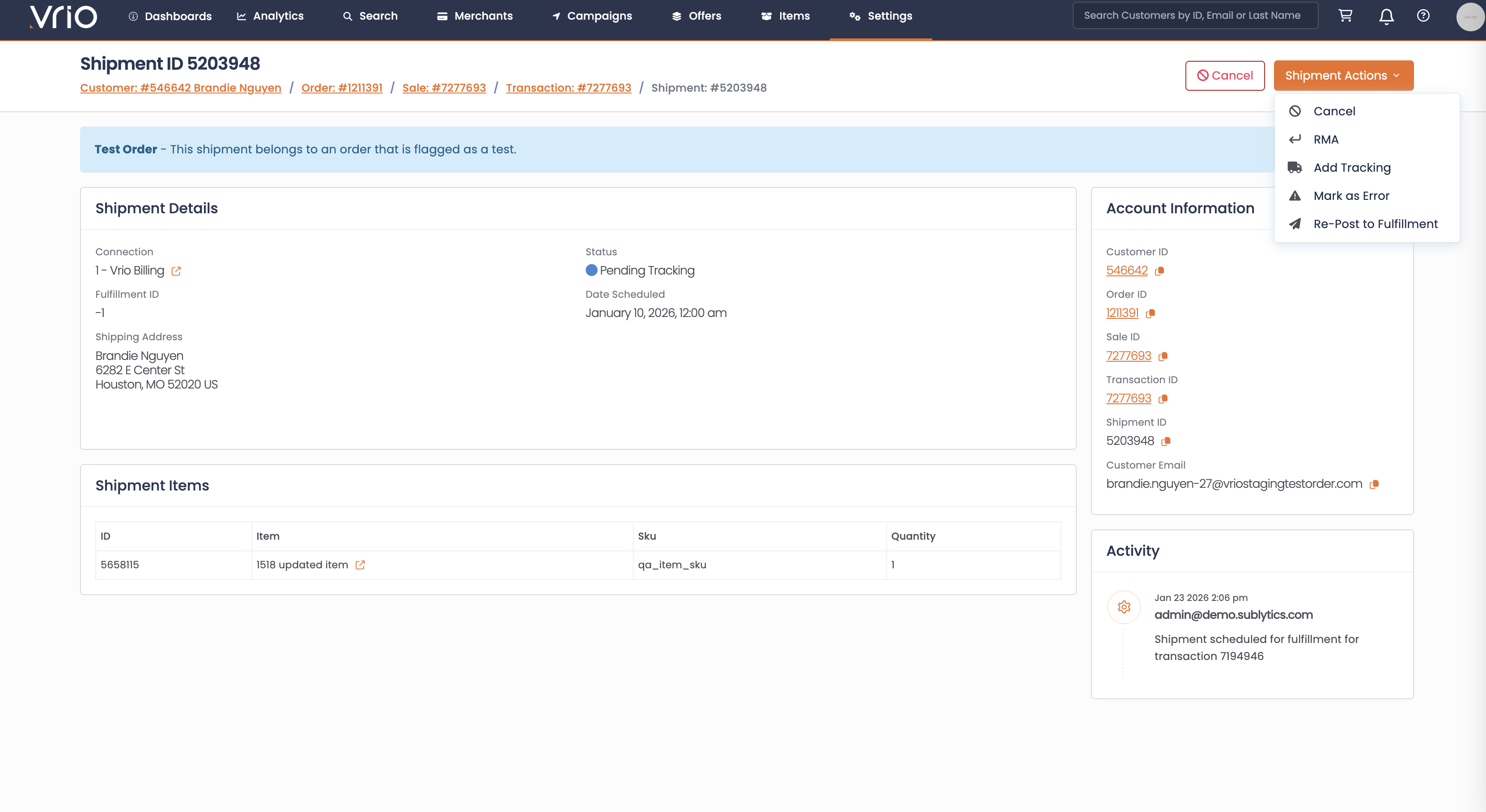
On the shipment detail page, click Re-Post to Fulfillment from the Shipment Actions and confirm.
What Happens After Submitting
When a shipment is re-posted:
- Fulfillment data cleared — The previous post date and fulfillment ID are reset
- Standard post flow runs — The shipment is re-sent to the fulfillment connection as if posting for the first time
- Status updates — On success, the status returns to Pending Tracking with a new post date
- Customer notification re-sent — A fulfillment responder is triggered for each item on the shipment, if configured
- Webhook event fires — A
shipment_fulfilledevent is sent to any connected systems
Other Ways to Re-Post
- API — POST /shipments/{id}/repost to re-post a shipment to fulfillment programmatically
FAQ
Q: Will the customer receive a notification when I re-post?
A: Yes. Re-posting runs the same post flow, so the fulfillment responder email will be re-sent and the shipment_fulfilled webhook event will fire again.
Q: Should I cancel the original fulfillment entry before re-posting?
A: Yes. It is recommended to ensure the previous fulfillment entry at the provider has been deleted or cancelled to avoid duplicate shipments.
Updated 8 months ago