
Webhooks overview
Automatically trigger HTTP callbacks on events in Vrio to build custom integrations, notifications, and workflows.
Webhooks are automated notifications that VRIO sends to your system when important events happen—like when a payment is processed, an order is placed, or a subscription is cancelled. Instead of constantly checking VRIO for updates, webhooks push real-time data directly to your endpoint the moment something changes.
When an event occurs, VRIO sends an HTTP POST request with a JSON payload to your configured URL. This allows you to integrate VRIO with any system that can receive HTTP requests: your warehouse management software, CRM, analytics platform, email service, or custom applications.
Key Characteristics:
- Event-Driven: Automatically triggered when records are created or updated—no polling required
- Delivered Every 5 Minutes: Webhooks are delivered every 5 minutes as events are processed
- Flexible Configuration: Set up different endpoints for different event types (transactions, orders, shipments, subscriptions)
- Campaign Filtering: Optionally limit webhooks to specific campaigns
- Rich Data: Each webhook includes complete details about the event and related records
Setup Process
- Navigate to Connections
-
Go to Settings > Connections > Add New Connection > Other
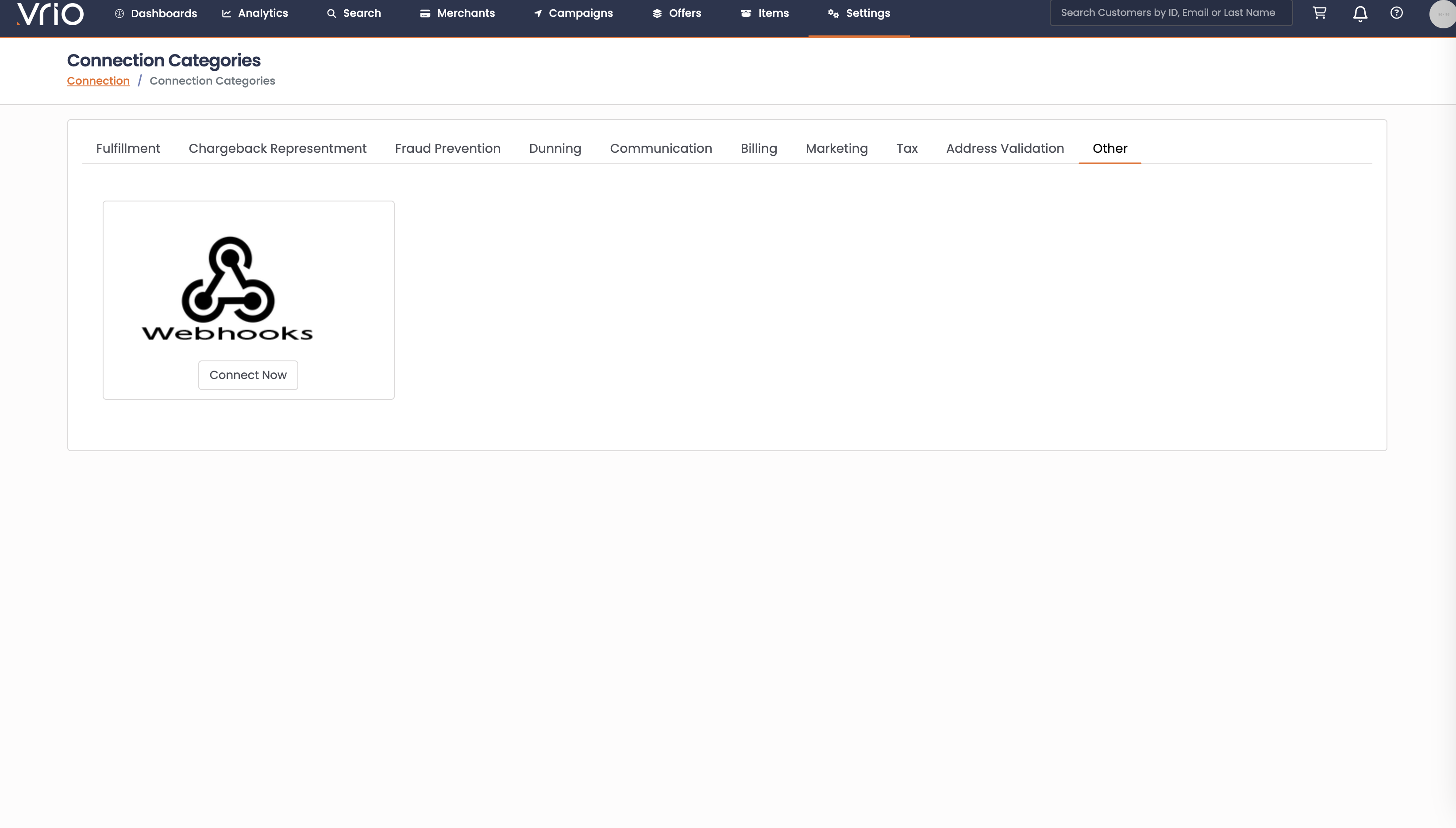
- Select Webhook Connection
- Click "Connect Now" under the Webhook option
- Configure Webhook URLs
- Enter destination URLs for each event type you want to receive:
- Transaction Webhook URL - For transaction events
- Order Webhook URL - For order events
- Order Offer Webhook URL - For subscription events
- Shipment Webhook URL - For shipment events
- Set Campaign Filters (Optional)
- Leave empty to receive webhooks for all campaigns
- Select specific campaigns to limit webhook delivery
- Test Your Webhooks
- Each webhook URL field includes a "Test" link
- Click to send a sample payload to your endpoint
- Verify your endpoint receives and processes the test correctly
- Activate Connection
- Ensure the "Active" checkbox is selected
- Save your configuration
Webhook Types
Get notified when payments are processed, skipped, or unskipped. Transaction webhooks include complete payment details along with customer, order, and merchant information. Use these to track revenue, manage digital access based on payment status, handle failed payments, and sync transaction data to external analytics or accounting systems.
Events: transaction_completed, transaction_skipped, transaction_unskipped
Get notified when orders are updated or abandoned. Order webhooks include complete order details with all products, subscriptions, shipments, and a full revision history. Use these to sync order data with ERP systems, trigger abandoned cart recovery campaigns, maintain audit trails, and push order information to external analytics platforms.
Events: order_updated, order_abandoned
Get notified when subscriptions change status. Order Offer webhooks include subscription details with billing schedule, pricing, and next rebill information. Use these to control access to digital products or features, sync subscription status with third-party platforms, trigger retention campaigns when subscriptions are cancelled, and track subscription lifecycle for revenue recognition.
Events: order_offer_updated, order_offer_cancelled
Get notified about fulfillment and shipping status changes. Shipment webhooks include tracking information, carrier data, and customer addresses. Use these to update third-party fulfillment systems, sync shipment status with warehouse management software, push delivery data to business intelligence platforms, and analyze carrier performance.
Events: shipment_shipped, shipment_cancelled, shipment_fulfilled
Technical Requirements
Endpoint Requirements
- Protocol: HTTPS recommended for security
- Method: POST
- Response: Return HTTP 200 status code to acknowledge receipt
- Timeout: Must respond within 2 seconds for VRIO to store a response, otherwise the request moves on
- Content-Type: Expects and sends
application/json
Security Considerations
- Use HTTPS to encrypt webhook data in transit
- Validate webhook payloads on your server
- Store sensitive credentials securely
- Monitor for unusual webhook patterns
Processing Notes
- Webhooks are delivered every 5 minutes
- Webhook deliveries are attempted once per event
- All delivery attempts (successful or failed) are logged for troubleshooting
- Ensure your endpoint can handle concurrent requests
- Implement idempotency using the
webhook_event_idfield
Monitoring & Troubleshooting
Webhook Logs
To monitor webhook delivery, view logs on the customer screen under the Webhook tab. Each log entry includes:
- Request Payload: The complete JSON data sent to your endpoint
- Request URL: The destination URL that received the webhook
- Response Code: HTTP status code returned by your endpoint (200 = success)
- Response Body: The response content your endpoint returned
- Timestamp: When the webhook was sent
- Event ID: Unique identifier for the webhook event (use for idempotency)
Use these logs to:
- Verify webhooks are being delivered to your endpoint
- Debug failed deliveries by examining response codes and error messages
- Confirm your endpoint is processing webhooks correctly
- Investigate missing or duplicate webhook events
- Monitor webhook performance and response times
Common Issues
- Timeout Errors: Optimize your endpoint to respond within 2 seconds
- Connection Refused: Verify your URL is accessible from external networks
- Missing Events: Check campaign filters and ensure the connection is active
Updated 12 months ago