
Update Items
Bulk update item/product settings using CSV file import.
Update multiple item records at once by uploading a CSV file. This is useful for bulk updating SKUs, weights, inventory settings, or other product attributes.
Key Takeaways
- Updates existing item records only
- The
Item IDfield is required to identify records- Only include columns for fields you want to update
- Download the template to ensure correct column headers
Template
Required Fields
| Field | Description |
|---|---|
Item ID | The ID of the item to update |
Include additional columns only for the fields you want to change.
Editable Fields
| CSV Header | Description | Format |
|---|---|---|
| Item ID | Required - ID of the item to update | Integer |
| Name | Item/product name | Text |
| Category | Item category ID | Integer (use category ID from CRM) |
| Description | Item description | Text (HTML allowed) |
| Tax Code | Tax code for TaxJar/Avalara | Text |
| Active | Item status | 1 = active, 0 = inactive |
| Cost | Item cost | Decimal (e.g., 10.00) |
| Fulfillment Connection | Fulfillment connection ID | Integer |
| Is Shippable | Whether item requires shipping | 1 = shippable, 0 = not shippable |
| SKU | Stock keeping unit | Text |
| Weight | Item weight in ounces | Decimal (e.g., 8.50) |
| UPC | Universal product code | Text |
| Current Stock | Current inventory quantity | Integer (can be negative) |
| Deny when out of stock | Block sales when out of stock | 1 = block, 0 = allow |
| Turnaround Time | Days to replenish stock | Integer |
| Additional Item Details | Additional description | Text (HTML allowed) |
| Perishable | Whether item is perishable | 1 = perishable, 0 = not |
To Update Items
-
Navigate to Items
-
Click the Bulk Update button

-
Download the template and fill in your data
-
Upload your CSV file
-
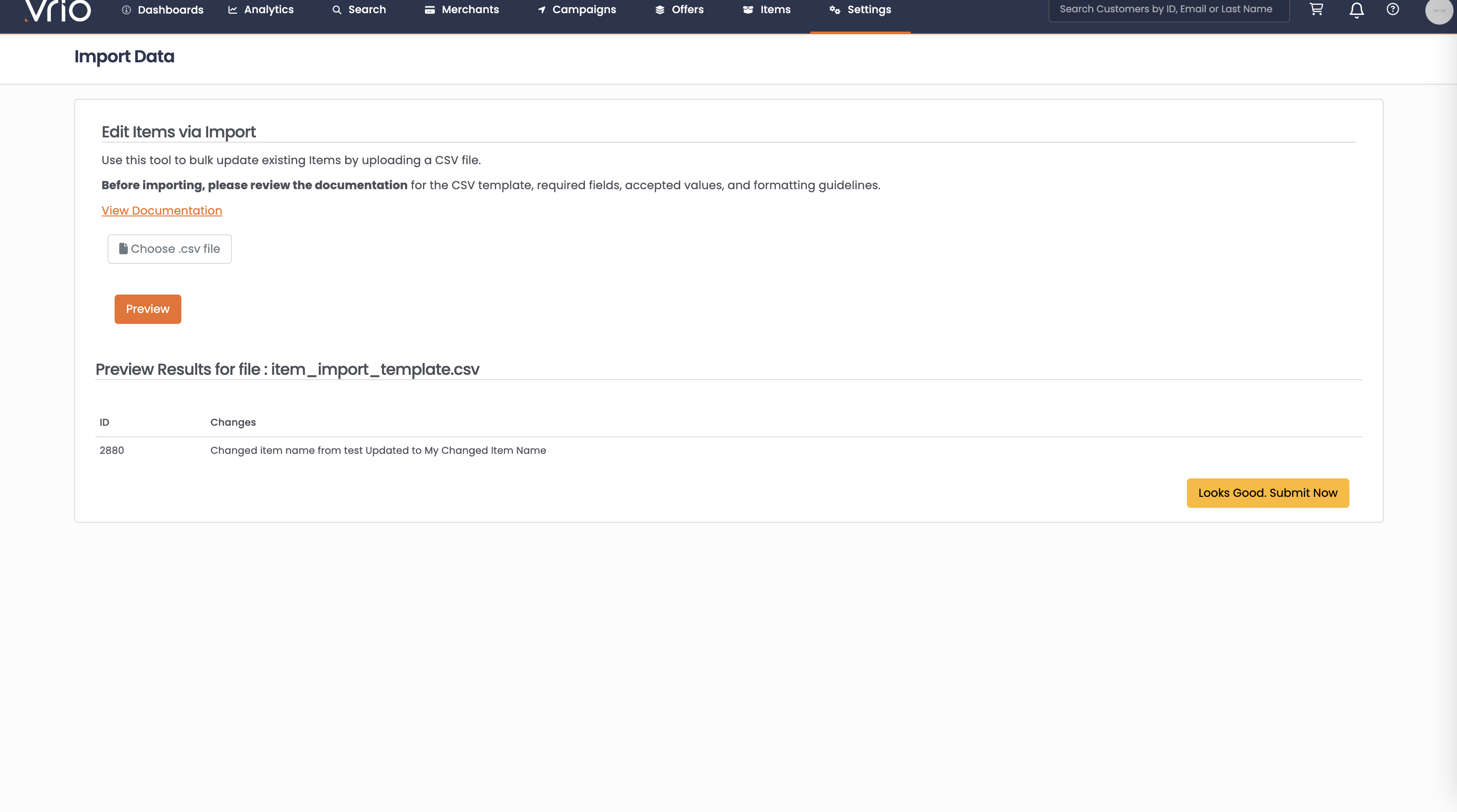
Click Preview to review the changes
-
Click Looks Good Submit Now to apply updates
Common Use Cases
Bulk update SKUs:
Include only Item ID and SKU columns to update SKUs across multiple items.
Update inventory levels:
Use Item ID and Current Stock to bulk update inventory quantities.
Change fulfillment assignments:
Update Fulfillment Connection to reassign items to different fulfillment providers.
Update weights for shipping:
Use Item ID and Weight to ensure accurate shipping calculations.
FAQ
Q: How do I find item IDs?
A: Item IDs are displayed in the Items list and on individual item records.
Q: Can I update inventory quantities via import?
A: Yes, use the Current Stock field to update inventory levels.
Q: What unit is weight measured in?
A: Weight is measured in ounces (oz).
Q: Can I create new items via import?
A: No, item import only updates existing records. New items must be created through the Items interface.
Updated 8 months ago