
Placing Orders with Hosted Checkout
Learn how to use the Vrio Hosted Checkout page for PCI-compliant payment processing.
The Vrio Hosted Checkout provides a fully managed, PCI-compliant payment page that you can use without any coding. Simply generate a Direct Pay URL and share it with your customers - when they click it, the item will be pre-loaded in their cart and they'll be directed straight to checkout.
Complete Direct Pay URL Guide
For a comprehensive tutorial on generating checkout links, understanding how they work, and best practices, see the complete Direct Pay URL documentation.
→ View Complete Direct Pay URL Guide
Quick Start: Your First Checkout Link
Follow these steps to generate your first checkout link and test the hosted checkout experience:
-
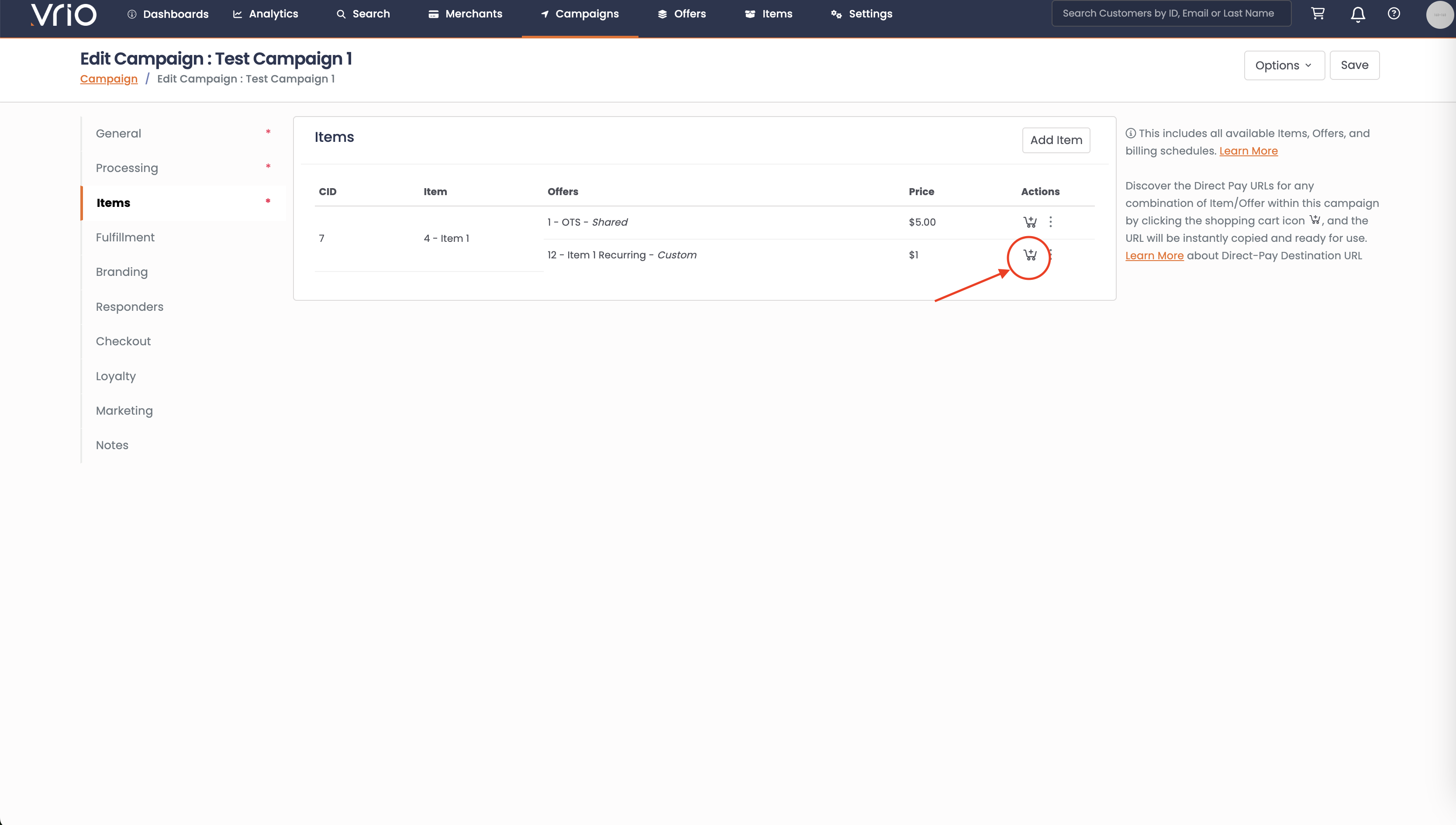
Navigate to Campaigns and select your campaign
-
Click on the Items tab
-
Find the item/offer combination you want to sell
-
Click the shopping cart icon (🛒) next to the offer
-
Adjust the price or quantity if needed
-
Click Generate Link
-
The URL is automatically copied to your clipboard
Now paste that URL into a new browser tab to see your hosted checkout page in action!
What Happens Next
When a customer clicks your Direct Pay URL:
- A cart is automatically created with the selected item and offer
- They're directed to the Vrio Hosted Checkout page
- The item appears pre-loaded in the order summary
- They complete their information and submit their order
Learn More
- Direct Pay URL Complete Guide - Detailed tutorial with screenshots and best practices
- Customize Your Checkout Branding - Add your logo, colors, and custom domain
- Cart API for Custom Checkouts - Build custom checkout experiences with full API control
- Configure Checkout Settings - Set validation rules, terms, and checkout options
Updated 12 months ago